About Coloring Games: Coloring Book, Painting, Glow Draw
Coloring Games: Coloring Book, Painting, Glow Draw delivers an inviting digital art space packed with diverse painting and drawing activities. Children and families can experiment with vibrant palettes, glowing neon markers, guided color-by-number illustrations, and decorative stickers across multiple accessible creative modes designed for budding young artists.
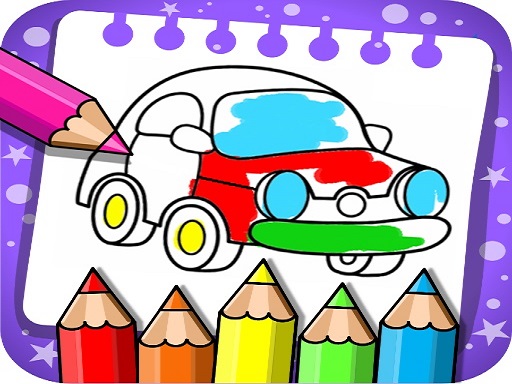
Designed with young learners, toddlers, and preschoolers in mind, this creative studio presents an intuitive visual workspace featuring five distinct art activities. Players can dive into Fun Paint to tap and fill outlined line art with vibrant primary tones, or switch to Color Fill for elaborate decorative options including crayons, glitter fills, cute patterns, and decorative stickers.
For freeform expression, the Drawing mode supplies a blank slate with a comprehensive color palette, while Glow Pen lets artists paint bright neon lines against a striking dark background. Number Paint offers a structured coloring journey where players systematically fill numbered regions shade by shade until complete.
Your goal
Your objective is to explore artistic expression by completing colorful picture pages or crafting original freeform artwork across your chosen mode. Whether accurately matching numbered paint zones to finish structured portraits or freely experimenting with glowing pens and patterned fills, every activity encourages relaxed, imaginative creation.
How to play Coloring Games: Coloring Book, Painting, Glow Draw
1. Select one of the five creative activities from the main menu, such as Fun Paint, Color Fill, Drawing, Glow Pen, or Number Paint.
2. Choose a coloring sheet illustration or begin with a fresh blank canvas depending on the selected mode.
3. Pick your preferred tools, vibrant hues, neon glow markers, crayons, glitter textures, or stickers from the palette.
4. Tap the screen to fill bounded areas with color or drag your finger across the canvas to draw custom strokes.
5. In Number Paint, match the numbered sections with corresponding paint shades to finish each detailed illustration step by step.
Controls and device support
Interact directly by tapping on palette colors and touching or dragging across canvas areas to paint, doodle, and place decorative stickers.
- Controls: Mouse or touch
- Device support: Desktop + mobile
- Game frame: 600 x 960
Rules to keep in mind
- In Number Paint mode, colors must correspond to their assigned numbered zones to complete the intended picture sequence.
- Fun Paint fills blank outlined book sections directly upon tapping with selected colors.
- Glow Pen renders neon strokes exclusively over a dark background canvas for maximum contrast.
What makes the challenge interesting
Gameplay centers on gentle creative discovery and tactile satisfaction. Without strict timers, failing conditions, or intrusive penalties, players have the freedom to take their time exploring color combinations and textures. The interface caters to very young children through straightforward tapping mechanics, while still providing older kids with versatile blank slates, neon sketching, and patterned details.
The contrast between freehand drawing and guided number-based painting creates varied pacing. Players seeking structured relaxation can follow numbered clues, whereas those wanting unfiltered creativity can draw freely with crayons and stickers.
Tips for Coloring Games: Coloring Book, Painting, Glow Draw
- Experiment with neon lines on dark backgrounds in Glow Pen mode to create vibrant, high-contrast doodles and glowing designs.
- Layer stickers and glitter patterns over flat color fills to add eye-catching depth and decorative flair to finished coloring pages.
- Work through one paint shade at a time in Number Paint mode to methodically fill all corresponding sections without missing tiny details.
Stages and progression
Parents and guardians can monitor creative activity and customize individual child profiles to adjust task difficulty, making coloring exercises simpler for toddlers or more detailed for developing older children.
Playing on different devices
The game operates in a vertical portrait orientation formatted at a base resolution of 600 by 960 pixels, making it responsive and convenient for touch interaction on mobile screens.
The skills behind the game
Classified under the hypercasual umbrella, this creative coloring title strips away complex game hurdles in favor of instant artistic gratification. Its lightweight design and approachable mechanics make it a relaxing digital activity for players wanting quick, soothing creative sessions without stress or steep learning curves.
Who will enjoy this game
Players searching for a reliable coloring game online will appreciate that Coloring Games: Coloring Book, Painting, Glow Draw combines multiple digital painting styles into one cohesive experience. From neon glow sketching to color-by-numbers, this suite provides wholesome art tools for children and creative enthusiasts alike.
Games with a similar feel
Happy Color: Like Happy Color, this game features a guided color-by-number mode for filling segmented artwork shade by shade. However, this title also incorporates child-tailored tools, neon glow pens on dark backgrounds, decorative stickers, and freehand blank canvas drawing.
Frequently asked questions
What modes are included in this coloring game? The game includes five mini-game modes: Fun Paint for quick tap filling, Color Fill with stickers and glitter, freeform Drawing on a blank canvas, Glow Pen on dark backgrounds, and guided Number Paint.
Can toddlers play this game easily? Yes, the interface is specifically designed for young learners and toddlers, featuring simple tap-to-color controls and adjustable difficulty settings managed through dedicated child profiles.
Are there in-app purchases or third-party advertisements? No, the title provides a completely free educational art environment without third-party advertisements, paywalls, or in-app purchases.
Something not right?
Tell us if the game does not load, the information is wrong or the content needs review.
Report a problem ›