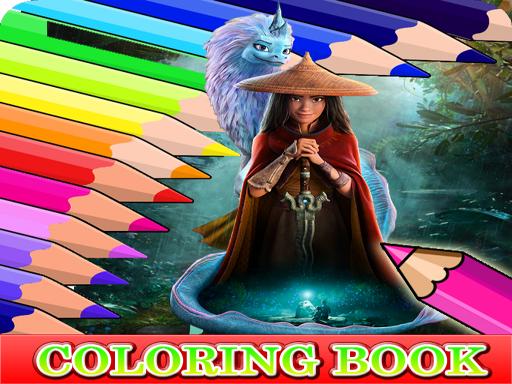
About Coloring Book for Raya And The Last Dragon
Coloring Book for Raya And The Last Dragon is a relaxing digital art activity featuring illustrations inspired by the animated movie characters. Players can explore a colorful world filled with character line art, using virtual paints to practice hand-eye coordination, enhance artistic mixing skills, and refresh their minds through creative casual play.
Designed for kids, cartoon fans, and casual artists, this title brings together a collection of movie character drawings ready to be filled with color. The interface presents clean line drawings that invite players to experiment with varied palettes and decorative styles without time limits or complicated barriers.
The core experience revolves around unwinding while exercising creativity. By choosing shades and applying them to illustration segments, players can improve visual focus, refine their color matching, and enjoy a calming, stress-free activity directly in their web browser on desktop or touch-enabled devices.
Your goal
The main objective is to complete the selection of Raya and the Last Dragon character illustrations by applying your chosen colors. Take your time filling in every outline, harmonizing different tones, and creating vibrant finished pictures that reduce stress and showcase your personal artistic taste.
How to play Coloring Book for Raya And The Last Dragon
1. Open the game in your browser window to display the available coloring templates.
2. Select a character illustration featuring Raya and related movie artwork to begin coloring.
3. Choose your desired color from the on-screen palette using your mouse or touchscreen.
4. Click or tap on specific sections of the drawing to apply the selected pigment.
5. Continue painting adjacent sections with matching or contrasting tones until the whole picture is filled.
Controls and device support
Mouse Click: Select colors from the palette and apply them to illustration sections
Tap Screen: Touch colors and tap parts of the image to fill them with paint
- Controls: Mouse or touch
- Device support: Desktop + mobile
- Game frame: 800 x 600
What makes the challenge interesting
Gameplay centers on mindful artistic expression rather than competitive challenge. Because there are no countdown timers or fail states described in the game, players are free to focus entirely on visual balance, smooth color transitions, and hand-eye coordination as they navigate across each character image.
Whether testing bright cartoon hues or soft background shades, the simple click-and-tap interaction lets players experiment freely and reset their mood in a relaxing digital sandbox.
Tips for Coloring Book for Raya And The Last Dragon
- Plan your palette ahead of time by selecting base character colors first before filling in detailed background elements.
- Use contrasting colors on neighboring sections to make line art and character features stand out more vividly.
- Take steady breaks between pages to keep your hand-eye coordination sharp and maximize relaxation while painting.
The skills behind the game
Classified under puzzles and casual drawing games, this title offers an approachable, low-pressure format. Puzzle and coloring titles of this type emphasize patient interaction and pattern recognition over rapid reflexes, making them accessible to both children and adults looking for relaxing visual engagement.
Who will enjoy this game
Players looking for a coloring game online or a relaxed puzzle game online will find an easy-to-learn experience here. The game combines familiar animated themes with straightforward drawing mechanics that run right in standard web browsers.
Games with a similar feel
Happy Color: Like Happy Color, this game centers on filling illustrated character artwork with vibrant colors to unwind, but it offers freeform palette application rather than strict number-guided segment matching.
Frequently asked questions
What is the goal in Coloring Book for Raya And The Last Dragon? The goal is to relax and color various movie character illustrations using available palette shades, helping improve hand-eye coordination and color mixing.
How do I control the game on mobile or PC? On desktop computers, use your mouse to pick colors and click areas. On mobile devices, simply tap the screen to choose colors and fill sections.
Something not right?
Tell us if the game does not load, the information is wrong or the content needs review.
Report a problem ›