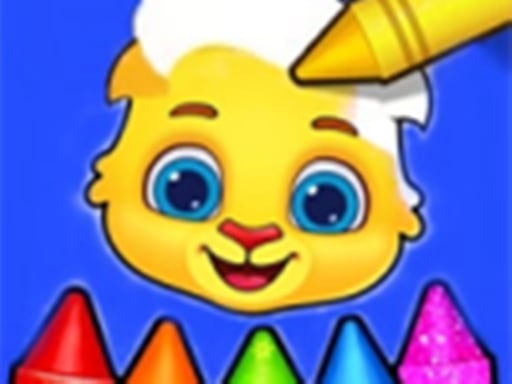
About Coloring Book For Kids - Color Fun
Coloring Book For Kids - Color Fun is a creative art game that provides children and families with engaging painting and drawing activities. Players can explore multiple creative avenues, including color-by-numbers, paint-by-numbers, open doodling, and diverse coloring books. Designed for toddlers and preschoolers alike, the game invites young artists to pick colors and fill pictures at their own pace.
Coloring Book For Kids - Color Fun offers a welcoming digital art studio packed with colorful tools for toddlers, preschoolers, and family members. Rather than offering just a single coloring activity, the game includes varied formats such as structured paint-by-numbers, color-by-numbers, freeform doodling, and diverse coloring book collections. Kids can experiment with drawing instruments and vibrant palettes directly in their browser or on mobile screens. The accessible design allows young learners to explore shapes and colors without stressful rules or complex setup. With interactive art tools designed to nurture imagination, children can practice fine motor control while filling outlines or freely sketching original pictures. Whether creating guided numerical artwork or freely decorating an open coloring page, players enjoy an educational, stress-free painting experience.
Your goal
The main objective in Coloring Book For Kids - Color Fun is to complete colorful illustrations and express creativity across different drawing activities. Players select a picture or blank canvas, match colors to designated numbers when using guided modes, or freely paint pages using available artistic tools. The goal is relaxing creative expression, encouraging young learners to finish pictures and enjoy imaginative art.
How to play Coloring Book For Kids - Color Fun
1. Select an art activity from the available options, such as paint by numbers, color by numbers, doodling, or a free coloring book.
2. Browse through the coloring pages and choose an illustration or open canvas that you want to decorate.
3. Tap or click on your preferred painting or drawing tools and pick the colors you wish to apply.
4. Apply paint to the corresponding numbered regions in guided modes or color freely across the canvas.
5. Continue filling in every section with vibrant shades until your digital artwork is fully colored and complete.
Controls and device support
Click: Select coloring modes, tools, and paint canvas areas
Tap: Select coloring modes, tools, and paint canvas areas
- Controls: Mouse or touch
- Device support: Desktop + mobile
- Game frame: 800 x 504
What makes the challenge interesting
Gameplay in Coloring Book For Kids - Color Fun focuses on accessible artistic exploration tailored for young learners. The experience balances structured painting and unstructured creativity by offering guided color-by-numbers alongside open doodling modes. In guided modes, children can practice pattern recognition and number matching by filling designated sections with corresponding hues. In free coloring and doodling modes, players enjoy unrestricted creative freedom, choosing tools and shades to decorate whatever catches their interest. Because the game relies entirely on simple tap or click inputs, children can comfortably explore every tool without complicated menus. This combination of educational color matching and imaginative drawing supports early childhood development in an intuitive, pressure-free digital environment.
Tips for Coloring Book For Kids - Color Fun
- Start younger toddlers with guided color-by-number sections to help them associate numbers with matching color shades before attempting open drawing.
- Encourage kids to switch to free doodling modes when they want to experiment with colors without following designated lines or outlines.
- Work methodically across larger numbered areas first so smaller details become easier to locate and fill in accurately as you paint.
The skills behind the game
Categorized under Girls and tagged for both boys and kids, Coloring Book For Kids - Color Fun fits into the broader family and educational casual games genre. These browser games emphasize gentle, self-directed play rather than competitive challenges or high scores. By providing tactile digital painting tools, the genre introduces young children to digital devices through rewarding, creative interactions that stimulate visual imagination and basic coordination.
Who will enjoy this game
Players searching for coloring book for kids - color fun or a coloring game online will find a kid-friendly title packed with drawing and painting options. The title combines guided paint-by-numbers with freeform doodling, offering variety for toddlers and preschoolers exploring digital art. Its straightforward tap or click controls make it an accessible coloring book for kids - color fun game on family computers and mobile touchscreens.
Games with a similar feel
Happy Color: Like Happy Color, Coloring Book For Kids - Color Fun features guided color-by-numbers where players fill designated spaces with matching tones. However, while Happy Color focuses primarily on intricate adult-oriented puzzle coloring, this game is built specifically for children with additional doodling modes and free coloring book formats.
Frequently asked questions
What game modes are available in Coloring Book For Kids - Color Fun? The game features multiple artistic activities, including paint by numbers, color by numbers, doodling modes, and various free coloring book pages suitable for toddlers, preschoolers, and family members.
How do you control the tools and colors in the game? You simply tap or click on your screen to pick drawing instruments, choose paint colors, and fill in canvas sections or guided numbered picture areas.
Is this coloring game suitable for very young children? Yes, the game is designed for toddlers, preschoolers, and kids of all ages, offering simple click-or-tap interactions and multiple creative modes without complex rules or countdown timers.
Something not right?
Tell us if the game does not load, the information is wrong or the content needs review.
Report a problem ›