About Coloring Book for Fortnite
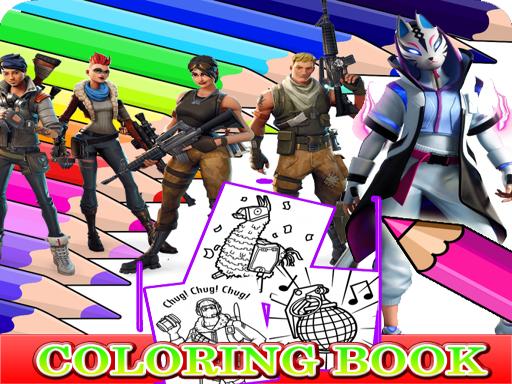
Coloring Book for Fortnite is a relaxing online coloring and drawing game featuring artwork inspired by Fortnite characters. Players can practice color mixing and boost hand-eye coordination by applying bright shades to character illustrations. Designed for casual play directly in your browser, it provides a simple creative outlet to unwind and reduce stress.
Coloring Book for Fortnite delivers a digital coloring experience packed with character-themed line art. The game invites players into a vibrant world where they can experiment with different color combinations across various outlines. Because there are no rushing timers or strict penalties, you can focus entirely on completing each picture with your favorite palettes.
The title is built to encourage creative expression while helping players improve hand-eye coordination and fine-tune their coloring techniques. Whether you want a quick artistic break or a peaceful way to refresh your mind after a busy day, the straightforward interface makes it easy to jump straight into coloring.
Your goal
The main objective in Coloring Book for Fortnite is to select an available character illustration and color every section to complete a finished piece of digital artwork. Players strive to mix appealing colors, fill empty areas cleanly, and create satisfying designs that bring each outlined image to life at a comfortable, leisurely pace.
How to play Coloring Book for Fortnite
1. Browse the available collection of Fortnite-themed illustrations and choose an image to color.
2. Look over the color palette to select the specific shade you want to apply.
3. Click with your mouse or tap on screen sections to fill the line art with your chosen color.
4. Switch between different colors to fill adjacent parts and create balanced, vibrant character art.
5. Review your completed picture and pick a new page whenever you want to paint another scene.
Controls and device support
Left Mouse Click: Select colors from the palette and apply them to illustration areas
Tap Screen: Choose shades and tap picture regions to color the artwork
- Controls: Mouse or touch
- Device support: Desktop + mobile
- Game frame: 800 x 600
What makes the challenge interesting
Gameplay in Coloring Book for Fortnite focuses on calm creative execution rather than high-speed reactions. The core loop revolves around picking an illustration, coordinating tones, and systematically coloring each segment. Because the interface accepts mouse clicks and screen taps, interacting with the canvas is straightforward on compatible browser setups. Players can take their time deciding which colors harmonize well, making the title an accessible visual exercise for unwinding.
Tips for Coloring Book for Fortnite
- Plan a general color scheme before filling large areas to ensure character outfits and backgrounds look balanced.
- Alternate between contrasting bright and dark shades to help distinct sections of the illustration stand out clearly.
- Take your time on smaller line details so every enclosed space receives the intended color without accidental overlaps.
The skills behind the game
Coloring Book for Fortnite is categorized under puzzle and drawing games. Digital coloring titles in this genre provide relaxed, low-pressure gameplay where spatial awareness, color theory, and coordination take center stage over competitive reflexes.
Who will enjoy this game
Players looking for a coloring book for fortnite or a casual coloring game online can explore themed character outlines with zero installation required. The game offers accessible browser-based entertainment for drawing and color enthusiasts.
Games with a similar feel
Happy Color: Like Happy Color, this game lets players fill digital artwork with vibrant palettes. However, Happy Color uses numbered color-by-number mechanics, whereas Coloring Book for Fortnite gives players free choice over which colors to place into the character outlines.
Frequently asked questions
What devices can I use to play Coloring Book for Fortnite? You can play on desktop computers using mouse controls or on touchscreen devices by tapping directly on the screen to choose colors and paint illustrations.
Does the game have time limits or score counters? No timers or scoring mechanics are listed in the official instructions, allowing players to color and relax at their own preferred speed.
Something not right?
Tell us if the game does not load, the information is wrong or the content needs review.
Report a problem ›