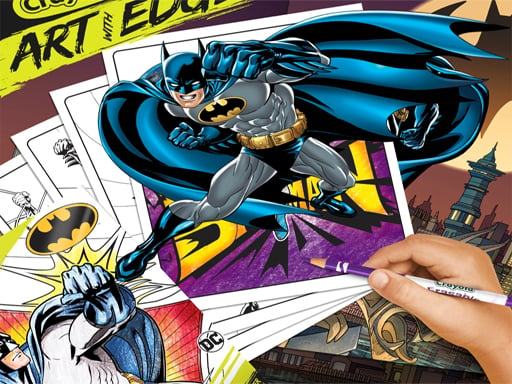
About Coloring Book for Batman
Coloring Book for Batman is a casual digital art game designed for creative players and fans of superhero illustrations. The game presents a selection of character artwork featuring Batman Beyond designs that you can customize freely with your favorite color palettes. Pick an outline, apply colors, and use the print option to save your completed artwork.
Coloring Book for Batman offers an accessible browser-based painting experience centered around dynamic hero illustrations. Players are provided with eight different character images inspired by Batman Beyond, allowing you to select your preferred artwork and paint each section without time limits or competitive pressure. The intuitive interface lets you pick shades from the palette and apply them directly onto the canvas using simple mouse clicks or touchscreen taps. Once you finish detailing an illustration, the built-in print button makes it easy to preserve your work and share the finished piece with friends. Whether you want to recreate classic costume tones or experiment with bold new palettes, this relaxing puzzle and coloring activity encourages creative expression across every image.
Your goal
The main goal in Coloring Book for Batman is to explore the gallery of eight character outlines and complete colorful renditions of each illustration. Express your artistic creativity by choosing suitable shades for suits, emblems, and backgrounds, then export your finished illustrations using the print function to display or share your superhero artwork.
How to play Coloring Book for Batman
1. Select one of the eight available Batman Beyond character line-art templates from the main menu screen.
2. Choose a color from the available palette by clicking or tapping on your preferred shade.
3. Apply the selected color to the designated sections of the hero artwork to fill in the illustration.
4. Continue coloring all parts of the character and background until the picture looks complete to your satisfaction.
5. Click the print button to save or export your final colored artwork to share with friends.
Controls and device support
Left Mouse Button: Select colors, choose templates, and fill artwork sections
Tap: Select colors and touch image regions to paint
- Controls: Mouse or touch
- Device support: Desktop + mobile
- Game frame: 800 x 600
Rules to keep in mind
- Select and color any of the 8 character illustrations available within the game gallery.
- Use the provided print feature to save or export your finished colored artwork upon completion.
What makes the challenge interesting
Coloring Book for Batman emphasizes relaxed creativity and open-ended artistic freedom rather than speed or score tracking. Because there are no countdown timers or failure states, players can focus entirely on color coordination, shading balance, and detailing. With eight distinct Batman Beyond character scenes available, you can spend time testing different aesthetic approaches on each template. The interactive canvas responds immediately to mouse clicks or touchscreen taps, making the painting process seamless and comfortable. Once an illustration is complete, utilizing the built-in print tool provides a satisfying way to archive your finished designs.
Tips for Coloring Book for Batman
- Work from larger background areas toward smaller suit details to establish a balanced color scheme across the entire illustration.
- Experiment with contrasting hues on hero emblems and outlines to make the character figure stand out vividly against the backdrop.
- Take advantage of the print feature after finishing each template so you can keep a personal collection of all completed paintings.
The skills behind the game
Classified under puzzle and arcade coloring titles, Coloring Book for Batman provides a casual, low-stress alternative to fast-paced browser games. While traditional puzzle titles emphasize problem-solving under constraints, coloring puzzles focus on visual composition, shape recognition, and color placement. This genre offers engaging creative entertainment that helps players relax while developing hand-eye coordination and artistic design preferences in a structured digital format.
Who will enjoy this game
Players searching for a casual coloring game online or an enjoyable coloring book for batman game will find an accessible digital drawing experience here. The title features recognizable superhero imagery paired with straightforward painting mechanics, making it suitable for fans of hero art and creative online puzzles who want instant browser play without setup.
Games with a similar feel
Happy Color: Like Happy Color, Coloring Book for Batman focuses on filling distinct line-art images with vibrant digital colors. However, Happy Color uses strict numbered regions to guide palette placement, whereas this Batman title gives players total freedom to apply any chosen color to each template.
Frequently asked questions
How many pictures are available to color in Coloring Book for Batman? The game includes 8 different character images from Batman Beyond that players can choose and color at their own pace.
Can I save my finished artwork after coloring? Yes, once you finish painting a picture, you can use the in-game print button to save and share your colored creation.
What controls are used to paint the illustrations? You can play by using your computer mouse to click colors and areas, or tap directly on screen on touch-enabled devices.
Something not right?
Tell us if the game does not load, the information is wrong or the content needs review.
Report a problem ›