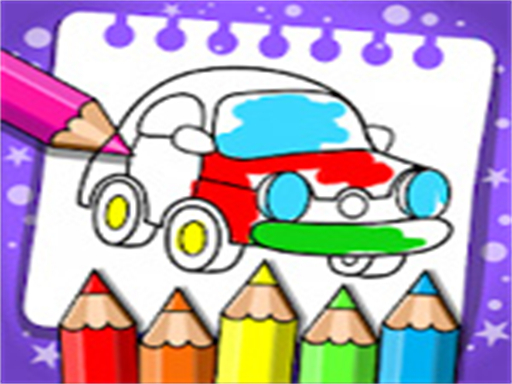
About Coloring And Learning
Coloring And Learning is an educational browser game featuring more than 250 pages designed for players of all ages. Players can experiment with traditional coloring tools across creative activities or switch into specialized options like glow coloring mode. Whether doodling freely or decorating neon artworks, the experience provides relaxing artistic fun for children and families right inside the web browser.
Coloring And Learning brings together a wide variety of educational coloring templates and creative freehand drawing tools in one accessible title. The game includes over 250 activity pages suitable for family play, allowing parents and kids to explore colors, design drawings, or host friendly coloring contests together.
Players can jump into Free Mode to freely sketch, doodle, and fill canvases just like using real paper, or select Glow Coloring Mode to create luminous artwork with vibrant neon paint. With its straightforward point-and-tap interface, the title offers an engaging, stress-free space for early learning, artistic expression, and casual entertainment.
Your goal
The main objective in Coloring And Learning is to explore creative expression by completing coloring pages or designing original art across various modes. Players select templates or open canvases, apply colors and tool effects such as neon paint, and finish educational activities at their own pace without strict time limits or pressure.
How to play Coloring And Learning
1. Select a play mode, such as Free Mode for standard doodling or Glow Coloring Mode for neon effects.
2. Browse through the available collection of over 250 educational coloring pages or choose a blank canvas.
3. Pick your preferred drawing tool and choose colors from the palette.
4. Tap or click on the screen to paint, sketch lines, or fill in illustration details.
5. Add final decorative touches to finish your artwork or start a new drawing project.
Controls and device support
Left Click: Select tools, choose colors, and draw or fill on the canvas
Tap: Select tools, choose colors, and draw or fill on the canvas
- Controls: Mouse or touch
- Device support: Desktop + mobile
- Game frame: 962 x 542
Rules to keep in mind
- Mode Selection: Players can freely switch between Free Mode for paper-like drawing and Glow Coloring Mode for neon paint effects.
- Tool Interaction: Coloring and sketching are applied directly to the canvas using selected tools via tap or click inputs.
What makes the challenge interesting
The gameplay of Coloring And Learning centers on open-ended creativity and accessible interaction. Instead of enforcing rigid puzzle mechanics, the game gives players the freedom to experiment with distinct visual styles. In Free Mode, the experience emulates drawing on paper with classic tools, encouraging fine motor coordination and color recognition. Meanwhile, Glow Coloring Mode shifts the palette to luminous neon paints, transforming simple doodles into bright artwork. This dual focus supports both guided educational coloring and unrestricted artistic imagination for solo players or collaborating families.
Tips for Coloring And Learning
- Try Glow Mode for dynamic contrast: Using bright neon paint against darker backdrops makes simple doodles stand out with magical visual energy.
- Experiment with multiple tools: Switch between different drawing instruments to discover how varied strokes and fills change your finished illustration.
- Organize friendly family coloring challenges: Pick identical template pages with friends or family to see how each person interprets the scene with color.
The skills behind the game
Classified under casual, educational, and girls' categories, Coloring And Learning reflects the digital evolution of classic activity books. These browser titles emphasize stress-free visual design, intuitive touch or mouse controls, and open creativity rather than fast-paced competition. By combining structured template coloring with freehand doodling, the genre serves as an accessible gateway for early childhood learning and relaxed casual gaming.
Who will enjoy this game
Players looking for an accessible coloring game online often seek family-friendly titles that blend entertainment with basic skills. The coloring and learning game concept addresses this by offering both structured educational coloring sheets and freehand neon doodling. Because Coloring And Learning requires only simple clicking or tapping, it fits seamlessly into casual browser play without complex setups or downloads.
Games with a similar feel
Happy Color: Both games focus on relaxing coloring gameplay, but Happy Color centers on structured paint-by-number region fills, whereas Coloring And Learning emphasizes freehand sketching, paper-like doodling, neon glow effects, and open educational pages for the whole family.
Frequently asked questions
What play modes are available in Coloring And Learning? The game features Free Mode for unrestricted doodling and paper-like coloring, as well as Glow Coloring Mode for creating glowing artwork with neon paint.
How many coloring pages does the game include? Coloring And Learning includes over 250 educational pages designed for players of all ages, covering a broad selection of creative themes.
Can families play Coloring And Learning together? Yes, parents and children can color together, practice creative drawing, or run friendly coloring contests using the shared tools.
Something not right?
Tell us if the game does not load, the information is wrong or the content needs review.
Report a problem ›