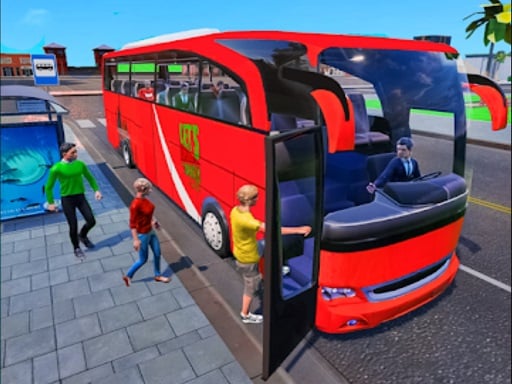
About Coach Bus Driving 3D
Coach Bus Driving 3D is a single-player 3D driving simulator that puts you behind the wheel of a large passenger coach to complete driving assignments, parking challenges, and open-road missions directly in your browser.
Coach Bus Driving 3D offers a vehicle simulation experience tailored for players who enjoy operating large commercial vehicles rather than standard passenger cars. Built with Unity3D and WebGL technology, the game runs inside your desktop web browser, presenting a 3D environment where you can practice handling a long coach.
Instead of focusing exclusively on repetitive passenger stops, this bus simulation incorporates mission-oriented tasks, open driving, and parking activities. Players can navigate city streets, manage vehicular momentum, and test their road precision across various driving goals.
Your goal
The primary objective in Coach Bus Driving 3D is to steer your coach bus through designated routes, accomplish assigned driving or parking missions, and reach target destinations safely across the 3D environment without losing vehicle control.
How to play Coach Bus Driving 3D
1. Launch Coach Bus Driving 3D in your browser to start your driving session.
2. Use your keyboard keys (W, A, S, D) to steer, accelerate, and reverse the bus.
3. Follow the road layout and orient your large coach through open city streets.
4. Navigate toward your designated objective, parking spot, or route marker.
5. Complete the active driving assignment and prepare for subsequent simulation tasks.
Controls and device support
WASD: Drive and steer the bus
- Controls: See in-game controls
- Device support: Browser
- Game frame: 800 x 600
Rules to keep in mind
- Players must operate the bus using supported keyboard steering inputs to stay on active roads.
- Assigned mission criteria, such as reaching parking spots or finishing course routes, must be met to clear objectives.
What makes the challenge interesting
The core gameplay in Coach Bus Driving 3D revolves around handling the unique physics and turning radius of a heavy transport vehicle. Unlike nimble sports cars, a coach requires measured braking, wide steering arcs, and steady throttle control to avoid collisions in tight urban spaces.
Whether executing careful maneuvers in parking zones or maintaining speed along straightaways, players must anticipate turns early and stay aware of road boundaries to execute clean driving runs.
Tips for Coach Bus Driving 3D
- Begin turning earlier than usual to accommodate the long wheelbase and wide turning radius of the coach.
- Tap the W key for controlled acceleration when maneuvering in compact parking areas rather than holding it down continuously.
- Use the S key to apply brakes well before approaching sharp turns or crowded road intersections.
Playing on different devices
Coach Bus Driving 3D is designed for desktop browser play using keyboard controls with WebGL support, running within an 800 x 600 display frame.
The skills behind the game
Within the Racing and Driving category, Coach Bus Driving 3D focuses on vehicle control realism and precision handling rather than high-speed competitive sprints. Simulator titles in this genre challenge players to master heavier machinery and disciplined maneuvers.
Who will enjoy this game
Players looking for a coach bus driving 3d game or an engaging car parking game can practice spatial awareness and navigation across realistic 3D courses in this single-player browser release.
Games with a similar feel
Euro Truck Simulator 2: Both Coach Bus Driving 3D and Euro Truck Simulator 2 focus on operating heavy commercial vehicles, but Coach Bus Driving 3D is a lightweight browser title centered on immediate missions rather than long-distance freight logistics.
Asphalt: While Asphalt emphasizes high-speed arcade racing and nitrous boosts, Coach Bus Driving 3D prioritizes careful coach handling, deliberate road maneuvering, and structured parking objectives.
Frequently asked questions
What controls are used to drive the bus? You can steer, accelerate, and reverse your coach using the standard WASD keys on your computer keyboard.
Does Coach Bus Driving 3D support multiplayer? No, Coach Bus Driving 3D is configured as a single-player driving simulator experience.
Something not right?
Tell us if the game does not load, the information is wrong or the content needs review.
Report a problem ›