Official listing
Game description
When you get stuck, you can draw another shape to pass!
Adventure game
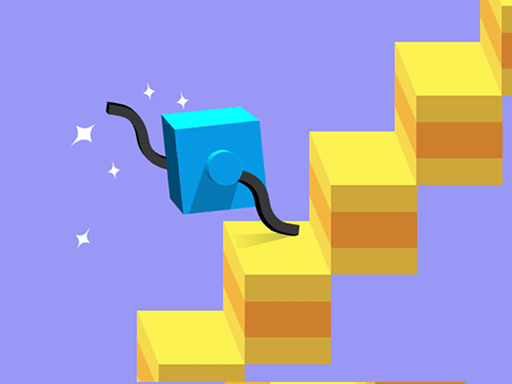
Climber Draw is an interactive browser adventure game where your drawings determine movement. By sketching different shapes on the screen, you make your character run and adapt to challenging terrain. Whenever you encounter obstacles or find your climber stuck, drawing a new shape allows you to adjust your momentum and pass through smoothly.
Choose Play now to load the game.
Official listing
When you get stuck, you can draw another shape to pass!
From the game listing
Any drawing will make you run
Open this card to load the gameplay video.
Climber Draw is an interactive browser adventure game where your drawings determine movement. By sketching different shapes on the screen, you make your character run and adapt to challenging terrain. Whenever you encounter obstacles or find your climber stuck, drawing a new shape allows you to adjust your momentum and pass through smoothly.
Climber Draw combines single-player simulation and adventure mechanics into an active drawing challenge. In this HTML5 adventure title, any drawing you create immediately sets your character into motion, turning your sketched lines into the functional limbs that drive your climber forward. As each course unfolds, varied terrain, inclines, and physical barriers can impede your runner. Success relies on observing how different patterns interact with the ground. Whenever you get stuck, sketching an alternate shape provides fresh leverage to overcome the barrier, maintain steady momentum, and continue progressing through the obstacles.
The primary objective in Climber Draw is to keep your character running forward across diverse adventure obstacles without remaining trapped. When challenging surfaces or steep barriers halt your forward momentum, you must promptly evaluate the layout and draw a new, effective shape that provides enough physical leverage to pass the obstruction and continue your journey smoothly.
1. Start the game session to inspect the initial path ahead.
2. Draw an initial shape in the drawing area to make your character run.
3. Watch how your drawn shape propels the climber across the terrain.
4. Identify when your character gets stuck or slowed down by an obstacle.
5. Draw another shape to adapt your movement and pass the challenging section.
Gameplay in Climber Draw revolves around real-time mechanical problem solving through custom sketches. Because every drawing you produce directly governs how your climber traverses surfaces, shape design is the central mechanic. Straight lines, hooks, or curved profiles interact differently with ledges and slopes. When a particular limb design stalls against a wall or trench, immediate adaptation is essential. Redrawing on the fly replaces the previous design, allowing players to experiment with reach, rotational balance, and grip to maintain constant forward speed across unexpected landscape configurations.
As an HTML5 single-player adventure game, Climber Draw blends creative input mechanics with obstacle navigation. In browser adventure and simulation games, players often rely on quick thinking and environmental interaction rather than static button inputs. The drawing mechanic introduces a hands-on physics dynamic where player imagination directly influences the character's locomotion and success across varied terrain.
Players searching for Climber Draw or an engaging adventure game online will find a unique drawing-driven runner experience. Rather than relying on traditional directional controls, Climber Draw challenges you to design the very limbs that propel your avatar, making every run an experiment in geometry, balance, and quick adaptation.
How do you make your character move in Climber Draw? Any drawing you sketch on the screen will immediately cause your character to run and advance across the terrain.
What should you do if your climber gets stuck? Whenever you get stuck against an obstacle, simply draw another shape to adapt your leverage and pass the barrier.
Tell us if the game does not load, the information is wrong or the content needs review.
Report a problemExplore popular games by category, shared tags and site-wide activity.