About Clicker Time Game
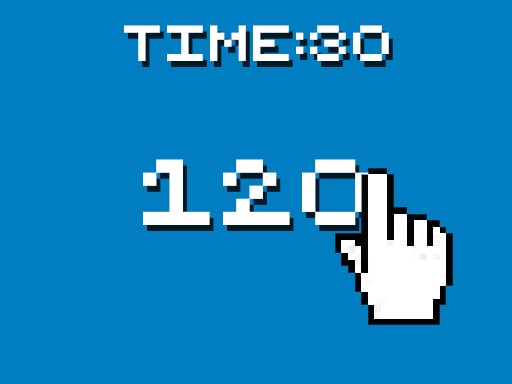
Clicker Time Game is a straightforward speed trial that challenges players to register as many inputs as possible within a strict 30-second window. Whether using a mouse button on desktop or tapping directly on a mobile screen, the experience revolves entirely around pure tapping cadence, physical endurance, and setting new high scores during quick play sessions.
Designed for fast and accessible sessions, Clicker Time Game delivers an immediate test of personal reaction speed and manual dexterity. Every round gives you exactly 30 seconds on the clock to generate the highest possible tally of clicks or screen taps.
As the session progresses, the interface monitors your real-time performance by tracking your clicks per second alongside your all-time best score. Because there are no elaborate menus or complex sub-systems to navigate, the entire focus stays locked on maintaining a rapid and uninterrupted physical rhythm from the opening second until the timer expires.
Your goal
The primary objective in Clicker Time Game is to maximize your total click count before the 30-second countdown reaches zero. Players aim to push their clicks-per-second metric as high as possible, using each round to benchmark their physical stamina and establish a higher overall record for total clicks.
How to play Clicker Time Game
1. Launch the game in your browser window to display the primary active interface.
2. Position your mouse cursor over the interactive target or get your fingers ready over your touchscreen device.
3. Begin clicking or tapping rapidly to activate the 30-second timer and start accumulating inputs.
4. Maintain an uninterrupted tapping cadence while monitoring your active clicks per second metric.
5. Check your final tally and your total best score once the timer runs out to evaluate your performance.
Controls and device support
The game operates entirely via mouse clicks on desktop or screen taps on touch-enabled devices.
- Controls: Mouse or touch
- Device support: Desktop + mobile
- Game frame: 600 x 1024
Rules to keep in mind
- Each attempt is strictly limited to a duration of 30 seconds.
- Inputs are registered by clicking the mouse button or tapping directly on the screen.
- The system records your current clicks per second rate during the round.
- Your highest accumulated click count is stored as your total best score.
What makes the challenge interesting
The defining dynamic of Clicker Time Game is the tradeoff between raw bursting speed and muscular endurance over a sustained half-minute sprint. A common pitfall in timed clicker challenges is tensing hand muscles too early, which leads to rapid fatigue during the second half of the round.
Finding a balanced tempo helps prevent sudden drops in your clicks-per-second output. Because the game tracks both your immediate rate and your overall total, players can experiment with different physical techniques, such as jitter clicking, two-finger alternating taps, or steady wrist pulsing, to discover which posture sustains maximum output for the entire 30 seconds.
Tips for Clicker Time Game
- Pace your physical effort during the initial five seconds rather than violently straining immediately, which prevents premature hand fatigue before the 30-second timer runs out.
- Keep your wrist relaxed and rested against your desk surface to maintain better control and avoid shaking the mouse away from the target area.
- When playing on mobile, try alternating between your index and middle fingers to double your tap frequency without overworking a single digit.
- Take brief rest intervals between consecutive 30-second attempts to let your forearm recover and maintain peak clicks per second across sessions.
Playing on different devices
With native support for both mouse clicking and direct screen tapping, the game adapts cleanly across desktop browsers and mobile touchscreens. Its vertical 600 by 1024 resolution makes it especially well suited for mobile portrait orientation, where comfortable two-thumb or dual-finger tapping allows for high-cadence inputs without needing additional desktop hardware.
The skills behind the game
Within the broader clicker genre, titles generally fall into two distinct styles: long-term incremental simulators and short-form manual speed tests. Clicker Time Game represents the pure speed-test subgenre, stripping away passive income generators and complex math scaling to emphasize raw human input speed.
This focused single-player design appeals to players looking for a quick benchmark of their clicking cadence, reaction speed, and physical consistency without committing to hours of idle management.
Who will enjoy this game
Players looking for a lightweight clicker game online often seek immediate browser challenges that require no installation or setup. Clicker Time Game fulfills that demand by offering an instant 30-second burst test suitable for quick breaks, friendly score comparisons, or hand warmup exercises before competitive gaming.
Games with a similar feel
Cookie Clicker: While Cookie Clicker centers on long-term resource accumulation and buying automated production upgrades, Clicker Time Game focuses solely on a 30-second manual speed sprint without passive income. Players wanting deep progression prefer Cookie Clicker, whereas those wanting a quick physical clicking test will appreciate Clicker Time Game.
Frequently asked questions
How long does each round last in Clicker Time Game? Each round lasts exactly 30 seconds, during which you attempt to register the highest possible number of clicks or screen taps before time expires.
What metrics are tracked during a session? The game tracks your real-time clicks per second throughout the round and saves your total best clicks count so you can measure improvement across runs.
Can I play Clicker Time Game on both mobile devices and PC? Yes, the game supports standard mouse clicks on desktop computers as well as direct touchscreen tapping on mobile phones and tablets.
Something not right?
Tell us if the game does not load, the information is wrong or the content needs review.
Report a problem ›