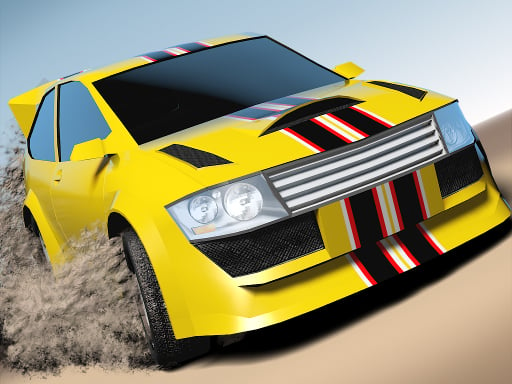
About City Racing 3D - Traffic Racing
City Racing 3D - Traffic Racing is a 3D racing game about underground street competition: build a stylish ride, hit the pedal, weave through traffic, and use nitrous bursts to stay ahead. The described loop mixes drifting, jumps, police pressure, and reputation-building as you chase more races, cars, and customization.
The supplied description frames this as an underground street-racing experience where style and speed matter together. You stock a garage with real-world supercars from manufacturers such as Bugatti, Lamborghini, McLaren, Pagani, Koenigsegg, and Hennessey, then use in-game customization spots like the Mod Shop and Black Market. On the streets of Blackridge, the action leans into jumps, debris, traffic, walls, Nitro Zones, drifting, local crews, and police pursuit, with reputation opening the door to more racing.
Your goal
Your goal is to win street races, take down competition, and increase your rep so you can reach more races, more customization options, and more cars. The description pushes a fearless approach: accelerate through traffic and Nitro Zones, drift when needed, outrun police on your tail, and keep rolling to the finish line.
How to play City Racing 3D - Traffic Racing
1. Start a street race and use the listed keyboard controls to steer, accelerate, and manage your ride through traffic.
2. Watch for jumps, debris, walls, and Nitro Zones while staying in control at high speed.
3. Use nitrous when you need an adrenaline-fueled burst for driving and drifting past rivals.
4. Clash with local crews and police pressure while keeping your car moving toward the finish line.
5. Win to build rep, then return to the garage for more races, custom combos, and additional cars.
Controls and device support
The listing only states "Keyboard Controls" and does not provide specific key bindings or mobile inputs.
- Controls: Keyboard
- Device support: Desktop + mobile
- Game frame: 900 x 600
Rules to keep in mind
- Race to win: the description repeatedly ties progress to beating rivals and refusing to back down.
- Stay ahead through street hazards such as traffic, debris, walls, jumps, and high-speed Nitro Zones.
- Police can be on your tail, so outrunning them is part of the described race pressure.
- Reputation is the stated route into more races, more customizations, and more cars.
What makes the challenge interesting
The focus is aggressive street racing rather than calm circuit driving. The description emphasizes chaos versus control: hitting the pedal, launching over jumps, sliding through drifts, threading into traffic, and using nitrous to surge ahead. Customization is also central, with a claimed range of real-world cars and over 2.5 million custom combos, but the core player action remains racing hard, earning respect, and staying in front.
Tips for City Racing 3D - Traffic Racing
- Treat nitrous as a timing tool: a burst is most useful when you have room to accelerate, not while boxed into traffic or debris.
- Prioritize a clean line through jumps, walls, and traffic; staying in control supports the described chaos-versus-control balance.
- If police pressure rises, favor steady speed and forward progress over risky side contact that could cost the finish.
- Use customization to match your style, but remember the source does not say every visual combo changes performance.
Stages and progression
Progression is described as reputation-driven: takedown the competition, up your rep, then move into more races, more customizations, and more cars. The source also mentions over 1,000 challenging races and a garage built around desirable real-world manufacturers, but it does not state exact unlock requirements.
The skills behind the game
Within the Racing category, the tags point toward 3D, cars, casual play, simulation or simulator flavor, stunts, supercars, and Unity3D presentation. That context fits the description’s emphasis on speed, drifting, jumps, traffic hazards, and garage customization rather than a purely realistic driving model.
Who will enjoy this game
Natural phrases for this page include the exact title, city racing 3d - traffic racing game, racing game online, and drifting game. Those phrases align with the stated street-racing loop: accelerate through traffic, use nitrous, drift, outrun police, and build reputation across many races.
Games with a similar feel
Asphalt: Asphalt shares the broad arcade-racing idea of driving cars through fast-paced races. The difference is emphasis: this listing’s description leans harder into underground rep, police pressure, Nitro Zones, and garage customization as part of one street-racing loop.
Need for Speed: Need for Speed is associated with car racing and vehicle handling, and the supplied description even uses Need for Speed wording. This page should still be read as its own listing: a keyboard-controlled racing draft centered on traffic, drifting, rep, and customization.
Frequently asked questions
What is the main goal in City Racing 3D - Traffic Racing? The described goal is to dominate underground street racing: win races, take down rivals, build rep, and use that momentum to reach more races, cars, and customization.
What controls are listed for the game? The only supplied instruction is "Keyboard Controls." No individual keys, mobile gestures, or device-specific behavior are provided, so players should check the in-game prompt if available.
Does the game have multiplayer? A "2 Player" tag appears in the listing, but the description does not explain a multiplayer mode. Treat that tag as genre context rather than confirmed matchmaking or split-screen play.
Something not right?
Tell us if the game does not load, the information is wrong or the content needs review.
Report a problem ›