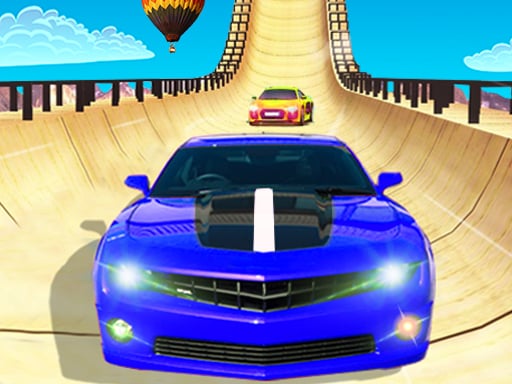
About City Racing 3D
City Racing 3D is a fast-paced three-dimensional driving game where players take sports cars onto busy streets across world metropolises. You will navigate around traffic, execute drift stunts through sharp corners, and compete across varied contest types ranging from standard career circuits to intense elimination showdowns. Designed for quick access and lively arcade vehicle handling, the game invites drivers to test their reflexes, hone their cornering lines, and climb global leaderboards.
City Racing 3D delivers high-energy circuit action set across recognizable urban backdrops including Tokyo, Paris, Chicago, London, Macao, Cairo, Hawaii, Chengdu, and Arizona. Rather than driving on sterile, empty raceways, players contend with active traffic flow while pushing powerful supercars to their limits. The primary loop centers on entering competitive races, steering through complex city turns, pulling off controlled drift maneuvers, and crossing the finish line ahead of rival vehicles or the running clock.
The game incorporates several distinct competitive setups, including traditional Career progression, sudden-death Elimination Tournaments, head-to-head 1 Vs 1 duels, and precision Time Trials. Between events, drivers can examine garage options to tune their turbo engines, test drive fresh machines, and customize their visual presence with varied paint jobs and decorative stickers. This rhythm of track execution and mechanical enhancement keeps each street run purposeful and energetic.
Your goal
The primary objective in City Racing 3D is to outpace the competition across every chosen event type, whether you are trying to survive elimination rounds, beat the clock in solo time trials, or secure first place against head-to-head rivals. Beyond taking checkered flags, players strive to build high-performance vehicles by upgrading engine components, perfecting drift lines to preserve speed around tight city bends, and climbing leaderboard rankings through consistent driving excellence.
How to play City Racing 3D
1. Select your preferred vehicle and check available tuning options or custom paint styles before entering an event.
2. Choose an active game mode such as Career, 1 Vs 1, Elimination Tournament, or Time Trial from the event menu.
3. Use your keyboard controls to accelerate off the starting grid and steer your supercar into the opening straightaway.
4. Anticipate upcoming corners early by setting up your entry angle and sliding into drift stunts to maintain momentum.
5. Watch for street traffic along the course, steering clear of unexpected obstacles while defending your racing position.
6. Cross the finish line to register your race result, earn progress toward vehicle upgrades, and post higher leaderboard marks.
Controls and device support
The official game instructions designate keyboard controls for driving, though specific steering and braking key bindings are not detailed in the feed.
- Controls: Keyboard
- Device support: Desktop + mobile
- Game frame: 900 x 600
What makes the challenge interesting
At its heart, City Racing 3D balances the pursuit of raw top speed with the spatial awareness required for urban navigation. Because courses incorporate regular street traffic, drivers cannot simply glue their gaze to the racing line; they must continuously scan several car lengths ahead to spot slower civilian vehicles before a collision occurs. Drifting serves as the crucial handling mechanism, allowing players to swing high-powered supercars through ninety-degree city turns without scrubbing off all their velocity.
This setup presents an ongoing risk-versus-reward decision on every lap. Sliding wide into a bend carries superior cornering speed, but it also increases your exposure to oncoming or parallel traffic in neighboring lanes. Finding the optimal tune for your turbo engine gives you the straight-line acceleration needed to recover, but smooth control and clean judgment around traffic ultimately decide who wins elimination heats and who falls behind.
Tips for City Racing 3D
- Initiate drifts slightly before entering sharp street corners rather than in the middle of the bend. Starting early stabilizes your sliding arc, helping you avoid crashing into outer barriers or lingering traffic.
- Prioritize turbo engine upgrades whenever you have the opportunity. Enhanced engine power allows your car to regain lost speed rapidly following tight turns, minimizing time lost during accidental course taps.
- Treat ambient traffic as moving obstacles that dictate your passing lines. Swerving aggressively at the last fraction of a second often causes sudden spinouts, so aim to plan passing lanes well ahead.
- Use Time Trial runs to learn the twists of world circuits like Tokyo or Paris before jumping into Elimination tournaments. Knowing where the blind turns appear lets you race much more defensively under pressure.
Stages and progression
Progression in City Racing 3D is structured around both mode variety and vehicle development. The Global Rally Tour carries players through an international lineup of cities including Tokyo, Paris, London, Chicago, Cairo, Macao, Hawaii, Chengdu, and Arizona, each offering distinct street layouts and scenery. Moving through Career events introduces drivers to tougher competitive formats, from direct 1 Vs 1 challenges to high-stakes Elimination Tournaments.
Alongside geographic exploration, vehicle tuning forms a continuous advancement track. Players unlock and test drive different supercars, upgrade turbo components to boost overall speed, and personalize their rides with custom paints and stickers. As you refine car performance and master complex city tracks, you can target faster lap times and climb higher on competitive leaderboards.
Playing on different devices
City Racing 3D is formatted for desktop browser play at a canvas resolution of 900 by 600 pixels and relies on standard keyboard inputs for vehicle handling. The provider documentation also highlights lightweight mobile packaging and local WiFi multiplayer capabilities on mobile platforms. In a desktop browser session, players should ensure their game frame holds active window focus so steering and throttle inputs respond without delay.
The skills behind the game
Within the racing genre, City Racing 3D emphasizes immediate arcade accessibility over meticulous mechanical simulation. Rather than requiring realistic gear shifts, clutch feathering, or tire wear management, it focuses on high-speed cornering, dramatic drift slides, and the excitement of threading exotic supercars through active civilian traffic. This style appeals directly to players seeking punchy, bite-sized racing sessions with straightforward goals.
The addition of varied tags like stunts, simulation, and supercars reflects the hybrid appeal common in modern browser racing. While vehicle physics provide tactile steering weight around bends, the core fun lies in spectacle: speeding past iconic city monuments, experimenting with engine tunes, and surviving knockout elimination rounds where steady positioning is everything.
Who will enjoy this game
Players searching for a city racing 3d game or an energetic racing game online typically seek instant action without waiting through large downloads or complicated setup menus. City Racing 3D satisfies that desire by placing high-speed street challenges directly into the web browser, offering rapid warm-ups for casual driving sessions between daily tasks.
Fans of drifting games will appreciate how slide mechanics are integrated directly into city circuit navigation. Practicing smooth entry angles and holding clean drifts through tight corners across diverse world cities allows drivers to build consistency, improve reaction times, and enjoy satisfying street racing runs whenever they have a few spare minutes.
Games with a similar feel
Asphalt: Like the Asphalt series, City Racing 3D focuses on high-velocity arcade racing, exotic supercars, and dramatic drift mechanics across famous global cityscapes. However, Asphalt is known for large commercial production budgets with elaborate stunt ramps and licensed rosters, whereas City Racing 3D offers an accessible, lightweight alternative designed for quick web play without heavy overhead.
Need for Speed: Both City Racing 3D and Need for Speed center on urban street racing, active roadway traffic, and vehicle customization through paint and engine upgrades. While Need for Speed traditionally emphasizes open-world story progression and deep handling physics, City Racing 3D isolates the street-circuit action into compact, instantly playable arcade rounds ideal for casual gaming sessions.
Frequently asked questions
What racing modes are available in City Racing 3D? The game includes Career mode, Elimination Tournaments, 1 Vs 1 match-ups, and solo Time Trials, providing players with distinct ways to race against rivals or chase clean lap records.
Can I customize and upgrade my cars? Yes. Players can upgrade the turbo engine to tune overall vehicle performance, as well as customize their supercars with colorful paint jobs and decorative stickers.
Which cities and locations are featured on the tour? The Global Rally Tour visits metropolises and destinations around the globe, including Tokyo, Paris, Chicago, London, Macao, Cairo, Hawaii, Chengdu, and Arizona.
How do I control my car during races? The browser version uses keyboard controls for steering, throttle, and maneuvering. Be sure to click inside the game window so your keystrokes register instantly.
Something not right?
Tell us if the game does not load, the information is wrong or the content needs review.
Report a problem ›