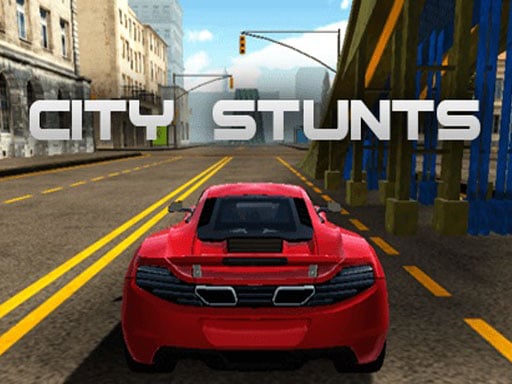
About City Car Driving Simulator
City Car Driving Simulator puts you behind the wheel to explore an expansive 3D city environment filled with active street traffic. Using accurate vehicle physics, you can chase down your favorite cars, navigate urban roadways, and experience smooth driving in an open setting directly in your web browser.
City Car Driving Simulator delivers a focused driving experience centered on open-world exploration and street navigation. Powered by WebGL 3D graphics, the game lets players take control of vehicles across detailed road networks populated with realistic traffic cars. Whether you are cruising through intersections or chasing specific vehicles across town, the responsive car physics encourage smooth handling and attentive movement through everyday urban conditions.
Your goal
The main goal in City Car Driving Simulator is to freely explore the open city streets while successfully maneuvering among moving traffic cars. Players aim to maintain vehicle control, chase down preferred cars across town, and navigate varied roadways smoothly without getting disrupted by dense urban traffic flows.
How to play City Car Driving Simulator
1. Launch City Car Driving Simulator in your desktop browser window.
2. Use the WASD keys to steer, accelerate, and maneuver your vehicle through the city.
3. Observe the surrounding urban streets and keep an eye on active traffic cars.
4. Navigate open roadways and chase your favorite cars across the environment.
Controls and device support
WASD: Player movement and vehicle steering
- Controls: See in-game controls
- Device support: Browser
- Game frame: 960 x 600
Rules to keep in mind
- Steer and move your car using the WASD keyboard controls.
- Share the roadway safely with simulated city traffic vehicles travelling along the streets.
What makes the challenge interesting
Gameplay in City Car Driving Simulator revolves around practical handling and situational awareness within an open 3D city. Because the streets feature active traffic cars and realistic car physics, successful driving requires adjusting your speed, reading upcoming turns, and coordinating movement smoothly with WASD inputs. Players can freely set their own route, chase target vehicles across districts, or practice precision driving around city obstacles without fixed linear tracks.
Tips for City Car Driving Simulator
- Anticipate the movement of nearby traffic cars early so you have ample space to brake or turn smoothly.
- Use gentle, tapped WASD key presses when taking tight street corners to maintain better traction and avoid skidding out.
- Keep track of open roadway lanes to navigate around dense traffic clusters without coming to an abrupt halt.
The skills behind the game
As a browser-based entry in the racing and simulation categories, City Car Driving Simulator blends realistic physics with relaxed open-world driving. Rather than strictly forcing lap-based competition, it emphasizes open navigation and urban traffic awareness, providing an accessible driving sandbox powered by WebGL graphics.
Who will enjoy this game
Players searching for a city car driving simulator game or a dynamic racing game online can jump straight into City Car Driving Simulator. The title offers realistic 3D vehicle physics and responsive WASD controls without requiring complex downloads.
Frequently asked questions
What controls are used to drive in City Car Driving Simulator? You control your vehicle movement and steering in City Car Driving Simulator using the WASD keys on your desktop keyboard.
Does the game feature traffic on the city streets? Yes, City Car Driving Simulator includes real city traffic, challenging you to share the open-world roadways with other moving vehicles.
Something not right?
Tell us if the game does not load, the information is wrong or the content needs review.
Report a problem ›