Official listing
Game description
City Blocks is a match-3 puzzle game. Strategically place new buildings and upgrade them to build the largest possible city before you run out of space.
Puzzles game
City Blocks is a strategic match-3 puzzle game where players place new structures on open ground to merge and upgrade them. Your goal is to plan every placement carefully, expanding urban structures and developing the biggest possible settlement before running out of available building tiles.
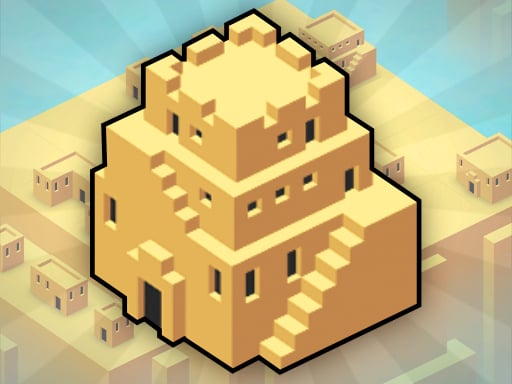
Choose Play now to load the game.
Official listing
City Blocks is a match-3 puzzle game. Strategically place new buildings and upgrade them to build the largest possible city before you run out of space.
From the game listing
Use the left mouse button to place new buildings on an empty tile
Open this card to load the gameplay video.
City Blocks is a strategic match-3 puzzle game where players place new structures on open ground to merge and upgrade them. Your goal is to plan every placement carefully, expanding urban structures and developing the biggest possible settlement before running out of available building tiles.
In City Blocks, classic matching mechanics meet strategic city planning in a clean 3D casual layout. Each turn provides structures that you must position across empty tiles on the board. When matching buildings align, they merge into higher-tier upgrades, clearing valuable room and advancing your city's growth.
Because every placed building occupies valuable real estate, careful spatial management is necessary. You must anticipate future matches and avoid cluttering the grid so that your single-player high-score run continues as long as possible before no open tiles remain.
The objective of City Blocks is to build the largest possible city by strategically placing and upgrading buildings on the board. You must continually create matches to consolidate structures and conserve open tiles, aiming for the highest score before the playfield fills completely.
1. Survey the grid to identify open tiles and assess where your existing buildings are positioned.
2. Use the left mouse button to place your current building onto an available empty tile.
3. Align matching buildings adjacent to one another to trigger merges and upgrade them into advanced structures.
4. Continue placing and combining buildings strategically to maintain free space and build the biggest city possible.
Left Mouse Button: Place new buildings on an empty tile
Success in City Blocks depends on forward-thinking logic and tile preservation. Because each piece placed remains on the board until merged, random placements will quickly congest your available territory. Players must analyze existing building clusters and group matching tiers nearby so that incoming pieces immediately trigger consolidations.
Balancing short-term space clearing with long-term city development is the central strategic challenge. Leaving central pathways open ensures flexible placement options as higher-level buildings accumulate across the 3D grid.
As part of the puzzle and logic category, City Blocks challenges spatial reasoning and deliberate planning. Unlike fast-paced reflex games, it encourages thoughtful moves where each decision directly impacts future board management and high-score potential.
Players looking for a match 3 puzzle game online will find City Blocks a strategic alternative to standard tile-swapping formats, focusing on progressive upgrades, thoughtful building placements, and high-score survival on a compact grid.
Candy Crush Saga: City Blocks shares the core match-3 concept with Candy Crush Saga, but instead of swapping adjacent pieces to clear candy boards, you place new buildings onto empty tiles to upgrade and grow a city.
Bejeweled: Like Bejeweled, City Blocks revolves around aligning identical items to make matches, yet it focuses on spatial city construction and persistent board management rather than traditional gem-swapping clears.
What is the primary goal in City Blocks? The primary goal is to place and upgrade matching buildings strategically to grow the largest possible city before all empty tiles are occupied.
How do you control building placement in the game? You position your structures by clicking the left mouse button directly onto any available empty tile on the grid.
When does a game of City Blocks conclude? A game ends when you run out of empty space on the board and can no longer place any new buildings.
Tell us if the game does not load, the information is wrong or the content needs review.
Report a problemExplore popular games by category, shared tags and site-wide activity.



















