Official listing
Game description
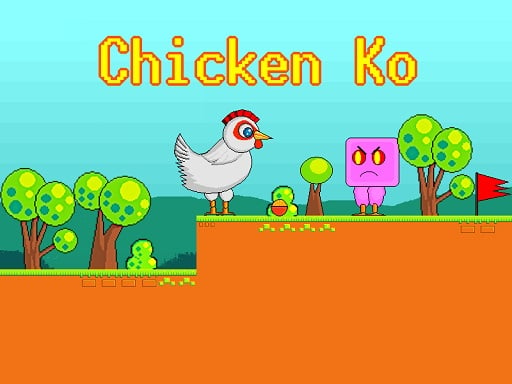
Chicken Ko is a 2D platformer where you have to collect bowls of grain and reach the red flag while avoiding enemies and spikes. The difficulty increases as you proceed.
Arcade game
Chicken Ko is a 2D side-scrolling arcade platformer where you take charge of a cute chicken on an adventure. Your mission is to traverse obstacle-filled courses, gather bowls of grain scattered across the platforms, and safely reach the red flag exit while dodging dangerous hazards and roaming enemies.
Choose Play now to load the game.
Official listing
Chicken Ko is a 2D platformer where you have to collect bowls of grain and reach the red flag while avoiding enemies and spikes. The difficulty increases as you proceed.
From the game listing
Use WASD or Arrow keys for player s movement Use W or up arrow key twice for double jump
Open this card to load the gameplay video.
Chicken Ko is a 2D side-scrolling arcade platformer where you take charge of a cute chicken on an adventure. Your mission is to traverse obstacle-filled courses, gather bowls of grain scattered across the platforms, and safely reach the red flag exit while dodging dangerous hazards and roaming enemies.
Built with pixel art visuals, Chicken Ko provides a classic single-player arcade platforming experience across 2D side-scrolling levels. Players guide their feathered character across platforms, using standard movement and double jumping to navigate challenging layouts filled with hazardous spikes and patrolling enemies.
Every stage requires players to balance careful movement with thorough exploration to collect all accessible grain bowls before reaching the finish marker. As you advance through the game, courses become progressively more demanding, requiring sharper reflexes and precise jump timing to survive.
The primary goal in each stage of Chicken Ko is to collect the bowls of grain placed around the map and successfully reach the red flag at the end of the course. You must accomplish this while keeping your character safe from lethal spikes and enemy contact.
1. Move left and right across the platforms using the A and D keys or the Left and Right Arrow keys.
2. Press the W key or Up Arrow key to jump over gaps and obstacles.
3. Tap the W key or Up Arrow key twice to perform a double jump for extra height across wide gaps.
4. Collect the bowls of grain positioned along your path through the level.
5. Avoid touching patrolling enemies and dangerous spikes scattered along the terrain.
6. Reach the red flag marker at the end of the route to complete the stage.
WASD or Arrow Keys: Move player character
W or Up Arrow (twice): Perform double jump
Gameplay in Chicken Ko focuses on precision traversal and hazard avoidance. Navigating the side-scrolling terrain requires careful assessment of platform spacing and hazard placement. Mastering the double jump mechanic is essential, as it gives you the additional vertical boost needed to clear high ledges and wide gaps lined with spikes.
Because courses grow tougher as you advance, players must develop steady movement timing. Anticipating enemy patrol routes and planning each jump allows you to gather grain safely while steadily working toward the red flag.
As players proceed through the game, the overall difficulty increases, introducing tighter platform layouts and more demanding hazard placements on the way to the red flag.
As an arcade platformer, Chicken Ko highlights straightforward, responsive mechanics focused on spatial awareness and obstacle navigation. Players move across 2D side-scrolling stages where precise jumping and immediate hazard reactions form the foundation of progression.
Players looking for a fun chicken ko game or an engaging platform game online will find classic 2D obstacle navigation in this title. Chicken Ko combines collecting grain items with traditional arcade game online mechanics like double jumping and dodging enemy threats.
Super Mario Bros.: Like Super Mario Bros., Chicken Ko is a 2D side-scrolling platformer centered on jumping across terrain to reach an end-of-stage marker. However, Chicken Ko incorporates a dedicated double-jump mechanic and tasks players with gathering grain bowls along the way.
Sonic the Hedgehog: Like Sonic the Hedgehog, Chicken Ko involves traversing obstacle-laden paths filled with hazards and collectible items. However, Chicken Ko emphasizes compact, precision-focused platform jumps and avoiding spikes rather than high-speed momentum-based routing.
How do you perform a double jump in Chicken Ko? You can double jump by pressing the W key or the Up Arrow key twice in quick succession while moving.
What is the main objective of each level? Your goal is to collect bowls of grain and safely reach the red flag while avoiding enemies and spikes.
Does Chicken Ko get harder as you play? Yes, the source notes that the overall difficulty increases as you proceed further into the game.
Tell us if the game does not load, the information is wrong or the content needs review.
Report a problemExplore popular games by category, shared tags and site-wide activity.














