Official listing
Game description
Connect all the plugs to a matching socket. Hypercasual game with one finger control. Easy to play, hard to master. Do you think you have a smart mind? Then don’t hesitate to challenge!
Hypercasual game
Charge My Phone! is a hypercasual plug-and-socket puzzle where you drag each plug to its matching socket. The idea is simple, the challenge is keeping every connection straight, and the one-finger control makes each attempt quick to start on touch or mouse for short puzzle sessions.
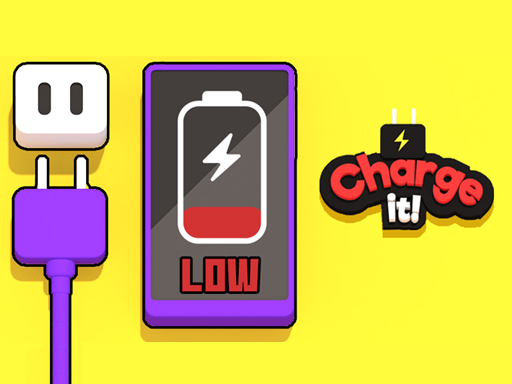
Choose Play now to load the game.
Official listing
Connect all the plugs to a matching socket. Hypercasual game with one finger control. Easy to play, hard to master. Do you think you have a smart mind? Then don’t hesitate to challenge!
From the game listing
Drag the plugs onto the sockets using touch or mouse
Open this card to load the gameplay video.
Charge My Phone! is a hypercasual plug-and-socket puzzle where you drag each plug to its matching socket. The idea is simple, the challenge is keeping every connection straight, and the one-finger control makes each attempt quick to start on touch or mouse for short puzzle sessions.
Charge My Phone! presents a compact connection puzzle built around a single clear action: moving plugs into the sockets that match them. The official description frames it as a hypercasual game with one finger control, easy to play but hard to master, so the appeal comes from solving a tidy board rather than learning a large rule set. Its listed tags place it among casual, arcade, logic, physics and puzzle styles, while the 1 Player tag indicates a solo format. The source does not state timers, scores, lives, level counts or unlock systems, so the safest way to approach it is as a direct drag-and-match challenge.
Your goal is to connect all the plugs to a matching socket. Read the board, decide which plug belongs with which socket, then drag each plug into place using touch or mouse until every listed connection is made.
1. Look over the plugs and sockets before moving anything, and identify which plug should pair with which socket.
2. Press or touch a plug, hold it, and drag it toward the socket you believe matches it.
3. Release the plug on the chosen socket, then check the remaining plugs so one move does not block your next choice.
4. Repeat the drag-and-match action for each plug until all plugs are connected to matching sockets.
5. If a placement feels wrong, pause and re-check the pairing instead of forcing extra moves; the challenge is accuracy and planning.
Mouse: Drag the plugs onto the sockets
Touch: Drag the plugs onto the sockets
The focus is careful matching under a very simple control scheme. Because the description says easy to play, hard to master, the difficulty likely comes from recognizing correct pairs and keeping the board organized rather than from complex buttons. Treat each drag as a commitment: scan first, move second, and keep attention on the full set of plugs instead of only the closest socket.
The listing gives 1080 x 1920 dimensions, a portrait-oriented canvas, and the instructions name both touch and mouse dragging. No other device requirement, performance note or orientation behavior is stated.
As a Hypercasual title tagged Casual, Arcade, Logic, Logical, Physics and Puzzle, Charge My Phone! fits the quick-session puzzle space where a single readable mechanic carries the challenge. The 1 Player tag supports a solo experience, while the description's easy-to-play, hard-to-master line signals accessible input with room for careful decisions.
Natural phrasing for this page centers on the exact title Charge My Phone! and the plain action of dragging plugs to matching sockets. The supplied seed queries are unverified, so they are treated only as language players might use, not as measured demand, ranking potential or traffic evidence.
What do you do in Charge My Phone!? You connect all the plugs to a matching socket by dragging them into place. The puzzle is complete when every plug has been paired correctly, with no extra modes stated in the source.
How do you control the plugs? The instructions say to drag the plugs onto the sockets using touch or mouse. That makes the control scheme a simple press-hold-drag-release action on desktop or touch screens.
Is Charge My Phone! multiplayer? The supplied tags include 1 Player, so the listing points to a solo puzzle format. No cooperative, versus or online multiplayer features are described in the available facts.
Tell us if the game does not load, the information is wrong or the content needs review.
Report a problemExplore popular games by category, shared tags and site-wide activity.

















