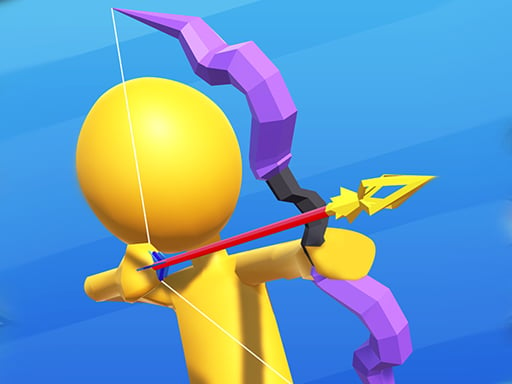
About Castle Blaster 2D! (mobile)
Castle Blaster 2D! (mobile) is a defensive action shooter where you stand as the king's top soldier guarding a fortress that took nineteen years to construct. Faced with an aggressive rival ruler who preys on vulnerable kingdoms to rebuild his crumbling stronghold, you must operate an arsenal of futuristic armaments. Success requires constant awareness and quick tactical shifts between three swappable weapons to neutralize incoming enemy fire before it strikes your walls.
The narrative sets up a bitter siege between two monarchs. Your sovereign's arch-nemesis has suffered heavy structural damage to his own castle in previous conflicts. Desperate to maintain his territory, he attempts to raid neighboring realms for gold and territory, setting his sights directly on your newly finished citadel. Armed with powerful high-tech weapons granted by the crown, you are tasked with repelling the assault and preserving the fortress.
The core encounter centers on active threat interception rather than passive barricade building. Players observe three distinct weapon icons positioned in the upper-left corner of the screen, switching between them according to the type and distance of hostile projectiles. The heavy machine gun, or HMG, functions as your primary workhorse designed to shred distant bullet salvos, while specialized tools such as the bow serve to catch incoming blue projectiles before they close the gap.
Your goal
Your objective is to successfully protect your king and preserve his precious castle against the relentless onslaught orchestrated by his rival. To maintain defensive stability, you must monitor incoming hostile trajectories, switch swiftly to the appropriate weapon counter, and blast projectiles out of the sky before they reach your perimeter.
How to play Castle Blaster 2D! (mobile)
1. Inspect the upper-left corner of the interface to locate the three selectable weapon icons.
2. Deploy the HMG as your standard firearm to suppress and shred general bullet volleys from long range.
3. Scan incoming attack waves specifically for blue bullets advancing across the horizontal field.
4. Click or tap the bow icon to intercept and stop those approaching blue projectiles before they strike.
5. Regularly cycle through the three armaments so each offensive tool matches the specific threat facing your fortress walls.
Controls and device support
Click or tap the three weapon icons located at the top left of the screen to swap active firearms during combat.
- Controls: See in-game controls
- Device support: Browser
- Game frame: 1280 x 480
What makes the challenge interesting
Gameplay in Castle Blaster 2D! (mobile) revolves around situational threat identification and rapid loadout adjustment. Rather than relying on a single weapon to resolve every attack pattern, defense relies on identifying projectile types and reacting with the designated countermeasure. The central tactical decision involves managing weapon changes without falling behind the tempo of incoming fire.
The HMG provides heavy baseline coverage against standard distant salvos, but relying solely on sustained fire leaves vulnerabilities against specialized munitions. Recognizing when to immediately swap over to the bow to handle approaching blue bullets requires deliberate attention. Developing a smooth rhythm between observing incoming flight paths and tapping the top-left icons forms the foundation of a disciplined defense.
Tips for Castle Blaster 2D! (mobile)
- Keep your resting focus near the weapon icons at the top left. Quick finger or cursor movement to those icons prevents delays when blue bullets suddenly appear mid-wave.
- Treat the HMG as your primary default selection. Shredding distant rounds early reduces total projectile density on screen before close-range threats can overlap.
- Reserve the bow strictly for incoming blue projectiles. Avoid keeping the bow equipped against generic distant salvos where the HMG's shredding capability proves more effective.
- Experiment with the third available loadout icon during quieter moments to discover how its unique strengths complement the defensive pacing of your frontline.
Playing on different devices
Designed with a wide 1280 by 480 canvas, the visual layout provides a panoramic horizontal field of fire that accommodates desktop browsers and horizontal mobile screens alike. The weapon selection icons remain anchored at the top-left edge, meaning mouse users should keep cursor travel tight, while mobile touchscreen players may find using their non-dominant thumb for icon swapping keeps the main viewing lanes unobstructed.
The skills behind the game
Although classified in raw feeds under fighting, Castle Blaster 2D! (mobile) operates within the established lineage of 2D fortress defense and arcade shooting games. In these defensive encounters, stationary player positioning shifts the emphasis away from physical footwork and into target triage, reaction speed, and tactical loadout rotation.
The fusion of shoot 'em up mechanics and castle defense tests a player's ability to prioritize hazards along an approaching front. Enthusiasts of arcade defense games typically appreciate clear cause-and-effect combat where timely weapon selection directly dictates survivability against escalating wave volume.
Who will enjoy this game
Players exploring mobile tower defense games and online action shooters often seek quick-starting web challenges that require sharp manual reflexes. Castle Blaster 2D! (mobile) provides a focused micro-session experience centered on weapon-matching dynamics rather than deep resource economy.
For casual gamers looking to practice split-second threat recognition, running repeated defense rounds serves as an entertaining exercise in visual filtering. Monitoring projectile speeds while constantly alternating between the bow and HMG trains hand-eye coordination in short, accessible browser sessions.
Games with a similar feel
Plants vs. Zombies: Plants vs. Zombies shares the core objective of protecting an immovable home base from waves of incoming attackers advancing horizontally. However, while Plants vs. Zombies emphasizes grid placement and resource collection to build automated lines of defense, Castle Blaster 2D! (mobile) relies on direct active weapon swapping to shoot down incoming enemy bullets manually.
Bloons TD 6: Bloons TD 6 challenges players to intercept incoming hazards along set pathways using dedicated anti-projectile tools. In Bloons TD 6, that defense comes through placing, positioning, and upgrading multiple towers across winding tracks, whereas Castle Blaster 2D! (mobile) focuses your action on a single stationary defender actively cycling three futuristic weapons against incoming munitions.
Frequently asked questions
How do you switch between weapons during battle? You change weapons by clicking or tapping the three weapon icons displayed at the top left of the game screen. Each weapon possesses distinct strengths for neutralizing incoming threats.
Which weapon should be used against standard distant bullets? The official instructions indicate that the HMG is your primary main weapon. It is designed specifically to shred incoming bullet volleys from a distance.
What is the best way to handle approaching blue bullets? When you observe blue bullets approaching your castle, switch your active gear to the bow, which is designated specifically to stop those projectiles from closing distance.
Something not right?
Tell us if the game does not load, the information is wrong or the content needs review.
Report a problem ›