Official listing
Game description
It's a great game to measure your steering ability in traffic!
Sports game
CARS HD is an online sports driving title where players can put their steering ability to the test amidst busy traffic. Designed around car and supercar racing themes, the game challenges you to maintain smooth control across the road. With responsive keyboard and mouse handling, this title offers an engaging environment for anyone looking to master vehicle steering in active roadway settings.
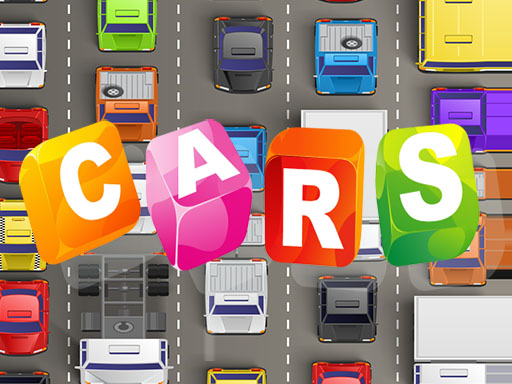
Choose Play now to load the game.
Official listing
It's a great game to measure your steering ability in traffic!
From the game listing
Arrows Click Mouse
Open this card to load the gameplay video.
CARS HD is an online sports driving title where players can put their steering ability to the test amidst busy traffic. Designed around car and supercar racing themes, the game challenges you to maintain smooth control across the road. With responsive keyboard and mouse handling, this title offers an engaging environment for anyone looking to master vehicle steering in active roadway settings.
In CARS HD, drivers jump straight into traffic-filled scenarios designed to test precise vehicle handling. Categorized under sports and car racing, the experience emphasizes steering reflexes as you navigate supercars along the road. Players use keyboard arrow keys alongside mouse clicks to steer their vehicle and manage on-screen selections. By concentrating purely on steering proficiency, the game provides a direct, accessible racing challenge where avoiding road obstacles and maintaining lane precision are central to success. Whether maneuvering around surrounding vehicles or keeping your car aligned, the focus stays locked on how well you can guide your vehicle through ongoing traffic conditions.
The primary goal in CARS HD is to demonstrate your steering proficiency while navigating through road traffic. Players must carefully maneuver their supercar, avoid potential collisions with other vehicles, and maintain a steady course on the track to test their driving control.
1. Launch CARS HD in your web browser to load the sports driving interface.
2. Use mouse clicks to navigate menus and begin your traffic driving session.
3. Press the keyboard arrow keys to steer your supercar left and right across road lanes.
4. Monitor the movement of surrounding traffic and adjust your path to avoid collisions.
5. Maintain steady vehicle control for as long as possible to prove your steering ability.
Arrow Keys: Steer your vehicle through road traffic
Mouse Click: Interact with game menus and interface options
Gameplay in CARS HD centers on road awareness and fine steering adjustments. Maneuvering high-performance supercars through active traffic requires continuous attention to spacing between vehicles. Because sudden movements can lead to errors, players must balance swift directional changes with steady lane keeping. The straightforward control layout via arrow keys ensures immediate responsiveness, allowing players to focus completely on vehicle alignment and split-second decisions. The challenge comes from adapting to traffic density and testing how effectively you can guide your car without losing control.
Within the online sports and racing category, driving games often highlight the balance between speed and precision. CARS HD fits into this genre by testing pure steering mechanics within dynamic traffic flow. Unlike complex multi-lap motorsport simulations, traffic-based sports games give players an immediate, arcade-style driving challenge where quick reflexes, lane discipline, and smooth directional inputs determine how well a driver performs behind the wheel of a supercar.
Players searching for a cars hd game or a sports game online will find that CARS HD delivers accessible browser-based driving action. The title prioritizes traffic steering and car navigation, providing a straightforward experience for fans of car racing and supercars. Its quick keyboard inputs and compact browser format make it an easy option for casual racing enthusiasts seeking a pure test of steering precision.
Asphalt: Like the Asphalt series, CARS HD delivers fast-paced action centered around high-performance supercars. However, while Asphalt features extensive multi-track arcade circuits and complex progression, CARS HD offers a focused, browser-based traffic steering challenge.
What type of game is CARS HD? CARS HD is an online sports driving game focused on testing your steering ability and car control while navigating through active traffic.
What controls are used to drive in CARS HD? You steer your car through traffic using the keyboard arrow keys, while mouse clicks are used to interact with the game interface and menus.
Can CARS HD be played directly in a web browser? Yes, CARS HD is playable directly in your web browser with an 800 by 600 display frame and straightforward keyboard and mouse controls.
Tell us if the game does not load, the information is wrong or the content needs review.
Report a problemExplore popular games by category, shared tags and site-wide activity.