Official listing
Game description
You and John are invited to the second part of the car wash adventure. Choose, maintain and decorate 1 of 5 different cars. You're ready to drive! After driving 2 laps, you can continue the game with other cars.
Boys game
Car Wash With John 2 is a car-themed browser game where you join John for a second wash-and-drive adventure. Choose one of five cars, maintain and decorate it, then drive two laps before trying other cars.
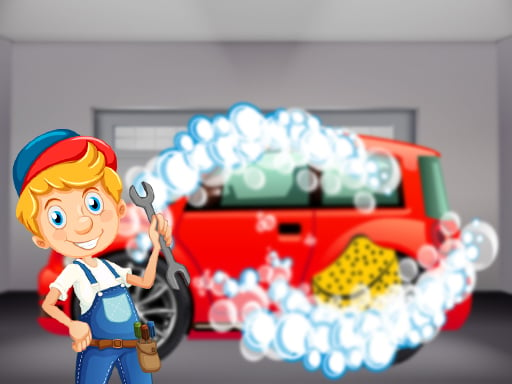
Choose Play now to load the game.
Official listing
You and John are invited to the second part of the car wash adventure. Choose, maintain and decorate 1 of 5 different cars. You're ready to drive! After driving 2 laps, you can continue the game with other cars.
From the game listing
DRIVE ARROW KEYS SPACE LEFT CLICK TOUCH FOR MOBILE
Open this card to load the gameplay video.
Car Wash With John 2 is a car-themed browser game where you join John for a second wash-and-drive adventure. Choose one of five cars, maintain and decorate it, then drive two laps before trying other cars.
The official description frames Car Wash With John 2 as a follow-up car wash adventure built around a simple loop: select a car, take care of it, decorate it, and drive. There are five different cars to choose from, so the replay idea is to finish the driving portion with one vehicle and then continue with another. The listing is categorized under Boys and tagged with Adventure, Car, Driving, Kids, and Mobile, which supports a light, accessible driving-and-customization context rather than a complex simulation.
Your goal is to pick 1 of 5 different cars, maintain and decorate that chosen car, and get ready to drive. After driving 2 laps, the description says you can continue the game with other cars, making the broader objective to repeat the loop across the available vehicles.
1. Start the game and choose one car from the five different cars named in the description.
2. Use the maintain and decorate step to prepare your selected car before driving.
3. Drive the car using the listed inputs: arrow keys on desktop, with space and left click also named in the instructions.
4. On mobile, use touch input as stated in the instructions.
5. Complete 2 laps, then continue the game with other cars if you want to repeat the loop.
The instructions list drive, arrow keys, space, left click, and touch for mobile, but they do not assign a distinct action to space or left click.
ARROW KEYS: Drive
SPACE: Listed in instructions; specific action not stated
LEFT CLICK: Listed in instructions; specific action not stated
TOUCH: Mobile input
The focus is a compact car-care and driving loop rather than a stated race, timer, score, or penalty system. The description emphasizes choosing a car, maintaining it, decorating it, and then driving, with the two-lap point acting as the moment when continuing with other cars becomes relevant. Because the source does not describe opponents, upgrades, damage, or level structure, the safest way to present the game is as a casual vehicle preparation and driving experience.
Car Wash With John 2 is listed in the Boys category and tagged Adventure, Boys, Car, Driving, Kids, and Mobile. Those labels support a casual car and driving context with a simple vehicle theme, while the description keeps the actual play centered on choosing, maintaining, decorating, and driving cars.
The natural keyword context is the exact title phrase “car wash with john 2” and the close variant “car wash with john 2 game.” Both are unverified seed phrases, so they are useful for wording and relevance only, not as evidence of search volume, ranking, or traffic.
How many cars are in Car Wash With John 2? The description says you can choose, maintain and decorate 1 of 5 different cars, so the game presents five selectable cars for the wash-and-drive loop.
What happens after driving 2 laps? After driving 2 laps, the official description says you can continue the game with other cars, which suggests repeating the same choose-prepare-drive loop using a different vehicle.
What controls does Car Wash With John 2 use? The instructions list drive, arrow keys, space, left click, and touch for mobile. They clearly support arrow-key driving and mobile touch, but do not explain separate actions for space or left click.
Tell us if the game does not load, the information is wrong or the content needs review.
Report a problemExplore popular games by category, shared tags and site-wide activity.