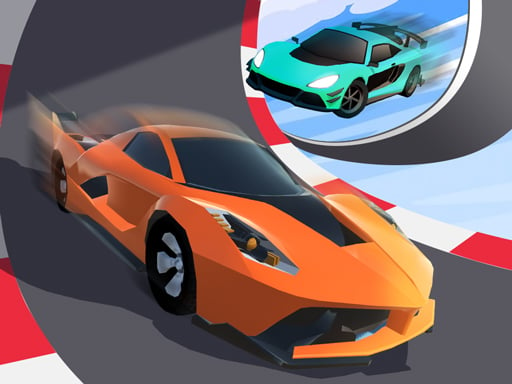
About Car Racing: 3D Drive Mad
Car Racing: 3D Drive Mad is a fast-paced 3D arcade driving game where players steer a nitro-equipped car through busy tracks. Your main objective is to outmaneuver computer-controlled competitors, dodge hazards along the road, and gather fuel pickups to keep your nitro boost charged for critical overtakes.
In this 3D racing title, players take the wheel of a high-speed vehicle competing directly against AI racers. The course layout requires continuous attention, blending high-speed navigation with active hazard evasion as you navigate the road.
A central element of the race dynamic is managing the onboard nitro boost system. Throughout the drive, fuel pickups appear along the route; collecting these charges your boost gauge, enabling sharp bursts of acceleration to pass rival cars and recover ground after avoiding track obstacles.
Your goal
The primary goal is to defeat the rival AI racers across the course. Achieving victory demands clean driving lines that avoid road hazards while aggressively gathering fuel items to power your nitro boosts ahead of the pack.
How to play Car Racing: 3D Drive Mad
1. Start the race and establish your lane positioning as the vehicle begins moving along the track.
2. Steer left and right using your keyboard keys on PC or on-screen directional buttons on mobile devices.
3. Scan the path ahead to identify obstacles and steer smoothly around them to avoid losing momentum.
4. Drive through collectible fuel items scattered across the roadway to charge your nitro system.
5. Trigger your nitro boost when you have a clear stretch of road to overtake computer-controlled rival cars and finish in the lead.
Controls and device support
On PC, use the A and D keys to move left and right, and click on-screen buttons for additional functions. On mobile devices, tap the corresponding on-screen buttons to control movement and actions.
- Controls: Mouse or touch
- Device support: Desktop + mobile
- Game frame: 750 x 1334
Rules to keep in mind
- Players must actively steer to avoid on-track obstacles during the race.
- Fuel pickups positioned along the driving lanes charge the car's nitro system.
- Nitro boosts and clean maneuvers must be utilized to defeat opposing AI drivers.
What makes the challenge interesting
Car Racing: 3D Drive Mad balances quick reaction times with strategic item collection. Because the roadway contains both beneficial fuel canisters and disruptive obstacles, players cannot simply hold a straight line. Success requires reading traffic and roadway clutter several car lengths ahead, balancing the risk of swerving toward fuel pickups against the danger of colliding with track hazards.
Timing your nitro bursts creates an essential tactical rhythm. Activating a boost while stuck behind an obstacle or rival car can lead to collisions, whereas saving charged speed bursts for straightaways maximizes distance gained over AI competitors.
Tips for Car Racing: 3D Drive Mad
- Prioritize a clear lane before triggering your nitro boost. Accelerating directly behind an obstacle or opponent risks an immediate crash, wasting your collected fuel.
- Watch the placement of upcoming fuel items early so you can plan a smooth driving angle rather than making sudden, destabilizing last-second swerves.
- Keep adequate spacing between your vehicle and rival AI cars to give yourself sufficient room to react when road hazards suddenly appear.
- Focus on smooth steering inputs using the A and D keys or tap targets, avoiding excessive overcorrection that could throw your vehicle off course.
Playing on different devices
Built with a portrait display orientation (750 x 1334), this title adapts well across desktop browsers and mobile touchscreens. Desktop players benefit from responsive lateral control via the A and D keys alongside mouse clicks for interface actions, while mobile players can drive and activate functions directly through intuitive on-screen touch buttons.
The skills behind the game
Categorized under Action and Racing, Car Racing: 3D Drive Mad emphasizes rapid decision-making and continuous movement. The addition of avoidance and collecting elements blends traditional driving competition with arcade-style reflex challenges, requiring players to constantly weigh immediate hazard navigation against speed-boosting opportunities.
Who will enjoy this game
Players looking for an accessible online 3D car racing game will appreciate the straightforward arcade loop of Car Racing: 3D Drive Mad. Its balance of avoiding obstacles, managing nitro fuel, and outrunning AI opponents makes it an ideal pick for casual driving sessions and reflex practice directly in a web browser without complex setup.
Games with a similar feel
Asphalt: Like the Asphalt series, this game delivers high-octane arcade racing centered around aggressive nitro boost usage. However, while Asphalt features extensive commercial vehicle rosters and high-production cinematic courses, Car Racing: 3D Drive Mad focuses on a streamlined browser-based obstacle avoidance loop that gets players straight into racing action.
Need for Speed: Both games share the core thrill of street racing and competing against rival drivers. Whereas Need for Speed emphasizes detailed car tuning, narrative modes, and complex city layouts, Car Racing: 3D Drive Mad provides an immediate, pickup-and-play casual arcade challenge oriented around fuel collection and obstacle dodging.
Frequently asked questions
How do you charge the nitro boost in Car Racing: 3D Drive Mad? You charge your vehicle's nitro system by collecting fuel items distributed across the roadway during the race.
What are the primary controls for playing on a computer? On PC, steer your car left and right using the A and D keyboard keys, and tap or click on-screen buttons for other game functions.
Who are you competing against during the race? The game pits you against computer-controlled AI racers whom you must defeat by dodging obstacles and using nitro boosts effectively.
Something not right?
Tell us if the game does not load, the information is wrong or the content needs review.
Report a problem ›