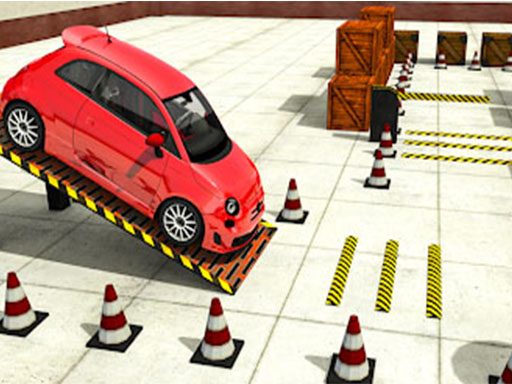
About Car Parking Simulator Free 3D
Car Parking Simulator Free 3D is a three-dimensional driving game where careful maneuvering takes priority over pure speed. Players steer their vehicle through obstacle-laden courses to reach designated parking spots across 100 distinct stages. With every clean parking run completed, you earn experience points that help unlock fresh vehicle colors and new physics-based cars.
In Car Parking Simulator Free 3D, your core objective is to guide your vehicle safely across intricate courses without colliding with walls, barriers, or road objects. Navigating tight corners and narrow pathways requires steady steering and consistent speed control. The in-game minimap helps track your destination, showing you exactly where the target finish area is located.
The game features 100 unique levels alongside daily parking missions, providing a steady stream of navigational tests. As you clear stages, you accumulate XP that can be used to customize your car's appearance with new paint colors or acquire new cars with distinct physics behavior, rewarding clean driving and continuous progression.
Your goal
The main goal is to navigate your car from the starting point to the designated finish area without hitting any walls, barriers, or obstacles along the way. Successfully parking at the goal completes the stage, awards XP, and advances your progress toward unlocking new vehicles and customization options.
How to play Car Parking Simulator Free 3D
1. Use the WASD keys to steer, accelerate, and reverse your vehicle through the course.
2. Consult the on-screen minimap to locate the designated finish parking area.
3. Carefully maneuver past barriers, walls, and obstacles without making contact.
4. Park squarely within the finish zone to complete the level and collect earned XP.
Controls and device support
WASD: Steer, accelerate, and reverse the vehicle
- Controls: Keyboard
- Device support: Browser
- Game frame: 800 x 600
Rules to keep in mind
- You must avoid making contact with walls, barriers, and other track objects during your run.
- You must successfully reach and park within the designated finish zone shown on the minimap to clear each level.
- Completing stages awards XP, which is used to purchase vehicle paint colors and new physics cars.
What makes the challenge interesting
Precision and spatial awareness form the foundation of Car Parking Simulator Free 3D. Rather than racing against opponents, players focus on maintaining tight control over vehicle alignment and acceleration. Managing tight turns around barriers requires patience and smooth key inputs to prevent collisions. Reading the minimap early allows drivers to anticipate sharp bends and line up their vehicle for a smooth approach into the target parking bay.
Tips for Car Parking Simulator Free 3D
- Check the minimap at the start of each run to plan your route toward the finish zone before accelerating.
- Use gentle, tapping inputs on WASD when turning around tight barriers to keep your car centered and prevent collisions.
- Accumulate XP across completed levels to invest in new cars with alternative physics handling characteristics.
Stages and progression
Progression in Car Parking Simulator Free 3D is structured across 100 unique parking levels, supplemented by new daily parking missions. Successfully finishing courses earns you XP, which serves as currency to unlock new paint colors for your car and purchase additional physics-based vehicles.
The skills behind the game
As an arcade-style driving title, Car Parking Simulator Free 3D blends casual vehicle handling with deliberate obstacle-course navigation. It emphasizes technical maneuvering and careful spatial judgment over high-speed racing, fitting well within the arcade parking subgenre where patient steering and clean execution are rewarded.
Who will enjoy this game
Players searching for a car parking game or a car parking simulator free 3D title will find structured, level-based challenges here. The game provides keyboard-driven vehicle handling, clear navigation aids via the minimap, and a progression loop tied to earning XP for cosmetic and vehicle upgrades.
Games with a similar feel
Asphalt: Both games feature 3D driving mechanics, but while Asphalt focuses on high-speed competitive racing and nitro boosts, Car Parking Simulator Free 3D centers on low-speed precision handling and obstacle avoidance.
Car Parking Multiplayer: Both titles challenge players to maneuver vehicles into designated parking spaces, but Car Parking Simulator Free 3D offers a focused, single-player level ladder with 100 stages and daily missions rather than an open-world multiplayer sandbox.
Frequently asked questions
What controls are used to drive the car? The game uses standard WASD keyboard controls to accelerate, reverse, and steer your vehicle through each parking course.
How do you unlock new cars and paint colors? You earn XP by successfully completing levels without hitting obstacles, which you can spend on new car colors and distinct physics cars.
How do you find the target parking zone? Look at the in-game minimap, which marks the exact finish location you need to navigate toward.
Something not right?
Tell us if the game does not load, the information is wrong or the content needs review.
Report a problem ›