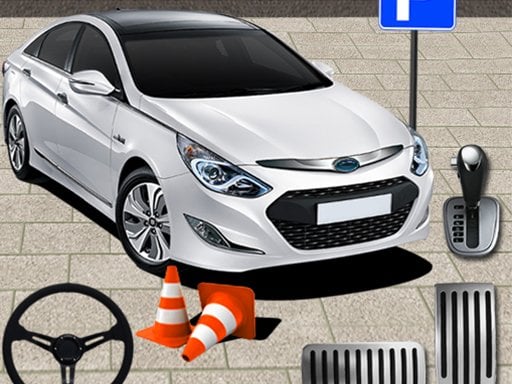
About Car parking 3d Simulator
Car parking 3d Simulator is a single-player 3D driving simulation game where players steer supercars and other vehicles through detailed parking environments. Built with Unity3D technology, the title delivers parking challenges across multi-stage levels. Players use keyboard controls to carefully maneuver their car toward designated parking spots while managing vehicle positioning and spatial orientation.
Car parking 3d Simulator brings structured driving and precision parking into a browser-based 3D environment. Operating within the racing and simulation genres, the game challenges players to steer supercars into exact parking positions without rushing or losing vehicle alignment. The Unity3D engine powers the visual presentation, offering clear vantage points to observe distances, obstacles, and vehicle boundaries. Each level presents multi-stage navigation obstacles where smooth driving inputs are vital. Because parking maneuvers require deliberate speed and measured steering, players must focus on accurate positioning rather than raw velocity. Whether tackling early courses or progressing into more demanding layouts, the core experience centers on patient vehicle handling and careful spatial navigation from start to finish.
Your goal
The main objective in Car parking 3d Simulator is to guide your car safely through each multi-stage course and park accurately inside the designated spot. Players must negotiate turns, evaluate spatial clearance around obstacles, and bring the vehicle to a complete, aligned stop without collision to successfully clear each stage and advance forward.
How to play Car parking 3d Simulator
1. Launch the game and observe the starting position of your vehicle and the target parking bay.
2. Use your keyboard controls to steer, accelerate, and regulate your car's movement smoothly.
3. Navigate along the driving path while monitoring clearance around course obstacles and boundaries.
4. Align the vehicle straight within the marked parking zone and bring it to a complete halt.
5. Complete each stage cleanly to advance through the game's multi-stage level sequence.
Controls and device support
The game specifies keyboard controls for desktop play, though exact key configurations are not individually listed.
- Controls: See in-game controls
- Device support: Desktop + mobile
- Game frame: 800 x 600
Rules to keep in mind
- Vehicles must be steered into designated parking spots to successfully complete stage objectives.
- Multi-stage courses require clearing consecutive driving challenges in sequence to progress.
What makes the challenge interesting
Gameplay in Car parking 3d Simulator focuses heavily on vehicle discipline, spatial estimation, and steady steering rather than high-speed racing. Navigating 3D environments requires players to evaluate angles before committing to tight turns or reversing into spaces. Because supercars have specific turning radii, maintaining gentle acceleration helps prevent overshoot and keeps the car centered along driving paths. The multi-stage layout rewards deliberate steering adjustments and patient obstacle management, encouraging players to master the feel of vehicle dimensions in diverse simulated parking conditions.
Tips for Car parking 3d Simulator
- Keep acceleration moderate when approaching tight corners to ensure you have enough room to adjust your steering angle without drifting off course.
- Center your vehicle early before entering narrow parking stalls, making minor directional corrections rather than attempting sharp last-second turns.
- Use the 3D perspective to check both sides of your car before finalizing your position inside the parking bay.
Stages and progression
Car parking 3d Simulator structures its gameplay around multi-stage levels that introduce increasingly complex parking scenarios. As players successfully park and complete initial sections, subsequent courses demand greater precision, tighter navigation paths, and refined vehicle handling.
Playing on different devices
The game runs in a standard 800x600 resolution browser window and utilizes keyboard inputs for vehicle navigation on desktop devices.
The skills behind the game
Positioned within the racing and driving simulation category, Car parking 3d Simulator emphasizes precision maneuvering over speed-focused competition. While standard racing titles reward maximum velocity and passing opponents, parking simulators prioritize vehicle awareness, careful trajectory planning, and low-speed throttle control. This single-player simulator captures the technical satisfaction of placing high-performance cars neatly into compact spaces across varied 3D courses.
Who will enjoy this game
Players searching for a car parking 3d simulator or engaging car parking game often seek practical vehicle handling paired with realistic spatial puzzles. Car parking 3d Simulator meets these expectations by delivering 3D simulation mechanics directly in the web browser. The combination of structured stages, responsive keyboard controls, and supercar models provides a focused driving experience for enthusiasts who enjoy tactical parking games online.
Games with a similar feel
Car Parking Multiplayer: Like Car Parking Multiplayer, Car parking 3d Simulator focuses on realistic car navigation and precision parking challenges. However, Car parking 3d Simulator provides a dedicated single-player browser experience structured around multi-stage levels rather than an open-ended multiplayer driving environment.
Frequently asked questions
What controls are used to drive in Car parking 3d Simulator? Car parking 3d Simulator is played on desktop using keyboard controls to steer, accelerate, and position your vehicle accurately throughout every multi-stage parking course.
Is Car parking 3d Simulator a single-player game? Yes, Car parking 3d Simulator offers a dedicated single-player simulation format where you navigate supercars independently through a variety of challenging multi-stage parking levels.
Something not right?
Tell us if the game does not load, the information is wrong or the content needs review.
Report a problem ›