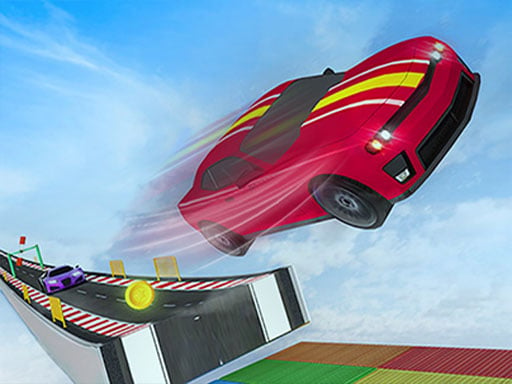
About Car Parking 3d: Driving Games
Car Parking 3d: Driving Games is a 3D vehicle simulation designed to test your driving accuracy across varied parking scenarios. Featuring an integrated sensor management system, multiple camera perspectives including an interior cockpit view, and intelligent guides, the game challenges players to maneuver vehicles carefully into designated bays using keyboard controls.
Car Parking 3d: Driving Games delivers a focused driving environment centered on spatial awareness and vehicular precision. Rather than racing against opponents, players concentrate on positioning vehicles smoothly into tight parking spaces. The game incorporates parking sensors to assist with clearance, paired with flexible camera angles that allow switching between external viewpoints and a freely rotatable driver-seat view. These visual aids and intelligent in-game guides allow drivers to practice real parking methods and refine their vehicle handling through repeated practice on desktop browsers.
Your goal
The objective in Car Parking 3d: Driving Games is to navigate and position your vehicle accurately within designated parking spots. By monitoring sensor feedback, adjusting camera perspectives, and following on-screen guidance, players aim to execute clean maneuvers without collisions and master realistic vehicle parking techniques.
How to play Car Parking 3d: Driving Games
1. Start Car Parking 3d: Driving Games on your desktop browser using keyboard controls.
2. Inspect your vehicle's position and identify the designated target parking zone.
3. Select your preferred camera perspective, toggling between external views and the interactive interior cockpit view.
4. Follow the intelligent guides and observe sensor feedback while steering toward the parking bay.
5. Carefully align and bring the vehicle to a halt within the marked boundaries to complete the parking task.
Controls and device support
Keyboard: Steer, accelerate, brake, and navigate the vehicle
- Controls: Keyboard
- Device support: Browser
- Game frame: 800 x 600
Rules to keep in mind
- Players must operate the vehicle using keyboard inputs to reach and fit within the designated parking area.
- Drivers should utilize sensor management alerts and in-game guides to maintain safe clearances during tight maneuvers.
- Camera adjustments are permitted, allowing free visual scanning from inside the car or switching to external viewpoints.
What makes the challenge interesting
Gameplay in Car Parking 3d: Driving Games focuses on calculated maneuvering and visual precision rather than high-speed racing. Success depends on how effectively you interpret sensor cues and manage camera angles. The rotatable in-car perspective allows you to look around from the driver's seat, enhancing spatial judgment when backing up or negotiating narrow spaces. Combined with external views and structured guides, the title encourages careful steering, steady brake control, and repeatable parking techniques across every attempt.
Tips for Car Parking 3d: Driving Games
- Switch between external cameras and the cockpit view to accurately assess the distance between your bumpers and nearby obstacles.
- Pay close attention to the sensor system feedback to avoid misjudging stopping distances when entering tight bays.
- Use each parking attempt to practice different steering angles and entry speeds until maneuvers feel smooth and controlled.
The skills behind the game
Categorized under Adventure with tags for Car, Supercars, and Truck, Car Parking 3d: Driving Games approaches driving from a technical precision angle. Instead of high-speed racing or open exploration, parking-oriented driving games challenge spatial coordination, deliberate maneuvering, and patience within structured vehicle navigation scenarios.
Who will enjoy this game
Players searching for a car parking game or driving simulation often look for realistic handling and clear visual feedback. Car Parking 3d: Driving Games meets these expectations by pairing keyboard navigation with sensor assistance, intelligent parking guides, and flexible 3D camera angles directly playable in desktop web browsers.
Games with a similar feel
Car Parking Multiplayer: Like Car Parking Multiplayer, this title focuses on careful vehicle maneuvering and spatial parking control, but Car Parking 3d: Driving Games is tailored as a single-player desktop browser experience with dedicated sensor guides.
DOOM: Unlike DOOM, which emphasizes high-speed first-person combat and active shooter mechanics, Car Parking 3d: Driving Games offers a deliberate driving simulation centered entirely on steering control, sensor alerts, and parking accuracy.
Frequently asked questions
Can you look around from inside the car in Car Parking 3d: Driving Games? Yes, the game features an in-car view that allows you to look in any direction from inside the vehicle for realistic situational awareness.
What assistance features are available while parking? Car Parking 3d: Driving Games provides an intelligent guidance system and sensor-assisted parking management to help players align their vehicle safely.
What controls does the game support? The game is played using standard keyboard controls on desktop web browsers to steer and manage vehicle movements.
Something not right?
Tell us if the game does not load, the information is wrong or the content needs review.
Report a problem ›