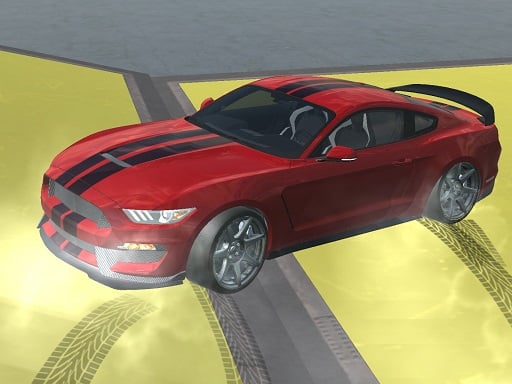
About Car Driving Speed Trial
Car Driving Speed Trial is a 3D driving simulator where players select and customize their car before exploring open terrain. Your mission is to steer across the map at high speeds, use nitro boosts to perform stunt trials, and follow the on-screen minimap to discover and collect hidden items like keys or cash to secure victory.
In Car Driving Speed Trial, players jump directly into an open environment built on WebGL technology. The game invites you to pick a preferred vehicle, personalize its look with custom paint options, and test its handling across open stunt areas. Rather than following a conventional closed circuit, your primary objective is a target hunt: tracking down essential items such as keys or money bundles scattered across the landscape. The built-in minimap displays key target coordinates, allowing you to plot driving routes, execute high-speed maneuvers, engage nitro acceleration, and switch camera perspectives to scout your surroundings.
Your goal
The primary objective in Car Driving Speed Trial is to locate and gather the designated target item required to win each trial. Use the on-screen minimap indicator to pinpoint the target item, whether it is a key or collected money. Drive quickly across the environment, manage vehicle speed and braking, and reach the designated coordinates to complete your goal.
How to play Car Driving Speed Trial
1. Choose your vehicle and customize its appearance with paint options before starting the drive.
2. Use the WASD keys to accelerate and steer your car across the map.
3. Press F to trigger nitro boost for high-speed driving and stunt maneuvers.
4. Monitor the on-screen minimap to locate required items such as keys or money.
5. Press Space to brake into turns and press C to toggle camera views while searching.
Controls and device support
WASD: Drive / Steer
F: Nitro boost
Space: Brake
C: Change camera view
Tab: Open menu
- Controls: See in-game controls
- Device support: Browser
- Game frame: 800 x 600
Rules to keep in mind
- Minimap Navigation: Follow the minimap tracker to find the exact location of the goal item, such as a key or money.
- Win Condition: Reach and gather the required target item to successfully complete the speed trial.
What makes the challenge interesting
Gameplay in Car Driving Speed Trial balances high-speed exploration with directional objective tracking. Driving across open spaces requires active control of acceleration and braking, especially when maneuvering around stunt obstacles. Engaging the nitro boost provides instant bursts of speed for covering long distances quickly, while switching camera angles provides better situational awareness of terrain. Balancing speed runs with consistent minimap observation ensures you do not overshoot key landmarks or target collection points scattered throughout the driving arena.
Tips for Car Driving Speed Trial
- Check your minimap regularly to orient your car toward the target item before accelerating.
- Save nitro boosts for open, straight stretches of terrain to prevent spinning out or crashing.
- Switch camera perspectives with C to get a wider view when scouting for keys or money.
The skills behind the game
As a 3D racing simulator, Car Driving Speed Trial fits into the open-driving subgenre where free exploration meets objective completion. Instead of standard multi-lap circuit races, the title emphasizes vehicle handling, nitro mechanics, and map navigation. WebGL-powered car simulators offer accessible browser-based driving physics, giving players immediate control over acceleration, braking, and camera customization in standalone single-player environments.
Who will enjoy this game
Players seeking a car driving speed trial game often look for single-player driving experiences with direct vehicle control and clear objectives. Within the broader sphere of online racing games, this title pairs high-speed stunt mechanics with item retrieval tasks, offering an accessible driving format that rewards efficient route navigation alongside classic nitro-fueled car handling.
Games with a similar feel
Asphalt: Both games feature high-speed driving and nitro-boosted vehicle acceleration. However, while Asphalt focuses on competitive multi-car circuit races, Car Driving Speed Trial centers on open-area exploration and item retrieval using a minimap.
Frequently asked questions
How do you find the required items in Car Driving Speed Trial? Use the on-screen minimap provided in the interface. It displays the location of the target item, such as a key or money, guiding your driving direction.
How do you activate nitro speed boosts? Press the F key on your keyboard while driving to trigger nitro acceleration and achieve maximum speed across open ground.
Can you customize your car in the game? Yes, you can choose your vehicle and apply custom paint options before taking it out onto the speed trial course.
Something not right?
Tell us if the game does not load, the information is wrong or the content needs review.
Report a problem ›