Official listing
Game description
Car Driver Highway game a 3d game avoid other car to accident and different levels and use the perfect time to drive over it! with Many cars.
Racing game
Car Driver Highway is a fast-paced 3D driving title where players navigate busy road lanes to avoid collisions. Featuring multiple levels and a variety of cars, the experience challenges you to pick the right moment to maneuver through traffic. Whether playing on desktop or mobile touchscreens, staying alert is essential to keep your vehicle moving forward safely.
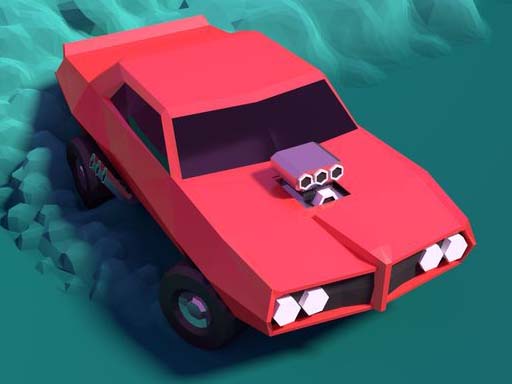
Choose Play now to load the game.
Official listing
Car Driver Highway game a 3d game avoid other car to accident and different levels and use the perfect time to drive over it! with Many cars.
From the game listing
Mobile - screen Touch move car up side or down side PC - Arrow keys - move up Arrow key button and down Arrow key button
Open this card to load the gameplay video.
Car Driver Highway is a fast-paced 3D driving title where players navigate busy road lanes to avoid collisions. Featuring multiple levels and a variety of cars, the experience challenges you to pick the right moment to maneuver through traffic. Whether playing on desktop or mobile touchscreens, staying alert is essential to keep your vehicle moving forward safely.
Car Driver Highway places you behind the wheel in an accessible 3D highway environment designed to test your reflexes and spatial awareness. The core loop revolves around steering your car along multi-lane roadways while continuously dodging oncoming and surrounding traffic. With various cars featured in the experience, players must adjust their timing carefully to pass other vehicles without triggering an accident. As you progress across different levels, maintaining a clean run requires steady lane changes and swift reaction times. The straightforward controls on both personal computers and mobile devices make it easy to jump directly into the driving action and focus entirely on navigating dense traffic flows safely.
Your main objective in Car Driver Highway is to maneuver safely through each level without crashing into other cars. To succeed, you must observe the road ahead, identify open gaps between traffic, and shift lanes up or down with accurate timing. Avoiding collisions across the different stages is the ultimate goal to keep your drive going as long as possible.
1. Launch Car Driver Highway in your browser on PC or a compatible mobile touchscreen device.
2. Use the up and down arrow keys on your keyboard, or touch the screen on mobile, to shift lanes.
3. Observe the highway ahead to anticipate the positions and movement of other vehicles.
4. Time your lane switches carefully to overtake traffic without causing a crash.
5. Advance through the different levels by maintaining a clean run and avoiding every accident.
Up Arrow Key: Move car up side
Down Arrow Key: Move car down side
Screen Touch: Move car up side or down side
Gameplay in Car Driver Highway centers around timing and quick lane selection. Because the road is populated by multiple vehicles, players must constantly scan upcoming lanes to spot clear driving paths. Success relies on executing clean transitions using the up and down controls rather than making erratic last-second shifts. Balancing patience with swift maneuvering allows you to slip past other cars cleanly. Mastering the rhythm of traffic flow across different levels ensures that your car avoids hazardous crashes while maintaining smooth forward momentum throughout your highway journey.
Car Driver Highway fits directly into the racing and arcade driving category. Unlike closed-circuit motorsport titles that focus on lap times, highway driving games emphasize traffic navigation, obstacle evasion, and split-second spatial judgment. Players must continuously read dynamic road patterns while managing lane placement, offering an accessible yet challenging reflex-based driving experience that appeals to fans of casual automotive arcade games.
As an engaging car driver highway game, this title delivers fast 3D road action directly in web browsers. Players searching for a racing game online will appreciate the straightforward mechanics, allowing immediate entry into highway traffic dodging without complex setups. The blend of multiple cars and distinct levels provides continuous entertainment for casual driving enthusiasts.
What controls are used to steer in Car Driver Highway? On desktop computers, press the up and down arrow keys to steer between lanes. On mobile devices, touch the screen to guide your car up or down.
What is the primary goal in Car Driver Highway? The main goal is to navigate highway traffic safely by timing your lane changes to avoid accidents with other cars across various levels.
Tell us if the game does not load, the information is wrong or the content needs review.
Report a problemExplore popular games by category, shared tags and site-wide activity.






















