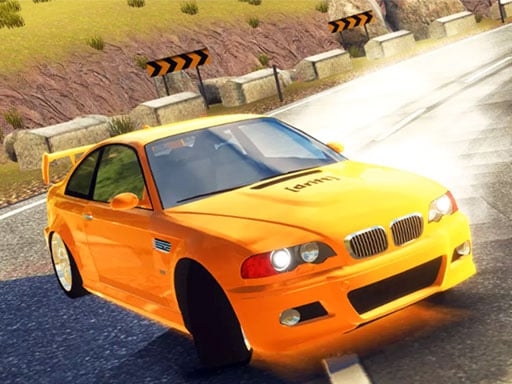
About Burnout Car Drift
Burnout Car Drift is a single-player racing game where high speed, vehicle customization, and precise drift handling meet open road traffic. Players take command of a car navigating road environments across both daytime and nighttime conditions, testing their reflexes against the flow of vehicles while balancing full acceleration with controlled slides.
In Burnout Car Drift, the focus centers on high-velocity road navigation and vehicle handling. Players accelerate through roadway layouts that simulate traffic conditions, requiring attentive steering and quick decision-making. The game offers the flexibility of driving through differing lighting settings, specifically day and night environments, which shift visual clarity on the asphalt.
Vehicle personalization plays an active role in the experience, allowing drivers to modify their car according to their preferences. Controlling the car requires continuous attention to speed and momentum, particularly when maneuvering through crowded lanes or setting up controlled turns.
Your goal
The primary goal is to maintain high-speed momentum while successfully navigating through traffic difficulties and executing controlled drifts. Players strive to balance rapid acceleration with stability, modifying their vehicle and adapting their steering lines across varied lighting conditions to achieve smooth, collision-free runs.
How to play Burnout Car Drift
1. Enter the garage or menu area to modify and configure your vehicle before heading onto the road.
2. Use the WASD or Arrow Keys to accelerate forward, steer left and right, or reverse.
3. Build up speed along straightaways while scanning ahead for surrounding traffic obstacles.
4. Engage turns at speed to initiate drifts, using steering corrections to stabilize the rear end.
5. Press the Space key to apply brakes whenever sudden obstacles or sharp curves require quick deceleration.
Controls and device support
Steer and accelerate using WASD or the Arrow Keys, and press the Space key to activate the brake.
- Controls: WASD + arrow keys
- Device support: Browser
- Game frame: 800 x 600
What makes the challenge interesting
The core gameplay of Burnout Car Drift hinges on the classic racing tradeoff between top speed and tight vehicular control. Drifting through bends requires players to break rear traction intentionally without losing complete command of their heading. Because traffic introduces moving and stationary obstacles, committing to a slide demands careful timing; turning too early can push the car into an oncoming vehicle, while braking excessively bleeds off momentum entirely.
Navigating both day and night road conditions tests visual reaction times. Players must develop a steady steering rhythm, tapping directional inputs to sustain drift angles while keeping an escape route open through lanes of traffic.
Tips for Burnout Car Drift
- Feather the steering keys lightly when initiating a drift; over-steering can cause the vehicle to spin out or veer sharply into adjacent traffic.
- Use the Space key brake tap to shift vehicle weight forward just before turning into a corner, making slide entry cleaner and more predictable.
- Look several vehicle lengths ahead rather than focusing directly on the front bumper to anticipate changing traffic patterns in advance.
- Adjust your vehicle modifications to match your driving style, prioritizing manageable handling if high-speed drift angles feel difficult to control.
The skills behind the game
As part of the racing and driving genre, this title highlights immediate vehicle responsiveness and spatial navigation. Car driving games center on the thrill of managing mechanical momentum, requiring players to gauge braking distances and entry angles accurately. By placing an emphasis on drifting and managing surrounding traffic, it caters to fans who enjoy precision handling alongside continuous high-speed movement.
Who will enjoy this game
Players looking for a dedicated drifting game or an accessible racing game online often seek responsive steering physics and low barrier to entry. Burnout Car Drift offers straightforward keyboard controls that let players immediately jump into high-speed driving practice. Whether practicing controlled cornering slides or testing reflexes against traffic flows, the session-based setup provides an engaging option for casual driving enthusiasts.
Frequently asked questions
What keyboard controls are used to drive and drift in Burnout Car Drift? Players use the WASD keys or the Arrow Keys to steer, accelerate, and reverse. The Space key functions as the brake for quick slowdowns.
Can you customize your car in Burnout Car Drift? Yes, the game allows players to modify their vehicle to their personal liking before or during their driving sessions.
Does the game feature different times of day? Yes, road navigation takes place across both day and night settings, providing varied visual atmospheres for high-speed runs.
Something not right?
Tell us if the game does not load, the information is wrong or the content needs review.
Report a problem ›