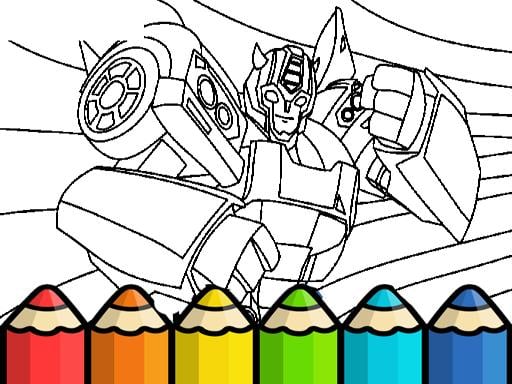
About Bumblebee Coloring Pages
Bumblebee Coloring Pages invites players to explore their creative side through a relaxing digital art studio. Built for the web browser, this creative title provides an accessible selection of illustration outlines featuring characters and scenic backdrops. Whether picking up a digital brush to decompress after a busy day or experimenting with vibrant palettes on detailed outlines, the focus remains entirely on unhurried artistic expression and visual fun across a welcoming canvas.
Bumblebee Coloring Pages centers on an inviting drawing suite that lets players fill and shade a diverse gallery of character illustrations and surrounding landscapes. Available through standard HTML5 web browsers, the game features an approachable interface that allows artists of all ages to pick an illustration, explore various coloring tools, and paint directly onto digital sheets without time pressure.
The core loop revolves around personal artistic choice. Players pick from a variety of line art sheets, choose preferred brush sizes, select hues from the color palette, and apply distinctive textures to achieve their desired visual styling. Because there are no mandatory goals or strict outlines to adhere to, each session serves as a calming sandbox where you can practice color balance, experiment with textures, and craft original digital pictures at your own pace.
Your goal
The primary objective in Bumblebee Coloring Pages is to complete satisfying, personalized artwork across the supplied gallery of character and landscape drawings. Rather than racing against timers or chasing high scores, your goal is to experiment with harmonious color combinations, practice deliberate brush application, and layer different textures until your finished piece matches your personal creative vision.
How to play Bumblebee Coloring Pages
1. Launch the game by selecting the play button on the title screen to enter the coloring selection menu.
2. Browse the available sheets and pick a character or landscape outline that matches your preferred theme.
3. Select your desired coloring tool, choosing appropriate brush sizes and specialized textures from the tool palette.
4. Click on your chosen palette colors to load your active painting shade.
5. Use the mouse cursor across the canvas to color in line art sections and add artistic details until the page is complete.
Controls and device support
Use your mouse to navigate menus, select tools and shades, and paint across the canvas illustration.
- Controls: Mouse or touch
- Device support: Desktop + mobile
- Game frame: 800 x 600
What makes the challenge interesting
The primary appeal of Bumblebee Coloring Pages lies in deliberate pacing and fine motor control. Without penalty systems, countdown timers, or restrictive point counters, the challenge shifts toward personal aesthetic judgment and cursor precision. Players balance broad background coverage with delicate foreground detailing by switching between wide and narrow brush sizes.
A key tradeoff involves deciding when to use flat color fills versus complex textured strokes. Applying heavier textures creates depth across landscapes and characters, but requires careful cursor placement so detailed lines remain distinct. This freeform setup offers an ideal low-stress outlet for developing digital hand-eye coordination while discovering appealing color harmony.
Tips for Bumblebee Coloring Pages
- Work from larger background areas toward intricate foreground details. Covering broad backdrops first prevents accidental paint overlaps across the smaller character lines later.
- Adjust your brush size dynamically as you navigate tight corners. Using an oversized brush near delicate boundaries often causes unwanted color spills over neighboring elements.
- Incorporate specialized textures sparingly to highlight specific focal points, such as foliage or clothing. Overusing heavy surface effects can obscure subtle linework across the drawing.
- Establish a complementary color palette before filling the canvas. Jumping between random hues without a clear plan can leave the finished composition looking cluttered.
Playing on different devices
Bumblebee Coloring Pages runs inside standard HTML5 desktop browsers within an 800 by 600 pixel window. Because the title relies on mouse input for painting, tool selection, and fine color placement, using a physical mouse with steady tracking provides noticeably smoother stroke control than an integrated laptop trackpad.
The skills behind the game
Positioned within the hypercasual and coloring game genres, Bumblebee Coloring Pages emphasizes immediate accessibility over complicated rule systems. In traditional action or puzzle titles, players must react to moving hazards or solve logic gates under strict constraints. In contrast, digital coloring titles provide instant satisfaction through tactile visual feedback, turning simple mouse clicks into immediate color fills.
By emphasizing gentle drawing mechanics alongside casual presentation, the format accommodates casual hobbyists, young learners practicing fine pointer control, and older players seeking a mindful digital break. The lack of failure states makes it an easy entry point for anyone exploring web-based creative pastimes.
Who will enjoy this game
Players looking for a fun bumblebee coloring pages game often seek a quiet, user-friendly creative suite that works instantly in the browser without complex software installation. Whether introducing younger family members to creative drawing or enjoying casual coloring games online during a short break, having ready-made outlines removes the intimidation of starting on a blank canvas.
Using digital coloring tools also makes it simple to practice contrasting shades and texture layering without wasting paper or physical supplies. Because the game allows free experimentation with brush sizes and varied palettes, players can revisit the same character or scenery outline repeatedly to test completely different artistic concepts.
Games with a similar feel
Happy Color: Happy Color focuses on structured color-by-number mechanics where players tap designated numbered zones to reveal pre-determined illustrations. In contrast, Bumblebee Coloring Pages offers freeform creative expression, granting players full freedom over brush sizes, custom texture effects, and unrestricted color placement across its character and landscape sheets. Those who prefer structured digital puzzle completion will lean toward Happy Color, whereas players desiring an open artistic canvas will appreciate the unconstrained tools here.
Frequently asked questions
Can you choose different pictures to color in Bumblebee Coloring Pages? Yes. The game features a wide selection of printable-style coloring pages, including both character illustrations and surrounding landscape scenery that you can choose from at any time.
What tools are available for painting the coloring sheets? The game includes various coloring tools, customizable brush sizes, an array of colors, and texture effects designed to let you personalize your finished artwork.
Are there time limits or scoring penalties in this game? No. The game is designed as a relaxing casual experience without ticking clocks or point deductions, allowing players of all ages to draw and color at their own rhythm.
Something not right?
Tell us if the game does not load, the information is wrong or the content needs review.
Report a problem ›