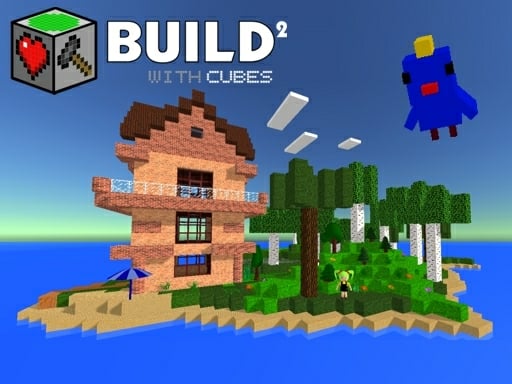
About Build with Cubes 2
Build with Cubes 2 is a 3D voxel sandbox game where players design custom worlds using cube blocks. You can generate custom terrain with adjustable hills, build structures ranging from houses to castles, and decorate interiors. With tools like flight mode, portals, animals, and physics objects, it provides an open creative environment directly in your web browser.
In Build with Cubes 2, you have total creative freedom to shape 3D environments from scratch. Start on a flat plan or generate detailed landscape terrain by setting seed values, adjusting hill dimensions, and adding trees, flowers, and entities. Construct anything from a dollhouse or castle to an entire small town, complete with lighting and interior furniture. The sandbox also incorporates specialized tools to expand your building experience, including musical note blocks for composing simple melodies, mirror functions for efficient building, and flight mode. Additionally, interactive physics items like trampolines, bouncy dice, rolling balls, and TNT allow you to experiment with dynamic interactions across your custom creations.
Your goal
The objective in Build with Cubes 2 is entirely player-driven, focusing on creative construction and interactive experimentation. Players aim to design personalized voxel structures, decorate environments with furnishings, and populate their worlds with animals. You can also craft custom mini puzzle games and navigation networks using the portalgun, portals, and responsive physics objects without restrictive time limits or mandatory level goals.
How to play Build with Cubes 2
1. Adjust landscape settings such as seed, hill height, and vegetation to generate a custom 3D map or flat plan.
2. Navigate your character and control flight using WASD or arrow keys, jumping with the Spacebar.
3. Rotate your camera view by holding the left mouse button and moving the mouse.
4. Select and place new blocks with left click, or pick up objects using the E key.
5. Destroy unwanted blocks or held objects by clicking the right mouse button.
6. Spawn portals using the Z and Q keys to create instant teleportation pathways.
Controls and device support
WASD / Arrow keys: Move around and control flight
Hold LMB + Mouse Move: Rotate camera
Spacebar: Jump
E: Pick up objects
LMB: Select block and place new one
RMB: Destroy any block and picked object
- Controls: WASD + arrow keys
- Device support: Browser
- Game frame: 960 x 600
Rules to keep in mind
- Left-clicking places selected cube blocks, while right-clicking removes any block or held item from the environment.
- Portals can only be placed on compatible portal-able surfaces using the dedicated shortcut keys.
- World generation parameters like seed, height, width, and entity counts determine the starting terrain layout.
What makes the challenge interesting
Gameplay in Build with Cubes 2 balances tranquil architectural creation with playful mechanics. Utilizing flight mode lets you view construction sites from elevated perspectives, while mirror functions streamline symmetrical building projects like castles and houses. Beyond basic voxel placement, players can integrate active mechanics into their worlds. Portal mechanics and portal-able surfaces enable teleportation and puzzle construction, while physics game objects such as bouncy dice, balls, and trampolines offer interactive kinetic fun. Whether tuning melodies with musical note blocks or arranging decorative lighting, the game emphasizes expressive, unconstrained building.
Tips for Build with Cubes 2
- Activate flight mode and mirror functions early when constructing large symmetrical buildings like castles to speed up placement.
- Place portals strategically on designated portal-able surfaces to quickly travel between distant structures or test custom puzzle game layouts.
- Experiment with terrain generation seeds and hill dimensions beforehand to establish the ideal landscape foundation for your town.
The skills behind the game
Categorized under creation and sandbox titles, Build with Cubes 2 offers an accessible open-ended playground. Unlike objective-driven action games, sandbox titles emphasize spatial creativity, environmental customization, and self-directed play. Players can design cozy furnished dollhouses or expansive landscapes, blending artistic design with simple mechanical experimentation using physics tools and musical blocks.
Who will enjoy this game
Players looking for the build with cubes 2 game will find a rich 3D block creation sandbox. Drawing inspiration from voxel building traditions, the game lets players construct houses, manipulate terrain seeds, and play with dynamic elements. For fans exploring games like Minecraft, it provides an instant browser-based alternative centered on building, physics toys, and portal puzzle design.
Games with a similar feel
Minecraft: Build with Cubes 2 shares the voxel block aesthetic and open world creation of Minecraft. However, Build with Cubes 2 uniquely integrates built-in portalgun teleportation mechanics, mirror building tools, and specific physics toys like trampolines directly into the standard sandbox toolkit.
Frequently asked questions
Can I use flight while building in Build with Cubes 2? Yes, you can control flight using WASD or arrow keys. Flying allows you to navigate freely, view your structures from any angle, and place blocks faster across large construction projects.
How do portals work in the game? You can create portals using the Z and Q keys and place them on portal-able surfaces. This lets you teleport across your map and create custom puzzle mini-games.
What physics objects are available to interact with? Build with Cubes 2 features interactive physics elements including trampolines, bouncy dice, rolling balls, and TNT, which you can place and experiment with inside your custom worlds.
Something not right?
Tell us if the game does not load, the information is wrong or the content needs review.
Report a problem ›