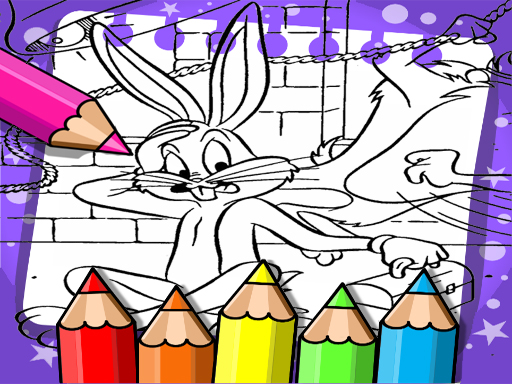
About Bugs Bunny Coloring Book
Bugs Bunny Coloring Book is a casual online coloring page for Warner Bros and Looney Tunes fans. The listing describes several Bugs Bunny portraits to decorate with your own imagination, using simple mouse or tap play rather than complex arcade controls in a relaxed 2D format.
This title is presented as a Bugs Bunny-themed coloring book for players who enjoy Warner Bros cartoons and the animal cast associated with Looney Tunes. The description focuses on Bugs Bunny, the gray-and-white rabbit known for a flippant, insouciant personality, and says the book contains several pages of original portraits meant to inspire coloring. Tags place it in a 2D online arcade/coloring space, while the instructions keep interaction very light: mouse or tap to play. The result is best understood as a creative, low-pressure coloring activity rather than a reflex challenge.
Your goal
Choose a Bugs Bunny page and color the portrait in a way that matches your own imagination. The source emphasizes decorating several illustrated pages for inspiration; it does not state a score, timer, lives, or unlock goal, so the practical objective is simply to complete satisfying colored portraits.
How to play Bugs Bunny Coloring Book
1. Open Bugs Bunny Coloring Book and look through the available portrait pages described in the listing.
2. Select a Bugs Bunny illustration that you want to decorate first.
3. Use mouse or tap to play, following the supplied instruction for interaction.
4. Apply colors to the portrait so Bugs Bunny reflects your own imaginative choices.
5. When you want variety, move to another page and try a different decorative approach.
Controls and device support
- Controls: Mouse or touch
- Device support: Desktop + mobile
- Game frame: 1440 x 960
What makes the challenge interesting
The focus is creative coloring rather than speed, accuracy tests, or stated progression. Its appeal comes from recognizable Bugs Bunny portraits and the freedom to decorate a famous gray-and-white rabbit with personal color choices. Because the only confirmed input is mouse or tap, the experience reads as accessible and session-friendly: pick a page, color it, then continue to another portrait when you want a fresh canvas.
Tips for Bugs Bunny Coloring Book
- Treat each portrait like a poster: choose a simple palette first so Bugs Bunny’s gray-and-white design still reads clearly underneath your experiments.
- Because the confirmed input is only mouse or tap, keep sessions simple: finish one portrait, pause, then return with fresh eyes.
- Protect the face, ears, and outline with stronger contrast; recognizable character shapes let you be bolder everywhere else in the background.
The skills behind the game
Although categorized as Arcade, the tags and description point toward a casual 2D coloring/drawing experience with light puzzle-like page choices rather than fast reflex play. It fits players looking for an online creative break built around a familiar cartoon character.
Who will enjoy this game
Natural phrases for this page include bugs bunny coloring book, bugs bunny coloring book game, coloring game online, and arcade game online. These are treated only as wording suggestions from the supplied evidence, not as measured demand, ranking, or traffic data.
Games with a similar feel
Happy Color: Happy Color shares the broad idea of filling pictures with color, but it is associated with numbered color regions. Bugs Bunny Coloring Book is described more openly as decorating Bugs Bunny portraits with your own imagination, and no numbered system is stated.
Frequently asked questions
What is Bugs Bunny Coloring Book? It is an online 2D coloring game built around Bugs Bunny portraits. The description frames it for Warner Bros and Looney Tunes fans who want to decorate the rabbit character with their own imagination.
How do I play Bugs Bunny Coloring Book? The supplied instruction is simply mouse or tap to play. In practice, choose a portrait page and apply colors to decorate Bugs Bunny; no extra buttons, tools, or advanced controls are confirmed.
Is there a score or timer? The supplied listing does not mention a score, timer, lives, levels, or unlocks. Treat it as a relaxed coloring activity: pick a portrait, apply colors, and move to another page when satisfied.
Something not right?
Tell us if the game does not load, the information is wrong or the content needs review.
Report a problem ›