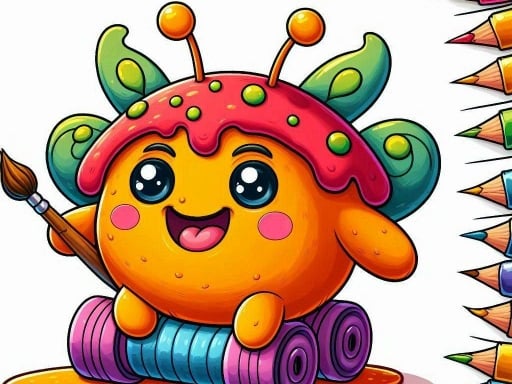
About BTS Sprunki Coloring Book
BTS Sprunki Coloring Book provides a cheerful digital canvas designed for young artists and casual creators. Featuring four hand-drawn illustrations that bring Sprunki characters and vibrant scenes together, the activity invites players to explore visual creativity at their own pace. With accessible mouse controls, anyone can immediately select a favorite outline, pick bright shades, and fill each section with imaginative color combinations.
BTS Sprunki Coloring Book is an accessible, creative browser activity centered on decorating whimsical character artwork. The experience presents players with a collection of four distinct hand-drawn illustrations featuring characters and scenes inspired by BTS and Sprunki. Rather than demanding rapid reflexes or strict puzzle solving, the game emphasizes relaxing self-expression. Players can browse the selection, choose whichever line art catches their eye, and begin applying color immediately.
The core loop revolves around selecting colors from the palette, experimenting with various shade pairings, and customizing the scene. Because there are no mandatory color templates or rigid timers, players are free to mix and match tones to create their own unique versions of each character. The straightforward mouse-driven interface makes navigation simple, letting players focus entirely on visual design and artistic experimentation.
Your goal
The primary goal is to complete and personalize each of the four available line-art illustrations. Players aim to explore diverse color palettes, bring character scenes to life through harmonious or bold contrasts, and experiment with creative styling across all available pictures without the pressure of time limits or performance scoring.
How to play BTS Sprunki Coloring Book
1. Browse the main gallery menu and select one of the four hand-drawn Sprunki character scenes.
2. Use your mouse to inspect the available palette of colors displayed on the screen.
3. Click on your chosen shade to equip that color for your active brush tool.
4. Click on a specific section of the line drawing to apply the selected pigment.
5. Continue picking new colors and filling remaining segments until the entire picture is fully decorated.
6. Return to the image selection screen to start coloring another illustration whenever you are ready.
Controls and device support
The game utilizes standard mouse input to pick colors and fill in line-art segments.
- Controls: Mouse or touch
- Device support: Browser
- Game frame: 854 x 480
What makes the challenge interesting
The heart of BTS Sprunki Coloring Book lies in aesthetic experimentation and gentle visual design. Without countdown timers or fail states, the gameplay encourages players to think about color balance, contrast, and theme. Players must decide whether to use cohesive, complementary palettes or bold, vibrant clashes across different character outlines.
This open-ended structure rewards steady, thoughtful pacing over rapid clicking. Deciding how to shade large backgrounds versus intricate character details exercises artistic planning and visual coordination in an approachable, stress-free environment.
Tips for BTS Sprunki Coloring Book
- Establish a consistent color palette for the main character first to ensure key visual elements stand out clearly against the surrounding background.
- Alternate between light and dark tones across adjacent segments so detailed line work remains easy to distinguish once the page is fully filled.
- Work from larger background areas into smaller foreground details to maintain a clear visual structure throughout your coloring session.
- Try re-coloring the same illustration with completely different seasonal or moody themes to expand your creative color-matching practice.
Stages and progression
BTS Sprunki Coloring Book offers a set of four distinct hand-drawn illustrations that players can select and complete in any order. Because the game does not enforce linear unlocks or stage progression, players can structure their own creative journey. A great practice plan is to begin with the simplest character composition to test out the palette, and then tackle the more detailed scenes with deliberate color schemes and stylized shading ideas across multiple sessions.
The skills behind the game
Within casual and educational browser activities, digital coloring titles offer accessible creative outlets suitable for young learners and relaxing desktop breaks. BTS Sprunki Coloring Book fits neatly into the cartoon and hypercasual categories by eliminating complex rules in favor of intuitive art creation. These titles help players develop an eye for color coordination, pattern recognition, and fine motor precision through easy point-and-click interactions.
Who will enjoy this game
Players looking for a fun coloring game online or searching for a casual BTS Sprunki coloring book game will appreciate the approachable format of this title. It serves as an easy artistic sandbox for kids, students, and casual fans who want to create custom character art without needing specialized illustration software. Its browser-based nature makes it ideal for short creative sessions during school breaks or relaxing leisure time at home.
Games with a similar feel
Happy Color: Like Happy Color, BTS Sprunki Coloring Book centers on filling out illustrated line art with vibrant hues. However, while Happy Color relies strictly on guided color-by-number mechanics with assigned numeric regions, this game gives players complete creative freedom to pick, mix, and assign any color to any part of the four hand-drawn Sprunki scenes.
Frequently asked questions
How many pictures can you color in BTS Sprunki Coloring Book? The game includes four awesome, hand-drawn character illustrations that players can freely select and color in any order.
Are there timers or penalties in this coloring game? No, there are no countdown timers, error penalties, or strict scoring requirements. You are free to take your time and experiment with colors.
What controls do you use to play BTS Sprunki Coloring Book? You only need a mouse to navigate menus, select shades from the color palette, and apply paint onto the line art.
Something not right?
Tell us if the game does not load, the information is wrong or the content needs review.
Report a problem ›