Official listing
Game description
Bts rhythm
3D game
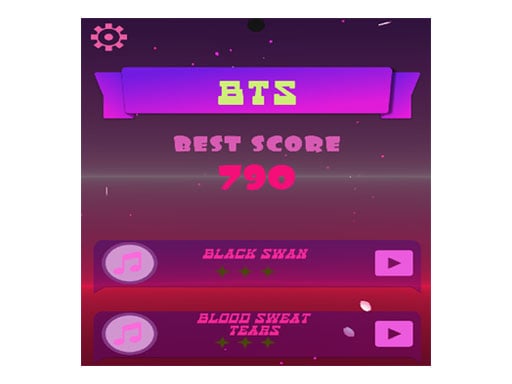
BTS Ball is a 3D music and rhythm browser game designed around smooth, relaxing movement synced to musical beats. Players steer a rolling ball across the screen in real time using mouse or touch controls. The central challenge revolves around tracking incoming paths and maintaining hand-eye coordination as you guide the ball in harmony with the audio flow.
Choose Play now to load the game.
Official listing
Bts rhythm
From the game listing
touch our mouse move
Game walkthrough
See a gameplay walkthrough for BTS Ball without leaving this page.
Loading walkthrough...
BTS Ball is a 3D music and rhythm browser game designed around smooth, relaxing movement synced to musical beats. Players steer a rolling ball across the screen in real time using mouse or touch controls. The central challenge revolves around tracking incoming paths and maintaining hand-eye coordination as you guide the ball in harmony with the audio flow.
Set within a clean 3D visual space, BTS Ball delivers an accessible rhythm experience that blends music, dancing themes, and relaxation. The core gameplay loop centers on guiding a ball smoothly across the track while responding to musical pacing. Players maintain continuous steering inputs, matching their physical movement to the speed and direction required on screen.
Because the control scheme relies directly on dragging or moving your cursor and finger, the experience feels immediate and tactile. Rather than demanding complex button sequences, the game emphasizes flow, spatial awareness, and steady tracking across each musical passage.
The primary objective in BTS Ball is to guide your ball safely through each musical sequence by maintaining steady control across the screen. Players aim to improve their movement precision, anticipate directional shifts along the 3D track, and sustain smooth steering from the start of a song to its finish without losing momentum.
1. Launch the game in your browser and ensure your audio is enabled to hear the background rhythm.
2. Position your mouse cursor on desktop or place your finger on the touchscreen surface.
3. Move your pointer or finger smoothly left and right to steer the ball across the 3D course.
4. Observe the upcoming track ahead and adjust your position in sync with the musical tempo.
5. Maintain consistent, controlled movement throughout the track to complete the session smoothly.
Control the ball by moving your mouse cursor across the play area on desktop or by touching and dragging across the screen on mobile devices.
BTS Ball emphasizes steering consistency and visual anticipation over rapid-fire inputs. The main skill test comes from reading the 3D path ahead while listening to the underlying rhythm. Players must balance quick reactive adjustments with smooth, measured motions so the ball does not veer unexpectedly out of alignment.
The relaxing rhythm atmosphere invites players to enter a steady flow state. Steering too aggressively can lead to overcorrection, while reacting too late makes catching rapid turns difficult. Finding a calm, centered baseline motion is key to navigating the 3D layout effortlessly.
BTS Ball runs in a portrait canvas measuring 600 by 960 pixels, making it well suited for vertical mobile displays and centered desktop browser windows. On mobile, single-finger touch dragging offers direct physical alignment with the ball. On desktop, a mouse provides smooth lateral control across the full width of the play area.
Within the rhythm and music genre, games balance audio synchronization with spatial steering challenges. 3D music runners replace rigid multi-lane tapping with continuous movement, allowing players to feel the flow of each song through gradual steering arcs.
By incorporating relaxing visuals and dancing rhythm themes, these titles offer approachable entertainment that appeals to casual players seeking an engaging break rather than punishing technical tests.
Players looking for a quick casual rhythm session will find BTS Ball easy to pick up and play directly in a browser without extra downloads. The straightforward steering mechanics make the BTS Ball game accessible for quick practice sessions on both phones and computers.
Whether you want to unwind to music or test your hand-eye coordination against a moving track, practicing steady movement control provides a satisfying way to enjoy music-driven gameplay at your own pace.
What type of game is BTS Ball? BTS Ball is a casual 3D rhythm and music browser game where players steer a rolling ball along a path in time with musical beats.
How do you steer the ball in the game? You guide the ball by moving your mouse across the game window on desktop computers or by sliding your finger on touchscreen mobile devices.
Do you need a keyboard or gamepad to play BTS Ball? No. The game is designed entirely around mouse movement and touch input, so no additional keyboard shortcuts or gamepads are required.
Tell us if the game does not load, the information is wrong or the content needs review.
Report a problemChoices connected to BTS Ball by category and shared tags