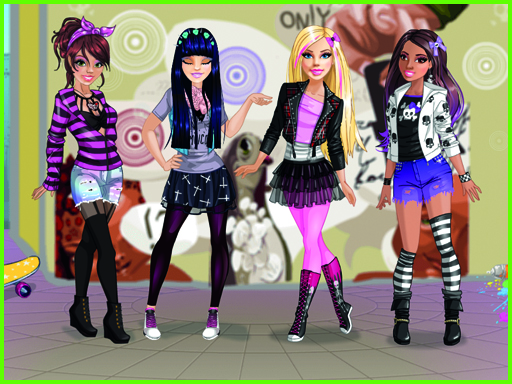
About Bonnie Rocker Chick Dress Up Game
Bonnie Rocker Chick Dress Up Game invites aspiring stylists to create edgy, fashionable looks for Bonnie. Explore a virtual wardrobe filled with 80s rocker garments, modern rock chic dresses, and stylish accessories. Mix and match diverse pieces to assemble the ultimate concert-ready aesthetic or themed party ensemble.
Bonnie Rocker Chick Dress Up Game is a fashion title where players take on the role of styling an edgy rock star named Bonnie. The game features a wide collection of wardrobe items including black rocker dresses, modern chic apparel, festive seasonal outfits, and rocker-themed accessories. Players have full creative freedom to combine different tops, bottoms, hairstyles, and accessories to produce unique looks suitable for rock concerts, costume parties, or holiday events.
Your goal
The main objective in Bonnie Rocker Chick Dress Up Game is to design the perfect rock star appearance for Bonnie. Browse the provided wardrobe, try on different garment combinations, and finalize a complete outfit featuring clothing, hair styling, and accessories tailored for her next big event.
How to play Bonnie Rocker Chick Dress Up Game
1. Launch the game and view Bonnie alongside the available wardrobe categories.
2. Click or tap on wardrobe icons to browse rocker dresses, tops, bottoms, and hairstyles.
3. Select different clothing items to equip them onto Bonnie and preview the outfit.
4. Add matching accessories and adjust the style until Bonnie looks ready for the concert.
Controls and device support
Mouse click: Select and equip clothing, hairstyles, and accessories
Tap screen: Select and equip clothing, hairstyles, and accessories
- Controls: Mouse or touch
- Device support: Desktop + mobile
- Game frame: 800 x 600
What makes the challenge interesting
Gameplay in Bonnie Rocker Chick Dress Up Game focuses on creative outfit coordination without time constraints or scoring pressures. Players can freely experiment with contrasting styles, shifting between 80s retro rock elements and modern rocker chic pieces. Swapping individual accessories, changing hair styles, and testing various black dresses allows players to explore different aesthetic themes, ensuring each outfit fits occasions ranging from casual band rehearsals to festive parties.
Tips for Bonnie Rocker Chick Dress Up Game
- Try pairing bold black rocker dresses with contrasting accessories to make Bonnie's stage outfit stand out clearly.
- Experiment with different hairstyles before finalizing the outfit to ensure the hair complements the neckline and jacket choice.
- Switch between retro 80s items and modern pieces to create a distinctive, customized rock aesthetic for Bonnie.
The skills behind the game
Positioned within the Girls and Dress Up categories, Bonnie Rocker Chick Dress Up Game emphasizes fashion creativity, character styling, and thematic design. Rather than testing reflexes or speed, titles in this genre provide a relaxed space for players to explore personal aesthetics and visual harmony.
Who will enjoy this game
Players looking for an engaging dress up game can find accessible styling fun in Bonnie Rocker Chick Dress Up Game. The title combines music-inspired fashion with simple touch and click controls, offering instant customization without complicated setups.
Games with a similar feel
Love Nikki-Dress UP Queen: Like Love Nikki-Dress UP Queen, this game revolves around choosing garments and coordinating themed outfits, but Bonnie Rocker Chick Dress Up Game offers a straightforward, focused browser experience centered specifically on rock star aesthetics.
Frequently asked questions
What kind of clothing styles are available for Bonnie? The wardrobe includes 80s rocker outfits, modern chic dresses, black rock dresses, festive holiday pieces, and themed accessories designed for concerts and costume parties.
How do you control the game on mobile or desktop devices? You can play on desktop using mouse clicks to choose garments, or use touchscreen taps on mobile devices to select and equip items.
Something not right?
Tell us if the game does not load, the information is wrong or the content needs review.
Report a problem ›