Official listing
Game description
Welcome to the world of blocks. Pass different maps and follow the track. Beware of the lava you might die in the falling block world. If you die, you start from scratch, don't die!
Adventure game
BlockWorld Parkour is a 3D adventure game where you navigate across block structures and follow elevated tracks across multiple maps. Players must stay alert to avoid hazardous lava and crumbling terrain, as any misstep sends you right back to the beginning of the run.
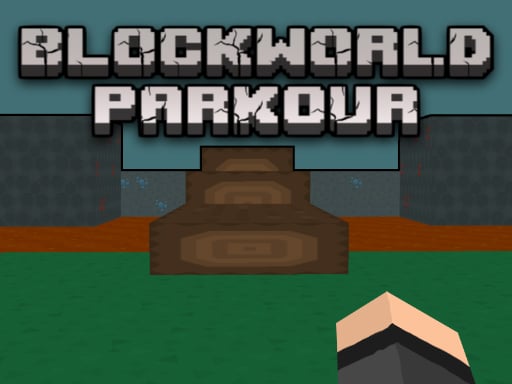
Choose Play now to load the game.
Official listing
Welcome to the world of blocks. Pass different maps and follow the track. Beware of the lava you might die in the falling block world. If you die, you start from scratch, don't die!
From the game listing
Use WASD keys to play Use mouse cursor to rotate 360 degrees Press the p key to stop the game
Open this card to load the gameplay video.
BlockWorld Parkour is a 3D adventure game where you navigate across block structures and follow elevated tracks across multiple maps. Players must stay alert to avoid hazardous lava and crumbling terrain, as any misstep sends you right back to the beginning of the run.
In BlockWorld Parkour, players enter a block-built world designed to test spatial awareness and precision movement. Your primary goal is to follow designated tracks and successfully cross distinct maps without falling into surrounding hazards. The environment presents constant danger, with pools of molten lava and unstable falling blocks lining your route.
The game emphasizes full camera freedom alongside standard directional movement. By utilizing full rotational control with your mouse, you can scout the layout of upcoming platforms, line up your approach, and carefully time your path to reach the finish safely.
The main objective is to traverse the entire track across each map without dying. Because any fatal fall or contact with lava immediately forces you to restart from scratch, your goal is to maintain steady control, avoid dangerous gaps, and reach the final platform of every stage intact.
1. Use the WASD keys on your keyboard to guide your character forward, backward, and side to side along the course.
2. Move your mouse cursor to rotate your camera view a full 360 degrees to inspect the layout ahead.
3. Carefully follow the visible track across the map while watching out for dangerous lava pits below.
4. Watch for unstable or falling blocks in the world that can give way and cause a sudden fall.
5. Press the P key at any point during your run if you need to pause or stop the action temporarily.
WASD: Move character / play
Mouse Cursor: Rotate camera 360 degrees
P: Stop / pause the game
Gameplay in BlockWorld Parkour revolves around steady movement discipline and camera alignment. Because falling or touching lava eliminates all current progress, success depends on patient pacing rather than reckless speed. Players must constantly adjust their 360-degree camera to evaluate footing on narrow paths, identify dropping blocks before stepping onto them, and maintain stable movement across different maps.
As an adventure and arcade platforming title, BlockWorld Parkour tests a player's hand-eye coordination and spatial precision. The genre emphasizes traversing intricate environmental obstacles, where careful observation and steady maneuvering are key to progressing from one section of the world to the next.
Players looking for a blockworld parkour game will find classic 3D platforming hurdles here. Combining full camera rotation with challenging courses, this adventure game online offers straightforward obstacle-course gameplay where timing your movement is essential to surviving treacherous tracks.
Minecraft: BlockWorld Parkour shares the block-based visual aesthetic and treacherous lava hazards seen in Minecraft, but focuses strictly on linear track navigation rather than open-world crafting, building, or resource gathering.
What happens if my character falls into the lava? Touching the lava causes you to die immediately, which resets your run and requires you to start over from scratch.
How do I look around and steer my view in the game? You can move your mouse cursor in any direction to rotate your visual perspective a full 360 degrees around the map.
Can I pause the action during a run? Yes, pressing the P key on your keyboard will stop the game whenever you need a brief pause.
Tell us if the game does not load, the information is wrong or the content needs review.
Report a problemExplore popular games by category, shared tags and site-wide activity.





















