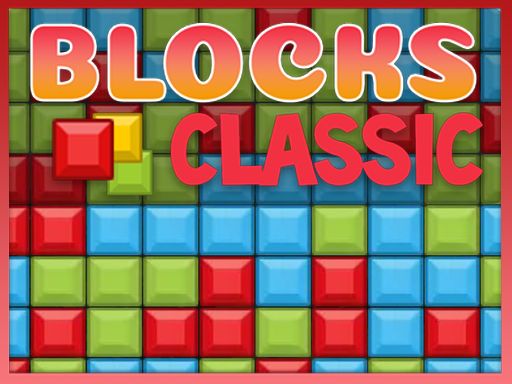
About BlocksClassic
BlocksClassic is a match-two block breaking puzzle game where players eliminate adjacent color clusters to clear the board. Featuring three distinct game formats—Classic, Power, and Zen—the title challenges your pattern recognition and spatial planning. Whether tackling falling pieces or enjoying endless clearing, every move requires careful attention to color arrangements and board structure.
BlocksClassic delivers a clean and accessible block-removal puzzle experience built entirely around identifying matching groups. The core action requires you to find and click clusters containing two or more blocks of the same color. Once selected, those connected blocks vanish, shifting the remaining layout and creating new connection possibilities across the board.
The game provides variety through three supported play modes. In Classic mode, your primary goal is to clear all blocks from the starting board. Power mode introduces added pressure as additional blocks fall from the top of the playfield during the session. For players seeking a relaxed session without clear-all constraints, Zen mode offers an endless block breaking environment where you can continuously match and pop color groups at your own pace.
Your goal
The main objective in BlocksClassic depends on your chosen format. In Classic mode, the target is to clear all the blocks off the board by systematically popping every valid cluster without leaving isolated pieces stranded. In Power mode, the focus shifts toward managing board space as fresh blocks fall from above. In Zen mode, the goal is continuous clearing in an endless puzzle setting.
How to play BlocksClassic
1. Select your preferred mode from Classic, Power, or Zen to begin the puzzle session.
2. Scan the grid to spot groups of two or more adjacent blocks sharing the same color.
3. Click or tap the matching group to break the blocks and remove them from the playfield.
4. Observe how remaining blocks collapse and settle into new positions across the board.
5. Continue targeting color clusters to clear the entire board or manage incoming falling blocks.
Controls and device support
Click on groups of two or more blocks with the same color to break them and clear space on the grid.
- Controls: See in-game controls
- Device support: Browser
- Game frame: 540 x 960
Rules to keep in mind
- A valid move requires a group of at least two connected blocks of the same color.
- In Classic mode, the puzzle is solved by clearing all blocks from the board.
- Power mode continually introduces new blocks falling from the top of the screen.
- Zen mode provides endless block breaking without traditional board-clearing end states.
What makes the challenge interesting
The central appeal of BlocksClassic lies in forward-looking board manipulation. Because single blocks cannot be clicked alone, breaking a cluster prematurely can isolate lone tiles, preventing a complete board clear in Classic mode. Players must weigh the immediate satisfaction of popping large color groups against the strategic need to bring scattered single blocks into contact with matching neighbors.
Transitioning between modes alters this mental rhythm. In Classic mode, deliberate calculation is rewarded since every tile removal directly affects the endgame layout. In Power mode, the constant influx of falling blocks shifts attention toward clearing lower clusters rapidly to keep the board manageable. Zen mode strips away pressure entirely, making it ideal for relaxed pattern spotting.
Tips for BlocksClassic
- Work from the bottom to unite scattered blocks. Clearing lower groups shifts columns and drops upper tiles, helping lone colors connect with matches instead of getting stranded.
- Check for isolated single tiles before clicking large pairs. Popping a cluster too quickly can leave solitary blocks with no possible partners on the rest of the board.
- Prioritize rapid baseline clears in Power mode. When blocks fall from the top, keeping the board height low prevents columns from becoming overcrowded and difficult to read.
- Use Zen mode to practice spatial intuition. Endless play lets you observe how block columns collapse and recombine without the risk of a blocked or failed layout.
Stages and progression
BlocksClassic structures its challenge around distinct mode mechanics rather than linear unlock paths. In Classic mode, progression is defined by your ability to fully clear the board layout through careful elimination. Power mode introduces a dynamic survival rhythm by continuously dropping new blocks from the top, testing how quickly you can recognize matches under changing conditions. Zen mode offers continuous play, serving as a low-stress training ground where you can refine your matching efficiency over extended sessions.
Playing on different devices
Built with a vertical 540 by 960 display resolution, BlocksClassic fits naturally onto mobile screens in portrait orientation while running smoothly in standard desktop browser windows. On desktop, standard mouse clicks offer precise cluster selection, whereas mobile touchscreens provide intuitive direct tapping on color groups.
The skills behind the game
As a member of the puzzle and block matching categories, BlocksClassic emphasizes spatial awareness and logical reduction over physical reflexes. Match-two and tile-clearing games rely on simple entry rules paired with emergent complexity: clearing one cluster inevitably alters the positions of adjacent and overhead pieces.
By combining traditional board-clearing puzzles with falling block elements and endless modes, the title connects with fans of tile-matching, brain teasers, and casual logic challenges seeking quick browser-based problem solving.
Who will enjoy this game
Players looking for a lightweight puzzle game online often search for titles like BlocksClassic to enjoy accessible, distraction-free logic sessions. The match-two format makes the BlocksClassic game easy to learn for newcomers while offering satisfying tactical depth for experienced puzzle fans.
Whether you have five minutes to tackle a Classic board clear or want to unwind with endless matches in Zen mode, this web-based puzzle offers flexible casual practice that trains visual grouping and sequential planning.
Frequently asked questions
Can I remove a single block by itself in BlocksClassic? No. The game requires you to click groups containing at least two connected blocks of the exact same color. Single isolated blocks cannot be clicked directly.
What is the difference between Classic, Power, and Zen modes? Classic mode tasks you with clearing all blocks from the board. Power mode features new blocks falling from the top, and Zen mode provides an endless block breaking session.
How do falling blocks work in Power mode? In Power mode, additional blocks descend from the top of the playfield during gameplay, requiring continuous matching to manage board height and create new color combinations.
Something not right?
Tell us if the game does not load, the information is wrong or the content needs review.
Report a problem ›