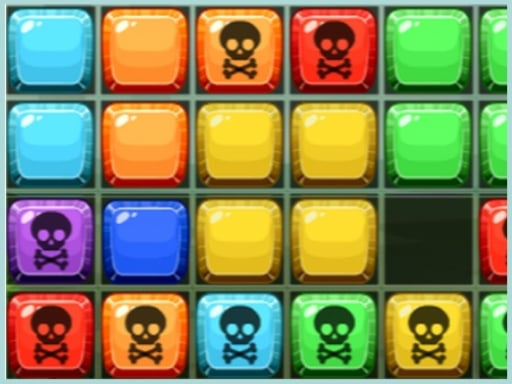
About Blocks 8
Blocks 8 is a single-player grid puzzle game where you arrange geometric shapes to clear full lines. Rather than managing falling pieces under time pressure, you select available blocks from below the board and place them freely. Your objective is to complete full horizontal rows or vertical columns across the grid to clear board space and accumulate points.
Blocks 8 delivers an approachable arcade puzzle format built around open spatial arrangement. The play area features a primary grid alongside a pool of block pieces positioned underneath the main board. Players select these available shapes and move them onto the grid wherever open slots exist.
Unlike classic falling-block titles that force downward placement, the game allows pieces to be moved freely into any open space on the board. When you complete an entire horizontal row or vertical column, those blocks clear from the play area, freeing up room for future moves and awarding points. The core loop revolves around maintaining clear pathways while strategically slotting irregular piece configurations onto the board.
Your goal
Your primary goal in Blocks 8 is to maximize your score by consistently clearing horizontal rows and vertical columns. Because new pieces require sufficient contiguous space to fit on the board, success depends on keeping the grid open and preventing clustered block formations from blocking future placements.
How to play Blocks 8
1. Inspect the available block shapes displayed below the main grid area.
2. Select and drag a block piece onto an open area on the board.
3. Drop the piece into empty grid tiles where its shape fits completely.
4. Align pieces to complete an unbroken horizontal row or vertical column.
5. Watch the completed row or column clear to create new empty spaces and increase your score.
Controls and device support
Drag and drop the block pieces located below the board into open positions on the grid using your mouse cursor or touchscreen.
- Controls: See in-game controls
- Device support: Browser
- Game frame: 1080 x 1920
Rules to keep in mind
- Pieces must be placed on open grid tiles on the board.
- Filling all tiles in any horizontal row clears that row from the board.
- Filling all tiles in any vertical column clears that column from the board.
- Clearing rows or columns awards points and opens empty space on the board.
What makes the challenge interesting
The central appeal of Blocks 8 lies in spatial foresight and deliberate grid management. Without downward gravity forcing rushed inputs, players have time to evaluate where each provided piece can best contribute toward completing a line. The main challenge comes from balancing short-term tile placement against long-term board mobility. Dedicating spaces solely to immediate line completions can leave odd single gaps that are difficult to fill later. Effective play requires reserving multi-tile zones to accommodate larger upcoming shapes while steadily working down dense clusters along both axes.
Tips for Blocks 8
- Prioritize clearing lines across both axes rather than focusing only on rows or columns. This keeps grid corners accessible for larger shapes.
- Review all available pieces below the board before placing your first block. Planning the order of placements prevents trapping larger pieces without valid slots.
- Avoid leaving isolated empty squares in the center of the grid, as small voids are harder to fill and can quickly fragment your board space.
- Keep central areas open when possible by building along established edges, ensuring you retain wide contiguous zones for bulky block arrangements.
Playing on different devices
Blocks 8 is built on HTML5 with a vertical aspect ratio of 1080 by 1920 pixels, making it well-suited for mobile screens and portrait-oriented browser windows. On touch devices, players can smoothly drag shapes directly onto grid coordinates. Desktop players can use standard mouse drag-and-drop actions to position blocks with precision.
The skills behind the game
Within the broader category of browser puzzle games, grid-based block placement titles provide a relaxed yet thoughtful alternative to fast-paced action puzzles. Players who enjoy spatial planning and geometric pattern matching can experiment with line-clearing layouts at their own pace. The emphasis on spatial awareness makes the format engaging for casual brain-teasing sessions during short breaks.
Who will enjoy this game
Players looking for a quick puzzle game online often seek accessible mechanics that can be understood in seconds yet reward careful positioning. Blocks 8 fits into this space by focusing entirely on tile arrangement and line clearing. It serves as a dependable casual practice game for anyone wanting to test pattern organization and board control without complex control schemes.
Games with a similar feel
Tetris: Tetris challenges players to arrange descending tetrominoes under real-time gravity to clear horizontal lines. In contrast, Blocks 8 removes falling mechanics, allowing players to drag and drop stationary pieces freely into both rows and columns. This makes Blocks 8 ideal for players who prefer methodical spatial planning over quick reflex demands.
Frequently asked questions
How do you score points in Blocks 8? You score points by placing available block shapes onto the grid to completely fill any horizontal row or vertical column, which clears those tiles from the board.
Can you rotate pieces before placing them? The game instructions describe dragging and dropping the provided block pieces directly onto the board. Unlisted mechanics like manual piece rotation are not documented in the official guide.
Do lines clear both horizontally and vertically? Yes. Completing either an entire horizontal row or an entire vertical column clears the filled blocks from the board and frees up space for new pieces.
Something not right?
Tell us if the game does not load, the information is wrong or the content needs review.
Report a problem ›