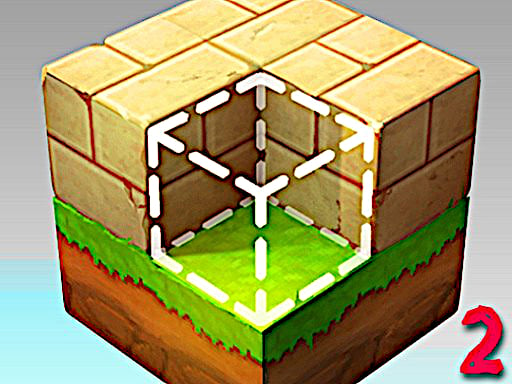
About Block Craft 2
Block Craft 2 is a 3D building simulation and adventure game where you can shape and modify an expansive voxel kingdom. Featuring diverse inventories, newly added skins, and specialized tools, this sequel lets your imagination run wild across vast open landscapes as you place blocks, mine structures, and craft a completely customized world from scratch.
Building on the foundations of the first installment, Block Craft 2 expands your creative toolkit with fresh items, skins, and inventory selections. Players enter an open 3D sandbox environment designed for open-ended exploration and construction. Whether crafting grand castles or altering natural terrain, the game gives you direct freedom to remodel landscapes using a wide variety of selectable blocks.
The gameplay loop seamlessly blends exploratory movement with tactile construction mechanics. You can navigate environments on foot, fly across heights to inspect ongoing builds, and switch quickly between specialized modes. With intuitive placement and destruction controls, every session becomes a canvas for building whatever structures you envision.
Your goal
Your primary objective in Block Craft 2 is to create, modify, and expand an entire custom kingdom across expansive 3D terrain. Experiment with different items, inventory blocks, and cosmetic skins to fashion unique architectural works. There are no rigid campaign restrictions, allowing you to freely explore the world, mine obstacles, and shape every sector according to your personal creative vision.
How to play Block Craft 2
1. Navigate the 3D environment using the W, A, S, and D keys, adjusting your vertical elevation with Q and E.
2. Select your preferred building materials and items from your inventory hotbar using number keys 1 through 8.
3. Aim your crosshair and right-click to place a chosen block, or press R to rotate blocks before placement.
4. Clear terrain or dismantle existing structures by pointing at blocks and left-clicking to hit them.
5. Toggle fly mode with F or build mode with B to position yourself for large-scale construction projects across the landscape.
Controls and device support
W, A, S, D: Move
Q, E: Move Up / Down
1, 2, 3, 4, 5, 6, 7, 8: Select block
Left-Click: Hit block
Right-Click: Create block
R: Rotate block
- Controls: See in-game controls
- Device support: Browser
- Game frame: 900 x 600
Rules to keep in mind
- Left-clicking hits and breaks targeted blocks to clear room or alter terrain.
- Right-clicking creates and places the selected block onto a valid world surface.
- Hotbar numerical keys 1 through 8 determine which active block type or item you place.
- Movement modes like flying, crouching, and sprinting alter how your character moves through the environment.
What makes the challenge interesting
Block Craft 2 centers on open sandbox freedom, spatial creativity, and unconstrained kingdom construction. Players spend their time charting unmapped 3D terrain, experimenting with diverse inventory items, and erecting detailed structures block by block. The game provides specialized utility toggles, such as fly mode and dedicated build mode, which streamline the process of assembling large-scale architectural projects. By combining agile movement mechanics like sprinting, crouching, and torch deployment, you can thoroughly survey both elevated monuments and enclosed spaces while bringing your creative concepts to life.
Tips for Block Craft 2
- Activate fly mode with F when constructing tall structures to easily place elevated blocks without building temporary scaffolding.
- Press P whenever you need a quick reminder of the key layout or want to pause your building session.
- Use the L key to place torches around enclosed areas, ensuring your construction sites remain well-lit as you work.
- Rotate blocks with the R key prior to placement to ensure patterns align properly with your overall kingdom layout.
The skills behind the game
As an entry in the adventure and sandbox genre, Block Craft 2 invites players to embark on self-directed journeys across vast 3D landscapes. Adventure games in this style blend unrestricted exploration with expansive creative construction, giving players complete agency over their surroundings. Rather than following linear quest paths, you define your own path by exploring terrains, gathering spatial inspiration, and building custom settlements.
Who will enjoy this game
Players seeking an engaging adventure game online will find Block Craft 2 a rich sandbox experience. In this block craft 2 game, you can experiment with varied building materials, explore vibrant voxel landscapes, and test creative layouts. The sequel builds upon core crafting concepts by introducing fresh tools, skins, and expanded inventories that make world creation deeply engaging for voxel enthusiasts.
Games with a similar feel
Minecraft: Like Minecraft, Block Craft 2 utilizes a 3D block-based voxel world focused on open-ended mining, creative building, and environmental exploration. However, Block Craft 2 delivers a lightweight browser simulation featuring dedicated fly and build mode toggles tailored for quick sandbox kingdom construction.
Frequently asked questions
How do you place and remove blocks in Block Craft 2? To place a block, select an item slot using keys 1 through 8 and right-click on your desired surface. To remove or hit an existing block, simply point at it and left-click.
How does flying work in the game? You can toggle fly mode by pressing the F key. While active, flying allows you to traverse heights and navigate across open expanses with greater ease during construction.
Can you change how blocks face before building? Yes, you can rotate blocks by pressing the R key before placement, allowing you to position items and materials to fit your desired architectural design.
Something not right?
Tell us if the game does not load, the information is wrong or the content needs review.
Report a problem ›