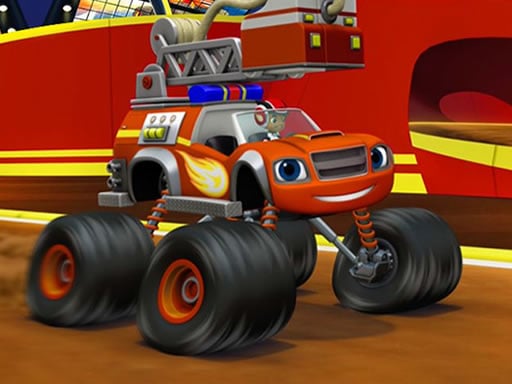
About Blaze Monster Truck Jigsaw
Blaze Monster Truck Jigsaw is a free online puzzle game built around bright cartoon monster-truck pictures. Pick one of twelve images, choose an easy, medium, or hard piece count, then use mouse or touch to complete the jigsaw in a relaxed casual session.
This listing is a straightforward browser jigsaw: the official description says you select one of twelve images, then select one of three modes before playing. Easy uses 25 pieces, medium uses 49 pieces, and hard uses 100 pieces, so the same picture can be a quick warm-up or a longer puzzle. The only stated input is simple: use mouse or touch the screen, which keeps the focus on recognizing shapes, colors, and truck details rather than learning complicated commands.
Your goal
Your goal is to complete the chosen monster-truck picture by assembling its jigsaw pieces. First decide which of the twelve images you want, then pick a difficulty that fits your time and patience: 25 pieces for easy, 49 for medium, or 100 for hard.
How to play Blaze Monster Truck Jigsaw
1. Open the game and look through the available set of twelve pictures.
2. Select the monster-truck image you want to solve.
3. Choose a mode: easy with 25 pieces, medium with 49 pieces, or hard with 100 pieces.
4. Use mouse or touch the screen to work with the pieces.
5. Rebuild the picture, then replay another image or try a tougher piece count if you want more challenge.
Controls and device support
Mouse: Use mouse
Touch screen: Touch the screen
- Controls: Mouse or touch
- Device support: Desktop + mobile
- Game frame: 1280 x 720
Rules to keep in mind
- There are twelve selectable images in the listing.
- The stated modes are easy with 25 pieces, medium with 49 pieces, and hard with 100 pieces.
- The only stated control method is mouse or touch-screen input.
What makes the challenge interesting
The challenge comes from visual matching rather than speed: piece count changes how much information you must track, while the cartoon truck artwork gives you color blocks, outlines, wheels, and body shapes to compare. Because the source lists three fixed modes, the practical decision is not whether the game changes rules, but how large a puzzle you want to solve. A 25-piece board suits a short casual break, while 100 pieces asks for more patience and careful scanning.
Tips for Blaze Monster Truck Jigsaw
- If you are new, start on easy with 25 pieces; it teaches the picture’s shapes before you try medium or hard.
- As general jigsaw practice, group similar colors and look for edge-like straight borders first, then fill inward using the truck details as anchors.
- Pick hard only when you want a longer session, because the stated 100-piece mode is the largest challenge.
The skills behind the game
Within Puzzles, this sits closest to casual jigsaw play rather than logic grids or physics brainteasers. The tags point to cartoon, hypercasual, kids, truck, and skill associations, so the page should emphasize simple image choice, clear piece counts, and relaxed replay instead of complex systems.
Who will enjoy this game
Natural phrases for this page include the exact title, “blaze monster truck jigsaw game,” “jigsaw puzzle online,” and the broader “puzzle game online.” These fit because the source explicitly describes a free online puzzle and jigsaw game with selectable images and modes; they should not be treated as verified search-volume data.
Frequently asked questions
How many images and modes are in Blaze Monster Truck Jigsaw? The description lists twelve selectable images and three modes: easy with 25 pieces, medium with 49 pieces, and hard with 100 pieces. You choose the picture first, then choose the piece count.
What controls does Blaze Monster Truck Jigsaw use? The supplied instructions are minimal: use mouse or touch the screen. No keyboard controls, extra buttons, timers, or device-specific gestures are stated in the source.
Is Blaze Monster Truck Jigsaw free to play online? Yes, the official description calls it a free online game from the puzzle and jigsaw genre. It does not state downloads, accounts, payments, or unlock requirements.
Something not right?
Tell us if the game does not load, the information is wrong or the content needs review.
Report a problem ›