Official listing
Game description
A unique tile ball puzzle game from coin base bitcoin games loved by millions of players around the world. Make a lot of coins and become a rich.
Hypercasual game
BitBall is a casual tile ball puzzle game where players interact with on-screen elements to collect virtual coins. Designed with straightforward hypercasual mechanics, the gameplay centers on clicking available buttons to navigate tile setups and build your coin total. It offers a lighthearted puzzle format that anyone can pick up immediately in a desktop or mobile browser.
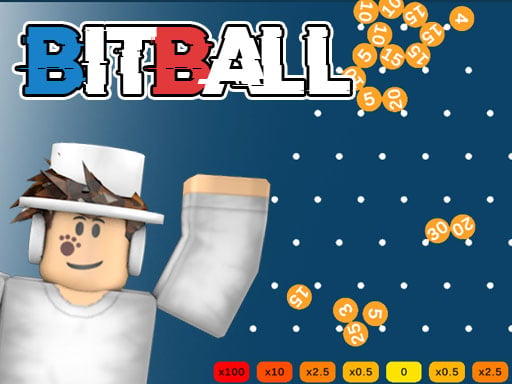
Choose Play now to load the game.
Official listing
A unique tile ball puzzle game from coin base bitcoin games loved by millions of players around the world. Make a lot of coins and become a rich.
From the game listing
Just click on buttons
Open this card to load the gameplay video.
BitBall is a casual tile ball puzzle game where players interact with on-screen elements to collect virtual coins. Designed with straightforward hypercasual mechanics, the gameplay centers on clicking available buttons to navigate tile setups and build your coin total. It offers a lighthearted puzzle format that anyone can pick up immediately in a desktop or mobile browser.
In BitBall, the core experience revolves around tile-based puzzle layouts and active coin gathering. The game presents a themed puzzle environment where players use basic button inputs to trigger actions and accumulate currency over time. The visual design and theme draw on digital coin concepts, providing an engaging arcade flavor to standard casual puzzling.
The session loop is designed around fast, accessible interactions without complex setup. As you interact with the puzzle tiles, your objective remains centered on maximizing coin gains. The minimal barrier to entry makes it suitable for brief casual breaks, letting you focus on simple input timing and direct button interactions across each puzzle attempt.
The primary goal in BitBall is to solve tile ball puzzle arrangements and collect as many coins as possible. Players strive to optimize their button clicks to steadily expand their total coin count and complete active tile challenges efficiently.
1. Launch BitBall in your web browser and allow the standard 800 by 600 game display to load.
2. Examine the current tile ball puzzle layout presented on the active game screen.
3. Click on the visible interface buttons to interact with the puzzle elements.
4. Gather coins produced through puzzle interactions to increase your overall wealth total.
5. Continue clicking buttons and managing tile positions to sustain steady coin collection.
The official instructions indicate that players just click on buttons using their mouse or touchscreen to interact with all puzzle features.
The defining appeal of BitBall lies in its blend of tile puzzle navigation and rapid click-driven collection. Rather than requiring complex button combinations or intricate mechanical dexterity, the game focuses player attention on responsive clicking and observing tile configurations.
A key tradeoff involves pacing your clicks against the state of the puzzle board. Rushing clicks without tracking the tile setup can lead to inefficient play, whereas deliberate, steady interaction ensures consistent coin generation throughout your playtime.
BitBall is built around an 800 by 600 fixed canvas resolution, making it well-suited for desktop web browsers and tablet displays. Because the primary control scheme requires only clicking buttons, players using mouse pointers or touch taps will experience straightforward navigation across all interface elements.
Within the hypercasual and arcade category, BitBall emphasizes approachable puzzle solving alongside immediate tactile feedback. Casual puzzle titles in this space prioritize low-friction mechanics, allowing players to jump straight into the action without studying extensive control manuals or navigating elaborate menus.
By combining classic ball puzzle concepts with click-oriented coin gathering, the game appeals to players who enjoy steady progression and simple, repetitive interactions. It fits comfortably alongside collection-focused arcade titles suited for quick practice sessions.
Players searching for BitBall or looking for a casual bitball game often seek lighthearted browser experiences that offer satisfying collection mechanics and tile puzzles. This format serves as a quick mental break that tests basic observation and rhythmic clicking.
Whether you want to spend a few minutes clicking through puzzle layouts or aim to practice consistent input timing, BitBall delivers an uncomplicated arcade environment focused on accumulating virtual rewards at your own pace.
Cookie Clicker: Like Cookie Clicker, BitBall centers on repeated clicking and steady resource accumulation. However, while Cookie Clicker focuses on long-term idle production systems, BitBall integrates active tile puzzle arrangements that direct player attention toward immediate board interactions.
8 Ball Pool: BitBall shares ball-themed arcade visuals with 8 Ball Pool, but their gameplay directions differ substantially. 8 Ball Pool emphasizes cue angles and precise physical trajectory, whereas BitBall offers a casual puzzle format centered on clicking buttons to earn coins.
What kind of game is BitBall? BitBall is a casual tile ball puzzle game that combines tile manipulation with coin collection through simple button clicking.
How do you control the action in BitBall? The game uses direct button inputs. You interact with the puzzle board by clicking on-screen buttons with a mouse or tapping them on touch devices.
What is the main objective during a game session? The main goal is to solve tile puzzle layouts and gather as many coins as you can to grow your overall balance.
Tell us if the game does not load, the information is wrong or the content needs review.
Report a problemExplore popular games by category, shared tags and site-wide activity.

















