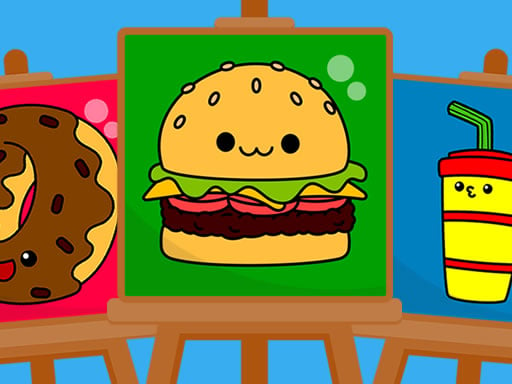
About Best Coloring Book
Best Coloring Book is a creative digital drawing activity that invites players to bring 15 charming illustrations to life using a rich palette of 120 colors. Equipped with pencil, paintbrush, and bucket fill tools, young artists can freely experiment with color combinations, refine their fine motor control, and save or share their completed artwork.
Designed as an accessible digital art studio, Best Coloring Book provides a relaxing canvas for creative expression. Players are presented with 15 cute picture templates ready to be colored. The workspace features three distinct drawing instruments: a pencil for fine lines, a paintbrush for smooth strokes, and a bucket fill tool for quickly coloring large bounded areas. With an expansive selection of 120 colors available, players can recreate natural scenes or invent imaginative, vibrant color schemes.
The game emphasizes ease of use, featuring an intuitive interface that allows children and casual painters to focus entirely on their art. In addition to the core painting tools, the interface offers built-in options to save or share finished drawings, making it straightforward to preserve artwork or display creative results to friends and family.
Your goal
The primary objective in Best Coloring Book is to complete each of the 15 illustrations with your own choice of colors and artistic styles. Players aim to explore diverse color harmonies across the 120-shade spectrum, practice neat application with different brush types, and build a personalized gallery of completed digital pictures to save and share.
How to play Best Coloring Book
1. Select one of the 15 picture outlines from the gallery menu to open your drawing canvas.
2. Choose your preferred drawing tool from the pencil, paintbrush, or bucket fill options.
3. Browse the palette of 120 colors and click or tap the exact shade you want to apply.
4. Apply color onto the picture sections by clicking or tapping to fill or dragging your cursor to draw.
5. Use the interface buttons to save or share the finished masterpiece once your coloring is complete.
Controls and device support
Play using mouse click or touch tap inputs to select colors, switch tools, fill designated regions, or draw across the canvas.
- Controls: Mouse or touch
- Device support: Desktop + mobile
- Game frame: 1920 x 1080
What makes the challenge interesting
The core appeal of Best Coloring Book centers on relaxed visual exploration and tool versatility. Balancing the three brush types creates an engaging workflow: the bucket fill tool quickly establishes broad base colors across large background segments, while the pencil and paintbrush allow for nuanced accent lines and manual fills. Navigating the 120-color palette encourages deliberate color coordination and pattern creation without the pressure of timers, health bars, or competitive scoring.
Tips for Best Coloring Book
- Lay down base colors across large character sections with the bucket fill tool first before switching to the pencil or paintbrush for fine details.
- Explore different tonal variations within the 120-color palette to add natural contrast between foreground subjects and background elements.
- Switch between brush types when filling intricate corners to avoid accidental spills and ensure crisp, clean lines across complex illustrations.
- Save your artwork periodically through the built-in interface functions so you can compare distinct coloring variations of the same picture.
Stages and progression
Progression in Best Coloring Book is self-directed across its collection of 15 picture templates. Rather than navigating rigid level locks or artificial hurdles, players can freely work through each illustration at their own pace. A rewarding practice plan involves starting with broader, simpler outlines to test the 120 colors, then gradually tackling more intricate templates using a combination of the pencil, paintbrush, and fill bucket to develop cleaner and more complex coloring styles.
The skills behind the game
Digital coloring titles sit comfortably alongside creative puzzle and skill games, offering visual problem-solving through color distribution and composition. Rather than demanding rapid reflexes, these activities foster patience, spatial awareness, and hand-eye coordination. Players exercise artistic judgment by deciding which shades complement each subject, making digital drawing an engaging and calming pastime across desktop and mobile screens.
Who will enjoy this game
Players searching for an accessible coloring game online will appreciate the open-ended creativity offered by Best Coloring Book. The blend of precision tools and a 120-color selection caters to young learners building digital dexterity as well as casual painters seeking a low-stress creative outlet. Because sessions can be as brief as a quick bucket fill or as thorough as a detailed manual painting, the game fits smoothly into casual daily practice.
Games with a similar feel
Happy Color: Happy Color focuses on a color-by-number format where players match predetermined palette numbers to specific sections. In contrast, Best Coloring Book offers open-ended artistic freedom with 120 colors, 15 pictures, and three brush tools, making it ideal for players who prefer manual drawing and freeform color choices over guided numbering.
Frequently asked questions
How many pictures are available to color in Best Coloring Book? The game includes 15 cute picture templates that players can select and paint using various tools.
Which drawing tools can you use in the game? You can paint using three distinct tools: a pencil for drawing lines, a paintbrush for smooth strokes, and a bucket fill tool for quick solid coloring.
How many colors are included in the palette? Best Coloring Book features a large palette of 120 colors, offering a broad spectrum of shades for every picture.
Can you save or export your finished artwork? Yes, the user-friendly interface includes options designed for saving and sharing completed drawings directly from the app.
Something not right?
Tell us if the game does not load, the information is wrong or the content needs review.
Report a problem ›