Official listing
Game description
Ben 10 grey matter hiding. What omnitrix watch is it hiding in? Follow very well with your eyes. Find out where you are.
Puzzles game
Ben 10 Find Grey Matter is an online puzzle and guessing game where players must keep a close eye on the Omnitrix. The miniature alien Grey Matter is hiding inside one of the Omnitrix devices on screen. Watch closely as they move and find the exact location of the hidden character.
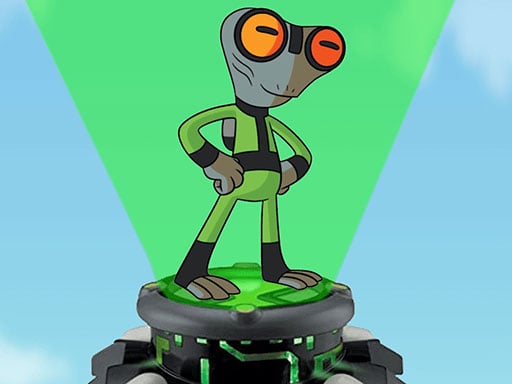
Choose Play now to load the game.
Official listing
Ben 10 grey matter hiding. What omnitrix watch is it hiding in? Follow very well with your eyes. Find out where you are.
From the game listing
Tap the screen to play
Open this card to load the gameplay video.
Ben 10 Find Grey Matter is an online puzzle and guessing game where players must keep a close eye on the Omnitrix. The miniature alien Grey Matter is hiding inside one of the Omnitrix devices on screen. Watch closely as they move and find the exact location of the hidden character.
In Ben 10 Find Grey Matter, your primary challenge is visual tracking and focus. The game features the classic cartoon hero Ben 10 theme, centering around the alien Grey Matter who conceals himself under an Omnitrix watch. Once the alien hides, you must carefully follow the movements with your eyes across the screen to keep track of its position. When the movement stops, you are tasked with identifying which specific Omnitrix contains the hidden character. Built in HTML5, this brain puzzle delivers a straightforward test of observation and attention without complicated setups. Players simply tap the screen to participate and test their guessing accuracy.
The main objective in Ben 10 Find Grey Matter is to correctly identify which Omnitrix watch Grey Matter has hidden inside. You must maintain sharp visual focus as the items shift, tracking the hidden character throughout every movement, and then tap the screen on the exact watch concealing the alien to make a successful guess.
1. Observe the screen to spot where Grey Matter initially hides under an Omnitrix watch.
2. Follow the movement of the Omnitrix watches very closely with your eyes as they shuffle.
3. Keep track of the specific Omnitrix that contains the concealed character until all movement finishes.
4. Tap the screen on the chosen Omnitrix watch to reveal your guess.
Tap screen: Select the Omnitrix watch to play
Ben 10 Find Grey Matter emphasizes concentration, rapid visual tracking, and memory retention. Rather than complex multi-button inputs, the gameplay centers around a classic shell-game mechanic wrapped in a cartoon theme. Players must maintain unbroken attention as the Omnitrix watches rearrange on the screen. Because the action relies entirely on following movement with your eyes, any momentary lapse in focus makes it difficult to pinpoint where Grey Matter is hiding. This streamlined guessing design creates a quick and accessible brain exercise.
As a title in the puzzle and brain category, Ben 10 Find Grey Matter focuses on observation skills rather than reflex-heavy action. Puzzle games of this nature challenge players to process moving visual information, retain target positions in short-term memory, and make accurate deductions. By pairing classic guessing mechanics with familiar cartoon elements, the game offers an approachable brain-teaser suitable for casual browser sessions.
Players searching for ben 10 find grey matter or looking for a ben 10 find grey matter game will find a focused shell-style guessing challenge. It serves browser enthusiasts looking for an accessible puzzle game online, providing quick visual tracking rounds centered on uncovering the hidden alien among the Omnitrix watches.
How do you play Ben 10 Find Grey Matter? Watch where the alien Grey Matter hides underneath an Omnitrix watch, follow the watch closely with your eyes as it moves, and tap the screen on the correct watch when it stops.
What controls are used in the game? The game uses simple touch or click controls. You simply tap the screen to interact and make your guess on the Omnitrix watch.
Tell us if the game does not load, the information is wrong or the content needs review.
Report a problemExplore popular games by category, shared tags and site-wide activity.



















