Official listing
Game description
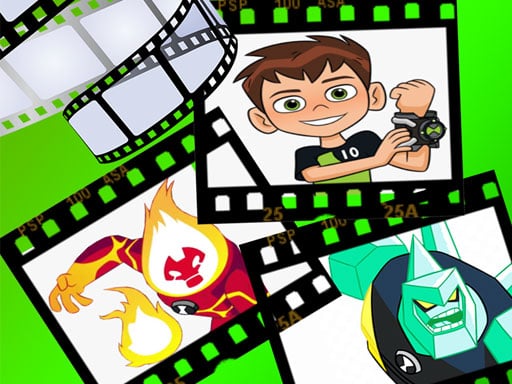
All children love to watch Ben 10 cartoons. Now we can create your own cartoon scene. Let's get our favorite ben 10 monsters on stage and fill it with our story. Let's play and watch.
Clicker game
Ben 10 Create Scene invites players to craft custom cartoon scenarios using familiar characters and creatures. By selecting animations from the top bar and placing them onto the active stage, you can build your own visual story. Tap the screen to begin interacting and watch your personalized scene come alive with your favorite monsters.
Choose Play now to load the game.
Official listing
All children love to watch Ben 10 cartoons. Now we can create your own cartoon scene. Let's get our favorite ben 10 monsters on stage and fill it with our story. Let's play and watch.
From the game listing
Tap the screen to play Select animation from above and drag and drop it to the scene
Open this card to load the gameplay video.
Ben 10 Create Scene invites players to craft custom cartoon scenarios using familiar characters and creatures. By selecting animations from the top bar and placing them onto the active stage, you can build your own visual story. Tap the screen to begin interacting and watch your personalized scene come alive with your favorite monsters.
Ben 10 Create Scene is a casual decoration and design game themed around popular cartoon adventures. Players are given a creative canvas where they can stage custom animated moments featuring various Ben 10 monsters. The core experience focuses on artistic freedom and creative expression rather than high-pressure challenges.
To construct a scene, simply tap the screen and browse through available animation elements positioned above the play area. Drag and drop chosen characters onto the background to compose dynamic displays. Once placed, you can watch your assembled cast in motion, making it easy to create, adjust, and enjoy customized storytelling setups directly in your browser.
The primary objective in Ben 10 Create Scene is to compose engaging cartoon scenes by arranging animated monster figures across the stage. There are no timers or strict score requirements; your goal is to select desired animations from the top menu, position them effectively, and watch your personalized story take shape through creative decoration choices.
1. Tap the screen to start the game and open the decoration interface.
2. Browse the animation options located in the menu above the stage.
3. Select your favorite Ben 10 monster or character animation from the top bar.
4. Drag and drop the chosen animated figure directly onto the scene canvas.
5. Arrange multiple figures across the screen to tell your own cartoon story and watch the final setup.
Gameplay in Ben 10 Create Scene centers on freeform cartoon design and visual assembly. Players interact directly with the stage using intuitive drag-and-drop actions to position characters where they look best. Because the title operates as a creative decoration experience, focus is placed on character placement, aesthetic balance, and scene composition rather than reaction speed or level progression. The animations run automatically once placed on the screen, allowing players to experiment with different character combinations and observe the resulting animated vignettes in real time.
Although tagged under the clicker genre, Ben 10 Create Scene functions primarily as an interactive decoration and design game. In clicker and interactive web titles, simple tap or click inputs trigger immediate on-screen changes. Here, the click mechanics serve creative placement rather than incremental resource gathering, providing an approachable way to interact with cartoon assets without complex controls.
Players searching for a ben 10 create scene game or an accessible clicker game online can explore this decoration tool to stage custom cartoon moments. The straightforward drag-and-drop format makes it simple to assemble animated characters on screen, offering a quick and relaxed creative playground for fans of cartoon scene design.
How do you place characters in Ben 10 Create Scene? Select an animation from the menu above the stage, then drag and drop it onto the desired location on the scene.
Are there time limits or scoring goals in this game? No, Ben 10 Create Scene focuses on open-ended design and decoration, allowing you to build and watch scenes at your own pace.
Can you watch the animations play on stage? Yes, once you position the animated monsters on the scene, you can watch them play out your custom cartoon story.
Tell us if the game does not load, the information is wrong or the content needs review.
Report a problemExplore popular games by category, shared tags and site-wide activity.