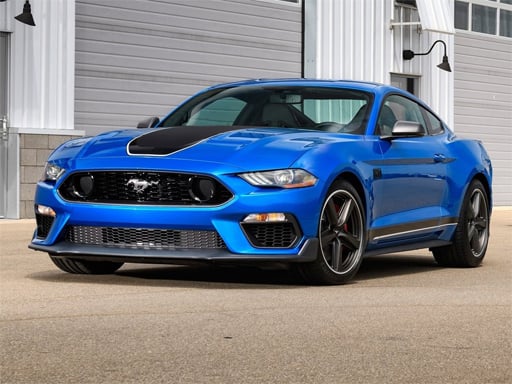
About Ben 10 Car Jigsaw
Ben 10 Car Jigsaw is a browser-based jigsaw puzzle game featuring themed car illustrations. Players can pick from a gallery of 12 distinct pictures and test their problem-solving skills across three difficulty settings. Whether assembling a starter 25-piece board or tackling the 100-piece challenge, the game offers accessible picture-matching entertainment for casual puzzle fans.
Ben 10 Car Jigsaw provides a traditional jigsaw experience directly inside your web browser. The title is built around cartoon vehicle artwork, offering players twelve different pictures to assemble. Each illustration can be played on one of three distinct piece counts, allowing players of various skill levels to find a suitable challenge.
The core loop involves selecting an image from the menu, picking your desired difficulty, and fitting the scattered pieces together into a complete vehicle scene. With intuitive mouse or tap controls, the game focuses entirely on spatial awareness and visual recognition without complex mechanics.
Your goal
The primary objective in Ben 10 Car Jigsaw is to reconstruct your chosen vehicle illustration by fitting all separated puzzle pieces into their correct spots. Once every piece is properly aligned to reveal the full picture, the puzzle is solved, allowing you to try another image or difficulty mode.
How to play Ben 10 Car Jigsaw
Follow these simple steps to start assembling puzzles in Ben 10 Car Jigsaw:
1. Browse the main gallery and select one of the 12 available vehicle pictures.
2. Choose your preferred difficulty mode: Easy (25 pieces), Medium (49 pieces), or Hard (100 pieces).
3. Use your mouse or tap on the screen to grab and drag individual puzzle pieces.
4. Match piece edges and colors together to assemble the full vehicle artwork.
5. Complete the image assembly to finish the puzzle and select a new challenge.
Controls and device support
Mouse: Click and drag to move puzzle pieces
Tap screen: Tap and drag to move puzzle pieces
- Controls: Mouse or touch
- Device support: Desktop + mobile
- Game frame: 1280 x 720
Rules to keep in mind
- Players can select from 12 distinct car-themed puzzle images.
- Difficulty is divided into three fixed options: Easy (25 pieces), Medium (49 pieces), and Hard (100 pieces).
- A puzzle round is complete when all pieces are correctly positioned to display the full image.
What makes the challenge interesting
Gameplay in Ben 10 Car Jigsaw centers on visual sorting and shape recognition. Because players can choose between 25, 49, and 100 pieces, each session can range from a quick casual match to a more intricate spatial test. The car illustrations feature bold lines and distinct character details, which provide helpful visual cues when assembling complex sections. Navigating the board relies on careful observation of edge lines and color patterns to rebuild each vehicle illustration smoothly.
Tips for Ben 10 Car Jigsaw
- Start with the easy 25-piece setting on any new illustration to familiarize yourself with the artwork and overall vehicle layout.
- Sort and connect the flat-edged border pieces first to construct the outer frame, making inner piece placement much simpler.
- Look for distinct character colors or vehicle wheels first, using these recognizable details as anchors for neighboring pieces.
The skills behind the game
As part of the browser puzzle genre, jigsaw games offer relaxing, mentally stimulating entertainment without high-pressure countdowns. Titles like Ben 10 Car Jigsaw combine recognizable cartoon themes with classic tile-assembly mechanics. These games emphasize pattern recognition, hand-eye coordination, and visual analysis, serving as accessible digital adaptations of traditional tabletop puzzles.
Who will enjoy this game
Players looking for a free puzzle game online can enjoy a variety of jigsaw challenges in their web browser. Ben 10 Car Jigsaw fits into this catalog by delivering HTML5 jigsaw puzzle online gameplay that works across desktop and mobile screens. With multiple piece counts, it provides customizable puzzle sessions focused on cartoon car imagery.
Frequently asked questions
How many difficulty settings are available in Ben 10 Car Jigsaw? There are three distinct difficulty settings to choose from: Easy with 25 pieces, Medium with 49 pieces, and Hard with 100 pieces for a tougher challenge.
How many puzzle images are included in the game? The game features a total of 12 selectable cartoon car pictures, each of which can be completed across any of the three difficulty levels.
What controls are used to assemble the jigsaw puzzles? You can interact with puzzle pieces by clicking and dragging with a mouse on desktop or by tapping and dragging on a touchscreen device.
Something not right?
Tell us if the game does not load, the information is wrong or the content needs review.
Report a problem ›