Official listing
Game description
This is a casual shooting game. The style of the game is simple, the playing method is simple, and the operation is easy. It is suitable for players of all ages. What are you waiting for? Come and have a try
Hypercasual game
Batman cool is a straightforward casual shooting game designed for quick pick-up-and-play sessions. Players interact with the screen to maneuver their character across the play area while targeting and shooting bats. With simple mechanics and accessible controls, the title offers an uncomplicated arcade challenge focused on basic movement timing and target acquisition.
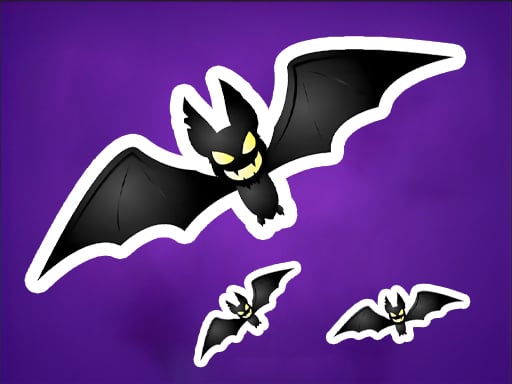
Choose Play now to load the game.
Official listing
This is a casual shooting game. The style of the game is simple, the playing method is simple, and the operation is easy. It is suitable for players of all ages. What are you waiting for? Come and have a try
From the game listing
Click the screen to control the character s movement and shoot the bat
Open this card to load the gameplay video.
Batman cool is a straightforward casual shooting game designed for quick pick-up-and-play sessions. Players interact with the screen to maneuver their character across the play area while targeting and shooting bats. With simple mechanics and accessible controls, the title offers an uncomplicated arcade challenge focused on basic movement timing and target acquisition.
Designed with a simple visual presentation and accessible mechanics, Batman cool delivers direct arcade action without complicated setup. The primary gameplay loop centers on guiding your on-screen character and lining up shots against oncoming bat targets.
Because the interaction relies on direct screen clicks or taps, matches can be started instantly in standard web browsers. The overall experience focuses on steady coordination between moving your character and engaging flying targets across the field.
The primary objective in Batman cool is to maintain active control over your character's positioning while successfully shooting bat targets as they appear. Players aim to refine their responsiveness, line up clean hits, and sustain their run by managing movement and target prioritization efficiently.
1. Launch the game in your desktop or mobile web browser to load the main play area.
2. Click or tap on the active game screen to initiate your character's movement.
3. Observe the positions of incoming bat targets as they enter the screen.
4. Align your character's position to aim and shoot at the bats accurately.
5. Continue repositioning across the play area to engage successive targets during the session.
The game uses unified screen click or tap controls to direct character movement and execute shots against bat targets.
The central challenge in Batman cool revolves around spatial awareness and input pacing. Because the core input directs both movement and shooting, players must balance aggressive targeting with careful positioning. Rushing toward a target without assessing the surrounding space can leave your character misaligned for subsequent shots.
Developing a steady rhythm helps maintain control during active moments. By observing target trajectories early and making measured screen clicks rather than rapid random inputs, players can track flying bats more predictably and maintain clean firing lanes.
Batman cool runs at a native vertical resolution of 750 by 1334 pixels, making it well suited for portrait display on mobile devices as well as centered window play on desktop browsers. On desktop setups, mouse clicks substitute for touch taps, offering accurate point-and-click control across the play area.
Categorized under hypercasual shooting games, Batman cool focuses on instant accessibility and minimalist mechanics. Hypercasual titles emphasize immediate playability with zero complex onboarding, allowing players of all ages to jump into the action right away. The focus stays entirely on core reflex coordination, simple screen taps, and direct arcade-style target engagement.
Players looking for a lightweight batman cool game experience generally seek quick, uncomplicated arcade sessions that can be enjoyed in short breaks. The streamlined tap-to-move-and-shoot design makes it easy to practice target tracking and reaction timing without navigating complicated menus or heavy equipment systems.
What is the main goal in Batman cool? The main objective is to maneuver your character across the screen by clicking or tapping and successfully shoot down bat targets as they appear throughout the session.
How do you control character movement and attacks? All actions are handled directly on screen. Clicking or tapping the display directs the character's movement and triggers shots toward the bat targets.
Can Batman cool be played on both mobile and desktop browsers? Yes, the HTML5 browser format supports standard web browsers on mobile phones, tablets, and desktop computers using touch or mouse input.
Tell us if the game does not load, the information is wrong or the content needs review.
Report a problemExplore popular games by category, shared tags and site-wide activity.




















