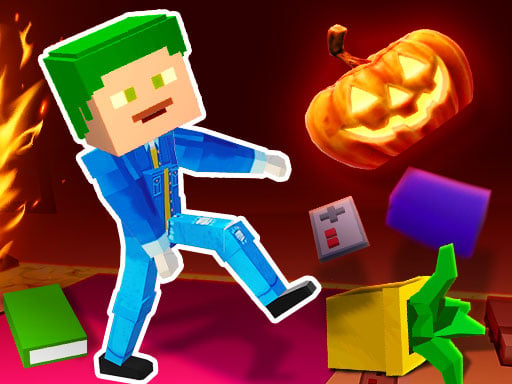
About Balanced Running
Balanced Running is a 3D casual racing game where you steer a ragdoll-style puppet down the track by mastering the length of each stride. Instead of holding down a throttle, success depends entirely on managing your inputs: press too briefly and your runner barely advances, but hold too long and an overextended step can cause a stumbling fall. With support for solo practice and head-to-head two-player competition, every heat tests your timing and physical coordination.
In Balanced Running, players take direct control of a puppet striving to make its way from the starting mark to the finish banner across a three-dimensional course. The game strips movement down to a single delicate variable: step duration. Holding your key dictates how far forward the runner reaches with its next stride. Because the character moves with momentum, finding an even, repeatable cadence is critical to avoid tipping over mid-stride.
The experience is designed for quick, bite-sized sessions that blend hypercasual simplicity with physics-based tension. What begins as an awkward shuffle quickly turns into a battle of nerves, especially when competing alongside a friend on the same keyboard in the dedicated two-player setup. Whether racing alone against your personal consistency or sprinting neck-and-neck in local competition, reaching the finish intact requires steady concentration rather than reckless speed.
Your goal
The primary objective in Balanced Running is to guide your puppet across the finish line without losing footing. Rather than chasing raw velocity, your immediate goal is to establish a stable walking rhythm by carefully regulating how long you hold the stride key, preventing the overextended steps that cause failure.
How to play Balanced Running
1. Choose your match format by deciding whether to tackle the course in single-player mode or challenge a friend in the two-player matchup.
2. Locate your assigned movement key—Player 1 can use W or the Up Arrow in single-player mode, while Player 2 utilizes the Up Arrow during two-player heats.
3. Press and hold the button briefly to initiate a forward step, observing how the character swings its leg forward.
4. Release the key before the puppet overextends its stride to plant its foot securely and prevent tipping forward.
5. Repeat measured key presses in a steady cadence to carry momentum down the track until your runner crosses the finish line.
Controls and device support
According to the official instructions, Player 1 moves using the W key or the Up Arrow key in 1-player mode. In 2-player mode, Player 1 uses W while Player 2 uses the Up Arrow key.
- Controls: Keyboard
- Device support: Browser
- Game frame: 800 x 600
Rules to keep in mind
- Button hold duration directly determines stride length; holding the key too long triggers an excessively wide step that may cause a fall.
- To complete a run successfully, players must maintain their puppet's footing all the way to the finish line.
- Two players can compete simultaneously on the same screen, with Player 1 assigned to W and Player 2 assigned to the Up Arrow.
What makes the challenge interesting
The defining skill in Balanced Running is impulse control under pressure. Traditional racing games reward continuous acceleration, but here, holding your key for even a fraction of a second too long creates dangerous instability. Players must balance the urge to cover ground quickly against the physical limits of the puppet's balance. This risk-reward dynamic creates an engaging tension between taking rapid, cautious steps and stretching for longer, higher-risk strides to pull ahead of an opponent.
Tips for Balanced Running
- Aim for moderate, consistent button taps during your opening strides. Trying to sprint immediately often results in an early overextension that abruptly halts your run before you find your tempo.
- Watch the puppet's posture rather than the finish banner. Releasing the input as soon as the forward foot starts stretching out helps you recover stability before the body tilts beyond recovery.
- Avoid panicking when trailing behind in two-player mode. Rushing your inputs to catch up usually triggers a tumble, giving the steadier, more deliberate player an effortless path to victory.
- Develop an internal rhythmic count for your key holds. Treating each stride as a predictable musical beat minimizes erratic holds and makes your pace far easier to sustain over the entire course.
Stages and progression
As noted in the game's briefing, walking feels difficult at first while you familiarize yourself with the puppet's weight and responsiveness. Because progression centers on personal skill refinement, players advance by building muscle memory over successive rounds. Once you learn the threshold between a solid step and an overextension, you can transition from cautious shuffles to confident, rhythmic strides that reach the finish line in fewer attempts.
Playing on different devices
Balanced Running runs within an 800 x 600 desktop window and is engineered around simple keyboard bindings. Because two participants share one keyboard during head-to-head heats—one using the W key on the left and the other using the Up Arrow on the right—both players have comfortable separation without cramped hands.
The skills behind the game
While listed under the racing umbrella, Balanced Running diverges significantly from traditional motorsport racers. It embraces the hypercasual tradition of physics-driven locomotion, where merely keeping your avatar upright is as much of a challenge as crossing the line. By blending elements of 3D ragdoll movement with direct head-to-head competition, the title emphasizes dexterity, patience, and fine motor control over sheer top speed.
Who will enjoy this game
Players looking for an approachable racing game online often seek experiences that require quick reactions without requiring complicated control schemes. Balanced Running fits into this niche as a pick-up-and-play balance test suitable for short breaks, friendly living-room duels, or lighthearted coordination practice. Learning to judge step lengths offers an engaging challenge for anyone interested in timing-based physics games.
Frequently asked questions
What happens if I hold the movement button down for too long? Holding the key down too long forces your character into an exaggerated, oversized stride. This overextension destabilizes the puppet's upright posture and frequently causes the runner to stumble, resulting in a failed run.
Can I play Balanced Running with a friend on the same computer? Yes, the game features a dedicated two-player mode where two runners compete locally. One player operates the puppet using the W key, while the second racer uses the Up Arrow key.
Which keys can I use when playing in single-player mode? In 1-player mode, you have the flexibility to control your puppet using either the W key or the Up Arrow key, allowing you to choose the hand position that feels most comfortable.
Something not right?
Tell us if the game does not load, the information is wrong or the content needs review.
Report a problem ›