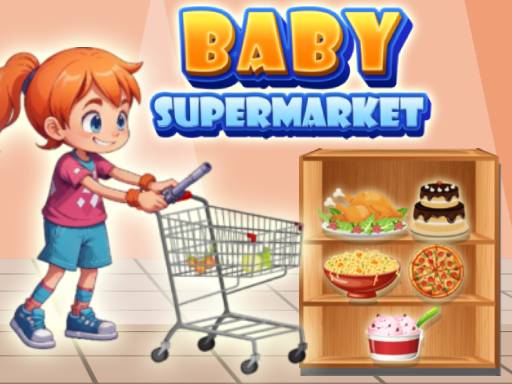
About Baby Supermarket For Kids
Baby Supermarket For Kids is a colorful educational title where young learners explore virtual grocery aisles, pick out everyday store items, and solve child-friendly learning activities. Guided by friendly on-screen characters, players navigate a cheerful market setting while practicing foundational skills such as identifying colors, recognizing shapes, counting numbers, and solving introductory math problems through intuitive point-and-click or tap interactions.
Set inside a lively grocery store, Baby Supermarket For Kids invites young players to experience a hands-on shopping journey tailored for early childhood learning. Children move through brightly illustrated aisles to discover various goods, select items to place into their basket or cart, and participate in interactive tasks embedded across different store stations. The presentation features welcoming guides who offer helpful advice and gentle reinforcement throughout the entire shopping trip.
The core gameplay combines freeform aisle exploration with focused mini-games that highlight fundamental early learning concepts. As children interact with products on the shelves, they encounter challenges centered around sorting colors, matching shapes, counting quantities, and working through simple math exercises. With built-in customization options and a calm, approachable pacing, the game lets players explore the store environment comfortably while reinforcing early cognitive skills.
Your goal
The primary objective is to complete shopping tasks across the supermarket aisles by locating requested items and finishing educational mini-games. Players aim to reinforce their understanding of numbers, colors, shapes, and basic counting while following helpful cues from character companions to navigate the store successfully.
How to play Baby Supermarket For Kids
1. Launch the game and observe the main supermarket floor, taking note of available aisles and character guides.
2. Navigate into a specific store section by clicking or tapping on the desired aisle or shelf display.
3. Inspect the available merchandise to identify target items based on their appearance, color, or shape.
4. Click or tap directly on the correct products to select them and move them into your shopping collection.
5. Engage with interactive mini-game prompts that ask you to count objects, identify geometric shapes, or solve basic math problems.
6. Explore customization options and visit remaining aisles to complete your educational grocery trip at your own pace.
Controls and device support
On desktop computers, use the left mouse button to click on aisles, choose items, and interact with mini-games. On touchscreen mobile devices, tap directly on the screen to make selections and play.
- Controls: Mouse or touch
- Device support: Desktop + mobile
- Game frame: 1280 x 720
What makes the challenge interesting
Baby Supermarket For Kids emphasizes visual recognition, early numeracy, and foundational cognitive development over speed or twitch reflexes. The experience is designed around accessible single-click interactions, allowing young learners to focus their attention on distinguishing colors, comparing object shapes, and practicing simple arithmetic without interface hurdles. By embedding educational prompts directly into familiar grocery routines, the game encourages thoughtful observation and purposeful decision-making in a welcoming setting.
Tips for Baby Supermarket For Kids
- Listen to and observe character cues closely before selecting items, as companion prompts clarify what color, shape, or quantity is currently requested.
- Take time to compare shelf items carefully rather than clicking rapidly, ensuring visual attributes match the mini-game prompt accurately.
- Practice counting objects one by one aloud during math mini-games to build steady early counting confidence alongside on-screen interactions.
- Check different aisles systematically to ensure all interactive learning stations and available customization options are fully explored.
Playing on different devices
The game provides dedicated input handling tailored to both desktop and mobile platforms. On desktop displays, a standard mouse left-click provides precise selection across small shelf items and interactive mini-game icons. On tablets and smartphones, direct screen tapping offers an intuitive, tactile experience well-suited for young children developing hand-eye coordination. The widescreen 1280 by 720 layout ensures items and character guidance remain clear across varied screen sizes.
The skills behind the game
As an educational hypercasual title, the game prioritizes immediate clarity, gentle pacing, and low-friction interaction. Rather than imposing complex mechanics or strict failure states, titles in this learning genre focus on relatable everyday themes like grocery shopping to introduce early cognitive milestones. Combining colorful environments with direct touch and mouse controls allows toddlers and young children to engage independently while discovering basic foundational concepts.
Who will enjoy this game
Parents and educators looking for baby supermarket for kids activities typically seek safe, approachable virtual environments that blend imaginative play with core preschool learning. A well-designed baby supermarket for kids game transforms standard grocery routines into interactive exercises for color naming, counting, and shape matching. These interactive sessions serve as engaging digital practice tools where young learners can build visual familiarity and fine motor coordination at their own speed.
Frequently asked questions
What educational topics are included in Baby Supermarket For Kids? The game features mini-games and shopping activities designed around early childhood concepts, including recognizing colors, identifying shapes, counting numbers, and practicing introductory math skills.
How do players control the game on mobile and desktop? Desktop players use the left mouse button to click on aisles and select items. On mobile devices, players interact by tapping directly on the screen.
Can children customize elements in the game? Yes, the game includes customization options alongside its aisle exploration and educational mini-games, allowing young players to personalize their shopping adventure.
Something not right?
Tell us if the game does not load, the information is wrong or the content needs review.
Report a problem ›