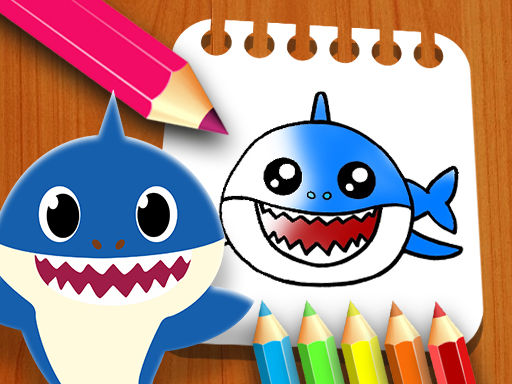
About Baby Shark Coloring Book
Baby Shark Coloring Book is a free online coloring game for kids and adults. Pick one of eight pages, choose a color from the bottom palette, set the point size, then click, hold, and drag the mouse to fill the picture; an eraser sits nearby for fixes.
Listed under Puzzles with cartoon, color, coloring, design, draw, drawing, fish and shark tags, Baby Shark Coloring Book plays like a simple digital coloring page rather than a logic puzzle. The source describes eight selectable pages and a bottom toolbar with colors, an eraser and a point-size choice, so the activity is about choosing a page and decorating it at your own pace. It also says the game is playable on all devices, although the only control method named is mouse drag. There are no stated scores, timers or unlocks in the provided facts.
Your goal
Your goal is to finish a chosen coloring page: select one of the eight sheets, pick colors from the available palette, drag the mouse across the areas you want to fill, and use the eraser or a different point size when you want cleaner edges or corrections. There is no stated win condition beyond completing the picture.
How to play Baby Shark Coloring Book
1. Start by choosing which one of the eight available pages you want to color.
2. Look at the bottom of the game screen to find the colors made available to you.
3. Click the color you want to use before painting on the page.
4. Click and hold, then move the mouse around however you want to color the selected areas.
5. If needed, choose the eraser under the page or change how big the coloring point is.
Controls and device support
The listing says the game is playable on all devices, but it only names mouse-drag coloring, so touch or stylus behavior is not specified.
Mouse click: Select a page, color, eraser, or point size
Mouse Drag: Coloring
- Controls: Mouse or touch
- Device support: Browser
- Game frame: 1080 x 720
What makes the challenge interesting
The focus is relaxed free-form coloring rather than solving a puzzle: the page gives you a shark-themed sheet, a fixed set of colors, an eraser, and a point-size option, then lets you decide where each stroke goes. Because the facts mention no timer, score, lives, or level gate, the practical challenge is staying inside the lines you choose and making a picture you like. That makes experimentation the main loop. Small point sizes can help with details, while broader strokes fill open areas faster.
Tips for Baby Shark Coloring Book
- Use a bigger point for open areas first, then switch to a smaller point when you want tighter edges or smaller details.
- If a stroke goes wrong, switch to the eraser immediately, then return to the color; this is usually faster than trying to cover a mistake with more paint.
- Pick a simple palette plan before dragging, such as one main body color and one accent, so the eight-page choice stays relaxed rather than overwhelming.
The skills behind the game
Within Puzzles, this listing sits closer to a creative coloring activity than a logic challenge. The tags point to cartoon art, color, drawing, fish and shark imagery, so players expecting traditional puzzle rules should instead expect a calm page-decorating task with simple tool choices. The provided facts do not describe block fitting, matching, or riddles.
Who will enjoy this game
Natural phrases for this page include baby shark coloring book, baby shark coloring book game, coloring game online, and puzzle game online. They fit because the title names Baby Shark, the description calls it a free online coloring game, and the category is Puzzles; treat them as language cues, not traffic estimates.
Games with a similar feel
Happy Color: Happy Color also centers on filling pictures with color, but it is associated with numbered regions, while Baby Shark Coloring Book uses free mouse-drag coloring, an eraser, adjustable point size, and eight selectable shark-themed pages for a looser drawing feel.
Frequently asked questions
How do you color in Baby Shark Coloring Book? Use the mouse: click a color on the bottom toolbar, then click, hold, and drag over the page. The instructions summarize it as mouse drag to coloring, and the description adds eraser and point-size options.
How many pictures can you color? The description says you first choose which one of eight pages you want to color, so the stated set is eight selectable pages rather than an open-ended gallery.
Can you correct mistakes while coloring? Yes. The description says an eraser is available under the page, and you can also change how big the coloring point is, which can help when cleaning edges or filling smaller spaces.
Something not right?
Tell us if the game does not load, the information is wrong or the content needs review.
Report a problem ›