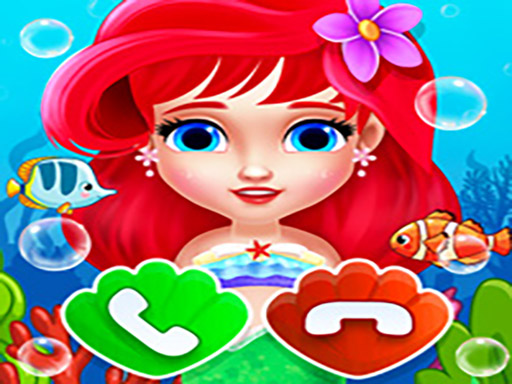
About Baby Princess Mermaid Phone
Baby Princess Mermaid Phone is a colorful simulation game presented as a toy smartphone interface surrounded by underwater scenery. Players can interact with on-screen app icons to initiate pretend phone calls, experiment with dress-up styling, and test casual educational mini-games. Designed with a bright aquatic theme, it offers an accessible, playful simulation environment where younger audiences and casual players can freely explore diverse activities at their own pace.
The game frames its activities inside a vertical handset layout decorated with ocean motifs. Each icon on the screen leads to a different interactive mode, mimicking the familiar layout of modern mobile devices. Instead of standard apps, the interface hosts mermaid-themed pastimes ranging from dress-up screens to interactive educational activities and simulated outgoing calls.
Navigating between activities is immediate and open-ended. Players select an app button, engage with the visuals, and return to the main home screen whenever they want to try a new mini-game. The aesthetic features hand-drawn aquatic elements, keeping the overall atmosphere relaxed, friendly, and visual-first.
Your goal
The primary goal is to explore every interactive icon available on the virtual phone screen. Players can focus on styling outfits in the dress-up module, participating in casual learning exercises, or triggering character interactions through simulated phone calls. Because the structure is freeform, success comes from discovering each feature and enjoying the variety of underwater activities without rigid score pressures.
How to play Baby Princess Mermaid Phone
1. Examine the main screen to see the available themed app buttons on the virtual phone interface.
2. Click or tap an icon to launch a specific activity, such as calling, dressing up, or playing learning mini-games.
3. Interact with the on-screen clothing items, calling pads, or educational tools using mouse clicks or touch taps.
4. Return to the main phone menu whenever you want to switch activities and test another feature.
Controls and device support
Mouse click or tap to play. All virtual phone buttons, outfit pieces, and educational features are selected using direct click or touch input.
- Controls: Mouse or touch
- Device support: Desktop + mobile
- Game frame: 720 x 1280
What makes the challenge interesting
The central appeal of this title lies in its creative variety and approachable interface simulation. Rather than testing reaction speed or mechanical precision, the gameplay emphasizes curiosity and relaxed visual interaction. Players alternate between creative outfit assembly in the dress-up module and basic cognitive engagement in the educational activities.
Because all navigation is anchored to recognizable phone icons, switching between activities feels intuitive. The ocean aesthetic ties the disparate mini-games into a unified underwater world, offering a low-friction play session suitable for early learners and casual browser gamers.
Tips for Baby Princess Mermaid Phone
- Test every app icon on the home screen first to understand which activities offer dress-up styling and which focus on educational tasks.
- Take time in the dress-up section to mix and match different outfit options before switching over to the calling or learning modules.
- Use the simulated phone call interface to trigger audio or visual responses, giving younger players an engaging pretend-play experience.
- Return to the home menu whenever an activity is finished to explore alternative mini-games rather than staying on one screen.
Playing on different devices
The game uses a portrait aspect ratio of 720 by 1280 pixels, matching standard mobile phone proportions. It operates smoothly on touchscreens via direct finger taps and on desktop browsers using left mouse clicks.
The skills behind the game
Within simulation and casual creative titles, virtual toy games provide an intuitive sandbox for younger players. By recreating a handheld gadget decorated with ocean art, the game delivers roleplay experiences like placing pretend calls and curating character looks.
Combining educational tasks with light fashion styling allows players to alternate between open-ended visual expression and structured learning prompts in a single, accessible browser session.
Who will enjoy this game
Players looking for a baby princess mermaid phone game often seek lighthearted, multi-activity titles suitable for early learners. The combination of pretend communication and creative dress up game features meets that interest directly without complex setups.
Whether playing on a family tablet or a desktop computer, the intuitive interface lets players practice basic digital coordination, explore colors and clothes, and enjoy safe interactive simulation play.
Games with a similar feel
Love Nikki-Dress UP Queen: Love Nikki-Dress UP Queen centers on intricate wardrobe curation and fashion coordination across extensive styling challenges. In contrast, Baby Princess Mermaid Phone offers an open-ended, toy-like simulation where dress-up is one of several casual activities alongside calling and educational mini-games. Players looking for deep wardrobe competition prefer Love Nikki, while those seeking a relaxed underwater toy interface will enjoy the simplicity here.
Frequently asked questions
What types of activities are included in Baby Princess Mermaid Phone? The game features several mini-games accessed through a simulated smartphone screen, including simulated phone calls, dress-up styling, and casual educational games themed around an underwater kingdom.
How do you control the game on desktop and mobile browsers? You can interact with every button, clothing item, and menu icon by clicking with your mouse on desktop or tapping directly on touch-enabled screens.
Does this game feature fashion styling elements? Yes, dress-up games are included directly as one of the main interactive phone apps, allowing players to experiment with character outfits and styles.
Something not right?
Tell us if the game does not load, the information is wrong or the content needs review.
Report a problem ›