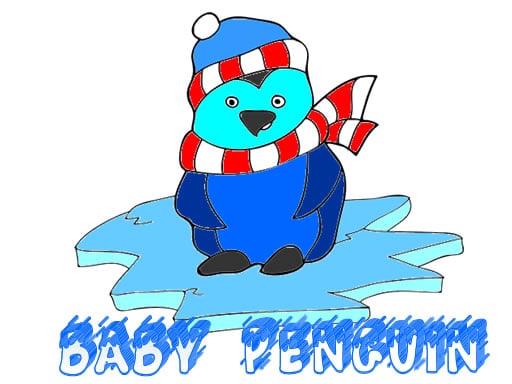
About Baby Penguin Coloring
Baby Penguin Coloring is a charming creative game where players bring delightful baby penguin illustrations to life. Pick any available penguin template, apply colors freely across every section, adjust your pencil size for tight details, and save your finished artwork when you are done.
Baby Penguin Coloring delivers a relaxed, kid-friendly drawing experience centered entirely on cute penguin characters. The game invites players to browse a selection of coloring pages featuring young penguins in various poses. Once an illustration is selected, you can color it entirely in your own personal style using your mouse.
To support both broad coloring and delicate linework, the toolset includes adjustable pencil sizes so you can fill tiny spaces neatly. After completing an illustration, you can export and save your personalized baby penguin creation directly to your device.
Your goal
The main goal is to select baby penguin coloring pages and complete them with your chosen color palette. Experiment with different tool sizes to fill in large areas and smaller details cleanly, then save your finalized artwork to build your own collection of colored penguin pictures.
How to play Baby Penguin Coloring
1. Select an uncolored baby penguin illustration from the available image menu.
2. Choose your desired color from the palette to start coloring the page.
3. Adjust the pencil size setting depending on whether you are filling broad sections or smaller spaces.
4. Use the mouse to color across the page and fill in the penguin illustration.
5. Save the finished baby penguin image once you are satisfied with your artwork.
Controls and device support
Mouse Left Click / Drag: Select colors, adjust pencil sizes, and apply color to the canvas
- Controls: Mouse or touch
- Device support: Browser
- Game frame: 1280 x 720
Rules to keep in mind
- Players are free to choose any baby penguin page and color each section using their own preferred style without forced color rules.
- Pencil sizes can be toggled to ensure accurate coloring across both broad areas and small details.
What makes the challenge interesting
Gameplay in Baby Penguin Coloring emphasizes low-stress artistic expression and precision control. Without strict timers or failure states, players can take their time deciding which shades fit each part of the character. Switching pencil sizes is key when handling intricate parts such as beaks, feet, or accessories.
The built-in save feature provides a rewarding sense of completion, enabling players to preserve their completed penguin pictures after spending time detailing them.
Tips for Baby Penguin Coloring
- Switch to a smaller pencil size before coloring delicate outlines, eyes, or tight corners to avoid coloring outside the lines.
- Use larger pencil sizes to quickly shade wide open areas such as backgrounds or large penguin bellies.
- Remember to save your picture right after finishing so you do not lose your completed artwork when moving to another page.
The skills behind the game
Categorized under puzzle and kids coloring games, Baby Penguin Coloring provides a relaxing pastime that focuses on color coordination and creative freedom rather than timed challenges or complex logic riddles.
Who will enjoy this game
For players searching for a baby penguin coloring game or a casual coloring game online, this HTML5 title offers accessible mouse-driven coloring pages suited for young players and relaxing browser sessions.
Games with a similar feel
Happy Color: Like Happy Color, Baby Penguin Coloring focuses on coloring charming illustrated artwork, but while Happy Color uses numbered preset zones, Baby Penguin Coloring offers freeform manual coloring with adjustable pencil sizes.
Frequently asked questions
Can I save my finished penguin coloring pages? Yes, the game includes a built-in feature that lets you save your completed baby penguin artwork directly to your device.
How do you control the brush or pencil in the game? You control your coloring tools using the mouse to pick colors, change pencil sizes, and paint over the canvas.
Can I adjust the pencil size for smaller details? Yes, you can adjust the pencil size to comfortably color both large surfaces and tight, intricate spaces on each page.
Something not right?
Tell us if the game does not load, the information is wrong or the content needs review.
Report a problem ›