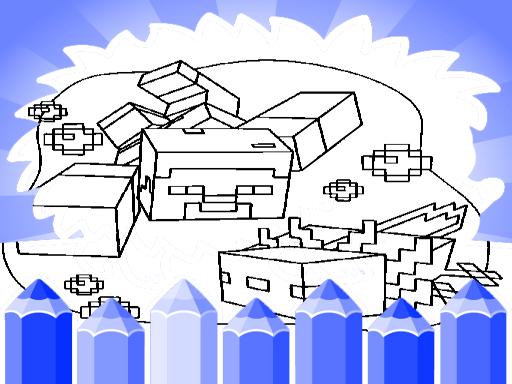
About Axolotl Minecraft Coloring Pages
Axolotl Minecraft Coloring Pages is a casual creative browser game where players color and draw pixel-inspired aquatic creatures and scenic backdrops. Featuring a selection of themed line art alongside adjustable brushes, textures, and color palettes, the game provides a relaxing canvas for players of all ages looking to create personalized digital artwork directly in their web browser.
Axolotl Minecraft Coloring Pages offers an accessible digital coloring book filled with block-styled axolotl characters and environment illustrations. Players can browse a variety of templates to find an illustration that inspires them, ranging from detailed creature portraits to charming landscape scenes. The user-friendly interface is designed to make tool selection intuitive, allowing you to jump right into decorating your chosen sheet.
The core gameplay loop centers on artistic experimentation. Once an illustration is open on the canvas, you can cycle through diverse coloring tools, modify brush sizes, and apply different colors or textures to fill every section. Because the activity is self-paced, it works equally well as a quick creative diversion or a calm, meditative session where you carefully refine each shade and stroke.
Your goal
Your main goal is to complete and customize axolotl illustrations by applying your favorite colors, textures, and drawing effects. Rather than racing against a clock or chasing points, your focus is on creative expression, testing different tool combinations, and turning black-and-white templates into vibrant finished artwork.
How to play Axolotl Minecraft Coloring Pages
1. Click or tap to start the game and browse through the catalog of axolotl and landscape coloring templates.
2. Select an illustration that you want to color and load it onto the central drawing canvas.
3. Pick your desired color palette, brush size, and texture effect from the available toolbar options.
4. Apply your chosen colors across the characters and scenery using mouse clicks or touch taps.
5. Adjust tool sizes to fill large background zones or outline fine details until your masterpiece is complete.
Controls and device support
Mouse click or tap to play. Use your mouse cursor on desktop or tap the touch screen on mobile devices to select colors, adjust brush settings, and paint directly onto the coloring canvas.
- Controls: Mouse or touch
- Device support: Desktop + mobile
- Game frame: 800 x 600
What makes the challenge interesting
The primary appeal of this coloring title lies in its stress-free creative freedom and deliberate pacing. Unlike fast-action puzzle games, the challenge here involves visual balance, color harmony, and tool control. Players must decide when to use broad brush strokes to cover expansive background areas and when to switch to smaller brushes for intricate accents on gills, eyes, and block textures.
Experimenting with varied textures and effects allows for diverse artistic outcomes on the same template. Taking your time to plan a color scheme or blending contrasting shades can transform simple outlines into visually dynamic scenes, making the process engaging for both young learners and adults seeking a relaxing outlet.
Tips for Axolotl Minecraft Coloring Pages
- Start by laying down large base colors across background sections before adding smaller details to the central axolotl figure.
- Switch brush sizes frequently to keep delicate line art neat, avoiding broad strokes on tight borders and tiny facial features.
- Experiment with texture options early in your drawing to see how different surface patterns interact with your chosen palette.
- Try contrasting bright creature tones against darker background scenery to make your focal character stand out sharply.
Stages and progression
Progression in this game is self-directed and built around exploring the collection of character and landscape pages. Rather than unlocking tiers through scores, you can progress by selecting increasingly detailed scenes or setting personal artistic goals, such as completing each template with a unique color theme or texture style.
Playing on different devices
Built on the HTML5 framework with an 800 by 600 default display ratio, the game runs smoothly across desktop browsers and mobile touchscreens. Desktop players benefit from precise mouse control when handling tiny brush strokes, while mobile users can enjoy intuitive tap-to-color interactions on phones or tablets without extra downloads.
The skills behind the game
Although listed under puzzle games in some directories, this title primarily belongs to the digital coloring and drawing category. It replaces timed challenges and rigid logic solutions with creative freedom, offering a peaceful environment where children and adults can practice color coordination and fine motor control at their own leisure.
Who will enjoy this game
Players looking for a relaxing coloring game online will appreciate the accessible design of Axolotl Minecraft Coloring Pages. The browser-friendly format makes it convenient for casual art practice during quick breaks, providing an engaging way to explore virtual painting tools and experiment with vivid color palettes without needing dedicated illustration software.
Games with a similar feel
Minecraft: Axolotl Minecraft Coloring Pages draws visual inspiration from the blocky voxel art style made famous by Minecraft. However, while Minecraft is an expansive 3D sandbox centered on survival and construction, this title focuses purely on 2D digital coloring and peaceful artistic relaxation.
Happy Color: Similar to Happy Color, this game provides an approachable digital coloring activity. While Happy Color guides players through structured color-by-number templates, Axolotl Minecraft Coloring Pages gives artists free rein to choose any brush size, texture, and color combination on the canvas.
Frequently asked questions
What is Axolotl Minecraft Coloring Pages? It is an HTML5 casual coloring game that allows players to color and draw various block-themed axolotl character sheets and scenic landscapes using a digital palette, brush tools, and texture effects.
Can you change brush sizes and effects while coloring? Yes. The game provides a user-friendly interface where you can experiment with different brush sizes, custom colors, and textured effects to personalize each drawing template.
Is the game suitable for mobile devices and touchscreen play? Yes. Because it is developed in HTML5 with responsive tap and click controls, you can play directly in modern web browsers on mobile phones, tablets, and desktop computers.
Something not right?
Tell us if the game does not load, the information is wrong or the content needs review.
Report a problem ›