About Armed Forces.io
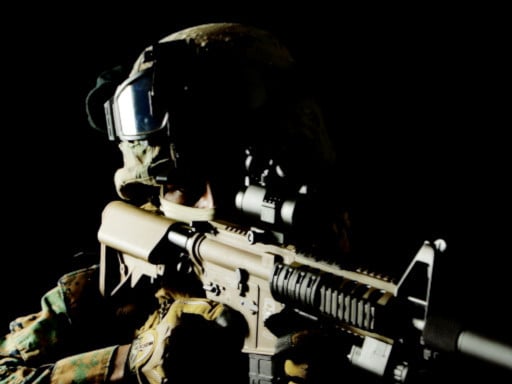
Armed Forces.io is a 3D first-person shooter that places players in active combat zones filled with scattered hostile targets. Your objective is to navigate complex terrain, track down opponents around every corner, and neutralize threats using precision marksmanship and tactical movement. By combining steady weapon handling with agile maneuvers like sprinting and sliding, you work to outmaneuver adversaries in fast-paced arena encounters.
In Armed Forces.io, players enter three-dimensional battlefields designed for direct firearm confrontations. The core gameplay loop revolves around patrolling open areas and indoor corridors, scanning for enemy movement, and engaging hostile combatants across varying engagement distances. Because threats can emerge from any angle or concealed position, survival requires consistent vigilance, careful corner checking, and decisive trigger discipline.
The game equips operatives with a flexible tactical toolkit, allowing players to sprint across exposed ground, execute low slides while in motion, and switch between numbered weapon slots to handle changing battlefield conditions. Players can also interact with dropped armaments, deploy explosive dynamite, or apply medical kits when available to sustain their combat readiness throughout ongoing skirmishes.
Your goal
The primary goal in Armed Forces.io is to locate and eliminate opposing combatants distributed throughout the map while staying alive. Players strive to improve their positioning, minimize incoming damage through evasive sliding and cover usage, and maintain accurate target acquisition under pressure. Mastering fast weapon transitions and timely utility deployment allows players to control sightlines and outlast rival forces.
How to play Armed Forces.io
1. Spawn into the combat arena and navigate the environment using WASD or arrow keys while monitoring sightlines for hostile movement.
2. Hold Left Shift to sprint across vulnerable open lanes or press Space while running to perform a low slide into protective cover.
3. Use the right mouse button to aim down sights for steady marksmanship, then click the left mouse button to discharge your weapon at targets.
4. Switch between equipped firearms using number keys 1, 2, and 3, or press E or F to interact with and pick up replacement weapons on the field.
5. Deploy available utility items by pressing G to throw dynamite at clusters of hostiles or pressing H to apply a medkit when wounded.
Controls and device support
Armed Forces.io is controlled via keyboard and mouse: use WASD or arrow keys to move, hold Left Shift to run, and press Space while moving to slide. Aim with the right mouse click and fire with the left mouse click. Switch weapons with keys 1, 2, and 3, press E or F to interact or pick up weapons, press G to throw available dynamite, press H to use an available medkit, and press T to open chat.
- Controls: WASD + arrow keys
- Device support: Browser
- Game frame: 960 x 540
Rules to keep in mind
- Eliminate enemy combatants encountered throughout the combat zone using equipped firearms, picked up weapons, or thrown dynamite.
- Utility items such as dynamite and medkits can only be activated when they are currently available in your inventory.
- Sliding is executed dynamically while moving, providing an evasive repositioning tool during active firefights.
- Interacting with weapons on the ground replaces or expands your active loadout across the dedicated selection slots.
What makes the challenge interesting
The defining dynamic of Armed Forces.io lies in balancing rapid movement against measured marksmanship. Sprinting and sliding allow players to traverse risky corridors quickly and alter their visual profile, making them harder targets for opposing shooters. However, precision shooting requires centering your crosshair and stabilizing your aim, creating an ongoing tactical trade-off between mobility and weapon accuracy.
Resource awareness also shapes combat encounters. Because healing items and explosive ordinances rely on availability, deciding whether to throw dynamite into a contested zone or save a medkit for emergency recovery influences your longevity. Choosing the appropriate firearm slot for close-quarters ambushes versus long-range duels further determines your effectiveness in diverse arena sectors.
Tips for Armed Forces.io
- Incorporate sliding when rounding hazardous corners or crossing open streets. This lowers your profile and disrupts enemy pre-aiming, whereas running in a straight line leaves you highly vulnerable to incoming fire.
- Engage right-click aiming before committing to medium- or long-range firefights. Firing entirely from the hip can spray rounds unpredictably, wasting ammunition when tight shot grouping is necessary.
- Cycle through your weapon slots using keys 1 through 3 to ensure your active gun matches the encounter distance. Avoid engaging distant foes with short-range armaments when a scoped or rifle option is available.
- Save medkit usage for secure positions behind sturdy cover. Activating healing in an exposed hallway risks taking additional hits before the recovery can provide any tactical benefit.
- Toss dynamite into concealed rooms or fortified choke points where enemy movement is suspected. Blindly charging into tight spaces without flushing out corners often leads to sudden ambushes.
Playing on different devices
Armed Forces.io is optimized for standard desktop web browsers utilizing a mouse and keyboard interface. The default game viewport runs at a 960 by 540 resolution, ensuring smooth frame pacing during intense firefights. A two-button mouse with a scroll wheel or responsive clickers is recommended for quick transitions between aiming down sights and discharging weapons.
The skills behind the game
Armed Forces.io belongs to the 3D first-person shooter and arena combat category. In modern browser shooting games, players expect responsive first-person controls, fluid navigation mechanics, and clear line-of-sight engagements. This title emphasizes tactical awareness, combining conventional rifle marksmanship with agile traversal options like sprinting and sliding.
The addition of interactive weapon pickups and dedicated utility slots for medkits and dynamite provides an accessible layer of tactical resource management. This setup appeals to players looking for fast, session-based combat practice directly inside their web browser without complex installation hurdles.
Who will enjoy this game
Players searching for online shooting games and 3D sniper gameplay often seek engaging, instant-play experiences that test spatial awareness, reaction speed, and crosshair control. Armed Forces.io serves this audience by offering straightforward arena combat where players must clear hostiles across unpredictable layouts.
Whether practicing quick target acquisition, experimenting with movement sliding around tight corridors, or engaging in long-range rifle skirmishes, the game offers a practical venue for sharpening core first-person shooter instincts during short casual gaming sessions.
Games with a similar feel
Sniper Elite: Sniper Elite centers on methodical, tactical sniping missions with extensive long-range mechanics. Armed Forces.io shares the emphasis on precise marksmanship and scanning terrain for threats, but focuses on fast-paced, close-to-medium arena movement with instant weapon switching and sliding, making it ideal for quick browser skirmishes.
Sniper 3D: Sniper 3D focuses primarily on scoped target elimination from fixed stationary vantage points. In contrast, Armed Forces.io offers full 3D first-person arena locomotion, allowing players to sprint, slide, pick up dropped armaments, and engage multiple mobile hostiles across open tactical maps.
Frequently asked questions
How do you slide while moving in Armed Forces.io? You can slide by pressing the Space bar while actively moving with the movement keys. This allows you to quickly duck under direct sightlines and transition into cover during combat.
Can you pick up new weapons during a match? Yes, pressing the E or F key when near dropped weapons allows you to interact with them and pick them up, expanding your available firearm options across your inventory slots.
How do you heal and use explosives in the game? When available, you can press the H key to use a medkit and restore health, or press the G key to throw a stick of dynamite toward enemy concentrations.
Is precision aiming supported for all firearms? Holding the right mouse button activates your weapon's aim view, providing greater stability and tighter focus before firing with the left mouse button.
Something not right?
Tell us if the game does not load, the information is wrong or the content needs review.
Report a problem ›