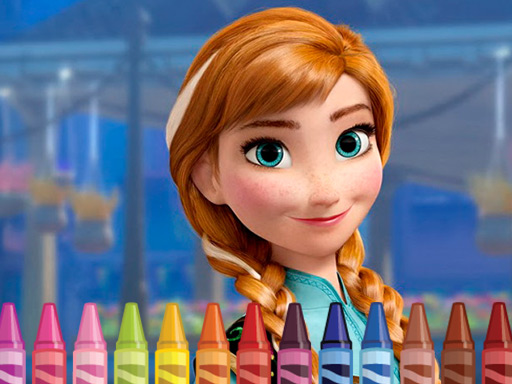
About Anna Frozen Coloring
Anna Frozen Coloring is a browser coloring game where players pick cartoon pictures, choose colors, and fill each page using mouse or tap. The listing describes four pages with four coloring pages each, plus a camera icon for saving a finished picture before starting another. It is simple, creative play centered on color choice.
Anna Frozen Coloring is presented as a coloring game for fans who want to color pictures with the main characters of a favorite cartoon. The description says the game includes four pages, and each page has four coloring pages, so players can browse instead of settling for the first picture they see. If the first page does not have an appealing image, the next page may contain a better choice. The stated play pattern is to choose a picture, pick suitable colors to make it bright, color it, then use the camera icon to save the result and move on to another picture.
Your goal
The goal is to find a coloring page you like, color it with colors that make the picture bright, and save the finished image with the camera icon. After saving, the description says you can start coloring the next picture, continuing through the available pages.
How to play Anna Frozen Coloring
1. Open the game and look through the available coloring pages; the description says there are four pages with four coloring pages each.
2. If the pictures on the first page do not appeal to you, go to the next page to look for a picture you want to color.
3. Choose a picture, then select colors that will make the finished image bright.
4. Color the picture using mouse or tap, matching the supplied instruction to use mouse or tap the screen.
5. After coloring, click the camera icon to save the picture and begin coloring the next one.
Controls and device support
Mouse: Use mouse
Tap: Tap the screen
- Controls: Mouse or touch
- Device support: Desktop + mobile
- Game frame: 960 x 540
Rules to keep in mind
- The game is described as having four pages, with four coloring pages on each page.
- You may move to the next page if the pictures on the current page do not appeal to you.
- Clicking the camera icon after coloring is described as the way to save the picture and start the next one.
What makes the challenge interesting
The focus is relaxed picture selection and coloring rather than fast reactions. The description emphasizes browsing several pages, finding the most beautiful picture to color, and choosing the right colors so the finished picture looks bright. Because the camera icon is specifically mentioned after coloring, saving a completed image is part of the loop before moving to another page. The only stated inputs are mouse or tap, keeping the interaction simple and direct.
Tips for Anna Frozen Coloring
- Browse beyond the first page before deciding; the description suggests a later page may contain the picture you most want to color.
- Pick colors deliberately, since the stated aim is to make the picture itself bright rather than simply finish it quickly.
- Use the camera icon only after you are satisfied with a picture, because it is described as saving the image and starting the next one.
Playing on different devices
The instructions name mouse or tap, and the tags include HTML5 and Mobile, so the listing presents the game for both click and touch play. No extra device requirements are stated beyond those inputs.
The skills behind the game
The category is Puzzles, but the supplied description frames play as creative coloring rather than solving logic problems. Tags such as Coloring, Fun, HTML5, Kids, and Mobile add context: a light, kid-friendly browser activity built around choosing pictures and colors, with simple mouse or tap input.
Who will enjoy this game
Natural phrases for this page include "anna frozen coloring," "anna frozen coloring game," and "coloring game online," because the title and description center on coloring cartoon pictures. "Puzzle game online" fits only as broad category context, since the facts describe coloring, browsing pages, and saving images rather than puzzle mechanics.
Games with a similar feel
Happy Color: Happy Color is a useful reference because both involve filling pictures with color. The difference is that Happy Color is associated with numbered color regions, while Anna Frozen Coloring is described as choosing colors freely to make cartoon pictures bright and then saving them with a camera icon.
Frequently asked questions
How do you play Anna Frozen Coloring? Choose a coloring page, pick colors, and color the picture using mouse or tap. When finished, click the camera icon to save the picture and start coloring another one.
How many coloring pages are described? The description says the game has four pages, and each page has four coloring pages. It also says you can move to the next page if the first pictures do not appeal to you.
Can you save a finished picture? Yes. The description says that after you color the picture, you click the camera icon to save it and then start coloring the next picture.
Something not right?
Tell us if the game does not load, the information is wrong or the content needs review.
Report a problem ›